The best ManyChat alternative depends on why you want to leave. If the bill grows with every person who interacts with you, look for a tool that charges differently. If you need WhatsApp-first support, look at tools built for it. If you only send links from Instagram comments, a creator tool may be all you need. And sometimes the honest answer is to stay.
A note before we start: we make ChatinFlow, which is one of the tools below. We have tried to be fair: for every tool, including ManyChat, we say who it suits better than us. Plans and prices change, so each tool's own pricing page is the final word; our comparison pages list the sources we used and the date we checked them.
First: should you switch at all?
ManyChat is the best-known tool in this space, and for some accounts it is still the right one:
- A small group writes to you nearly every day, such as a paid community. ManyChat bills by active contacts per month, which is cheaper than paying per conversation when the same people write daily.
- You need TikTok, SMS or email automation in the same tool today.
- You rely on templates, courses or agencies built around ManyChat, which has years of them.
If none of these is you, read on.
How to compare the alternatives
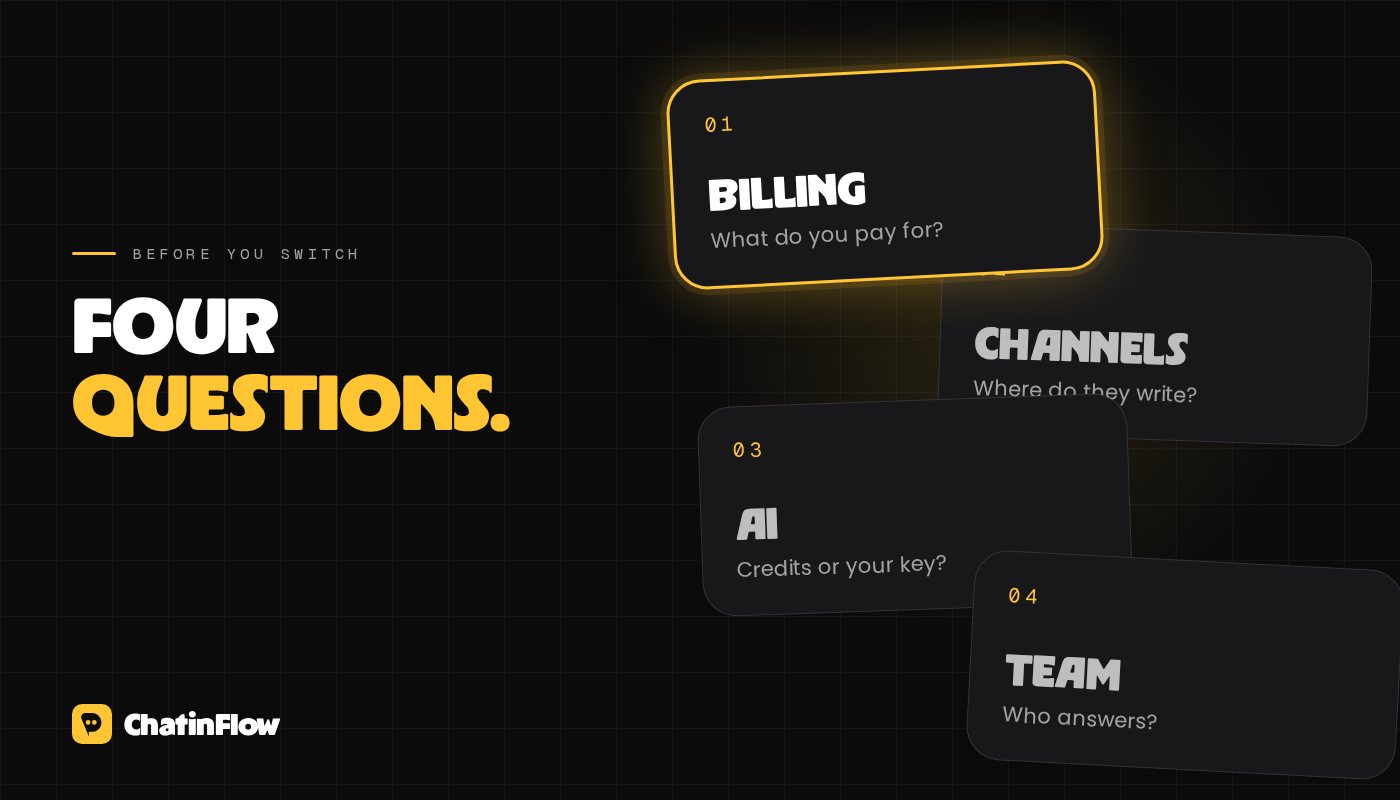
Four questions separate these tools more than any feature list:
- What do you pay for? Active contacts per month, conversations answered, DMs sent, or a flat price per Instagram account. The right model depends on how many people write once and never again versus how many write every week.
- Which channels? Instagram only, Meta's three channels (Instagram, Messenger, WhatsApp), or more.
- How is AI billed? Credits included in the plan, or your own key with a provider such as OpenAI, where you pay the provider directly.
- Who answers? One creator, or a team that needs a shared inbox with roles.
One thing doesn't differ: every tool that uses Meta's official API works within the same Instagram limits, such as one private reply per comment within 7 days and the 24-hour messaging window. A tool that promises more than that is not using the official API. See Instagram DM automation rules in 2026.
The alternatives, by use case
ChatinFlow: for businesses that answer on several channels
ChatinFlow bills by conversations: one person, on one channel, on one day, counted only when a reply goes out, with no limit on contacts. It connects Instagram, Messenger, WhatsApp, Telegram, Viber, website chat and Threads replies; AI runs on your own OpenAI, Anthropic, Google or Azure key on every paid plan; and a shared inbox with roles is included. Bookings, a sales pipeline, satisfaction surveys and Shopify cart reminders sit next to the flows. There is a free plan with one channel other than WhatsApp.
Choose something else if you need TikTok, SMS or email automation in one tool, phone calls in the inbox, or channels such as LINE or WeChat. Full comparison: ChatinFlow vs ManyChat.
Chatfuel: for agencies that want AI credits in the plan
Chatfuel covers Instagram, Messenger and WhatsApp, with monthly AI credits included in each plan, and an agency plan that manages several companies from one dashboard.
It suits you better if you are an agency that wants a dedicated account manager and bulk pricing, you would rather not hold your own AI key, or you already run a Chatfuel bot that works. ChatinFlow vs Chatfuel.
LinkDM: for creators who only send links
LinkDM focuses on sending links in Instagram and Facebook DMs, with a monthly allowance of DMs set by plan and number of accounts.
It suits you better if you only need links sent from comments and stories and nothing after that, you want a fixed DM allowance per account, or you use its creator features such as Instagram Live replies and a DM planner. ChatinFlow vs LinkDM.
InstantDM: for one creator account at a flat price
InstantDM is built for creators running Instagram accounts, with a flat price per account and paid plans that are unlimited within an hourly limit.
It suits you better if you are one creator with one Instagram account who wants unlimited DMs at a single price, your audience lives on Instagram and Facebook, or you want creator features such as Live triggers and boosted reels in the same tool. ChatinFlow vs InstantDM.
respond.io: for large support teams
respond.io is built around customer service: routing, reporting, and calls in the same inbox as chats.
It suits you better if your team answers phone calls and chats in one place, you need Salesforce, custom channels or channels such as LINE, WeChat or TikTok messages, or you run a large service team that cares more about routing than marketing flows. ChatinFlow vs respond.io.
SleekFlow: for teams selling on LINE or WeChat
SleekFlow is a customer conversation platform with strong coverage of Asian messaging apps.
It suits you better if your customers write on LINE or WeChat, you want a provider to manage your WhatsApp Business API account for you, or you need ticketing and a sales team to set up the account with you. ChatinFlow vs SleekFlow.
Wati: for WhatsApp-first businesses
Wati is built around WhatsApp, with campaigns and WhatsApp Business calling.
It suits you better if nearly all your conversations happen on WhatsApp, you want calling in the same tool, you sell in India and want a local pay-as-you-go plan, or your team already runs WhatsApp campaigns in Wati. ChatinFlow vs Wati.
Meta Business Agent: for an AI in the WhatsApp Business app
Meta's own business AI answers customers in the WhatsApp Business app, and works best when your products already live in a Meta catalog.
It suits you better if you want an AI answering today without building anything, your products already live in a Meta catalog, and you are comfortable letting the AI choose the words. ChatinFlow vs Meta Business Agent.
Quick picks
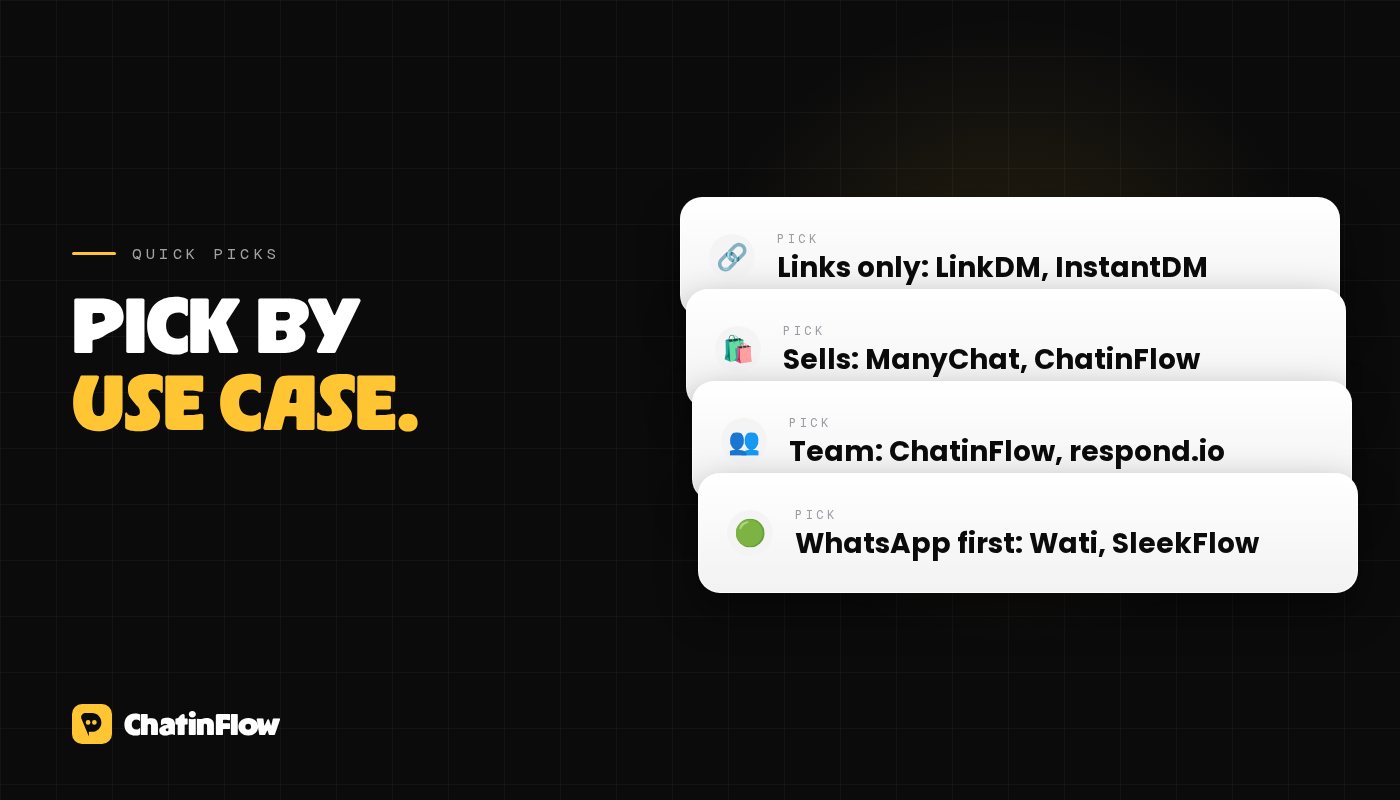
- Creator, Instagram only, links only: LinkDM or InstantDM.
- Creator who sells, collects emails and runs giveaways: ManyChat or ChatinFlow; compare the billing model on your own numbers.
- Business on several channels with a team: ChatinFlow, or respond.io for large support teams.
- WhatsApp-first: Wati, or SleekFlow if you also need LINE or WeChat.
- Agency with many client bots: Chatfuel or ChatinFlow (a workspace per client under one login).
How to switch without losing anything
- List what you run today: every automation, its trigger, its keywords and the posts it is tied to.
- Export your contacts as a CSV from your current tool and import them, with their tags.
- Rebuild the most important flow first, usually the comment-to-DM flow on your best-performing posts. Templates help: comment-to-DM with a link.
- Turn off the old automation before you turn on the new one. Two tools listening to the same comments will both try to reply, and only one private reply per comment is allowed.
- Test from a second account for each keyword before you announce anything.
- Keep the old account for a few weeks in case you need to look something up.
Sources
Our comparison pages list every source with the date we checked it. The pages used here:
- ChatinFlow vs ManyChat, sources checked October 10 and 14, 2026, including ManyChat's pricing page.
- ChatinFlow vs Chatfuel, checked October 14, 2026.
- ChatinFlow vs LinkDM, InstantDM, SleekFlow, Wati and Meta Business Agent, checked October 10, 2026.
- ChatinFlow vs respond.io, checked October 10 and 14, 2026.
ईमेल से
नए फ़्लो आपके इनबॉक्स में।
काम करने वाले फ़्लो, नई प्लेबुक और ChatinFlow में क्या बदला। कोई स्पैम नहीं, और एक टैप में बाहर निकल सकते हैं।
आपको यह भी पसंद आ सकता है

सवाल और जवाब
इस लेख के बारे में पूछें। ChatinFlow टीम यहीं जवाब देती है।
ChatinFlow टीम
अभी कोई सवाल नहीं है। पहला सवाल आप पूछें, जवाब हम यहीं देंगे।