Conversational commerce is selling inside a conversation: a customer asks in Instagram DMs, WhatsApp or Messenger, and the answer, the product and the next step to buy all arrive in the same chat. It works because the question comes at the moment someone wants the thing, and a chat can answer that moment in a way a product page can't.
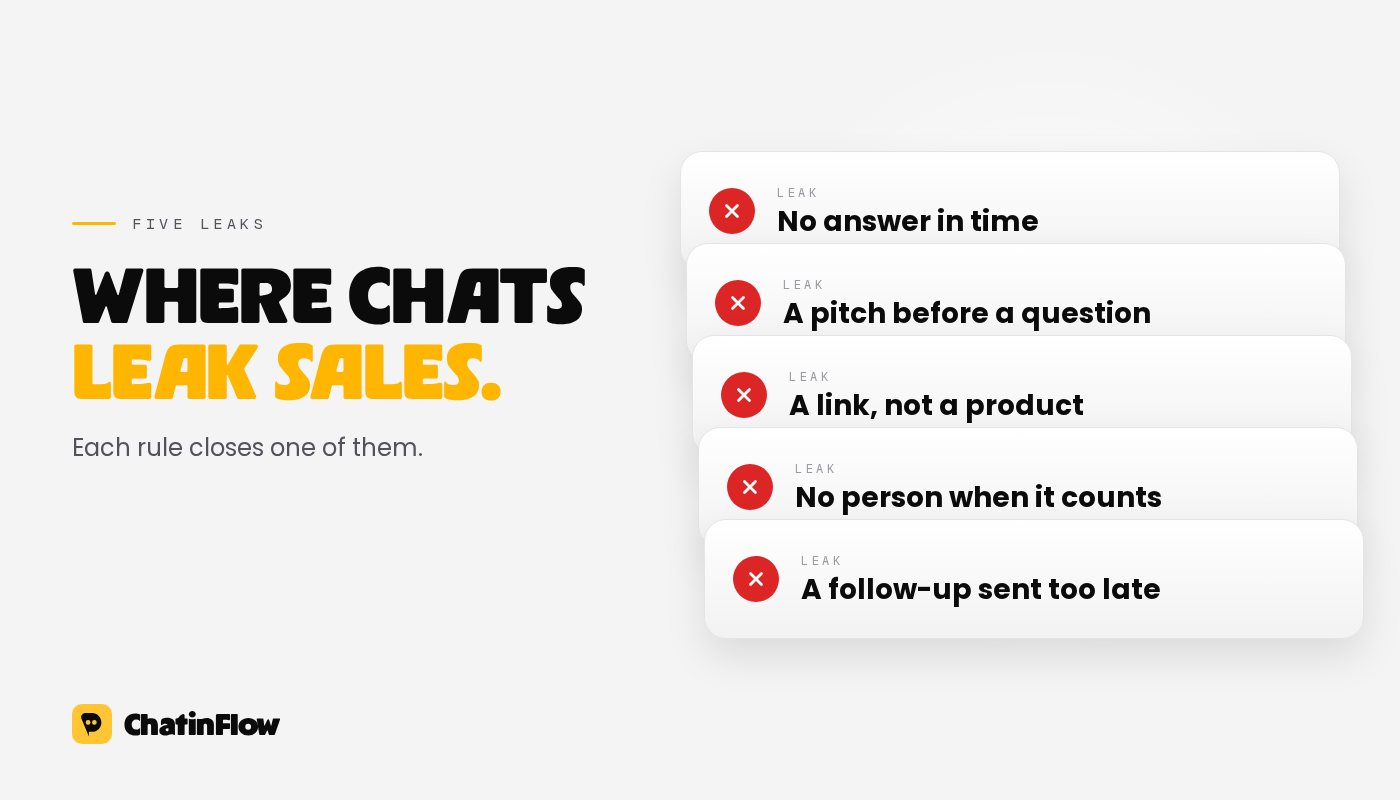
Most shops already get these questions. The difference between a chat that sells and a chat that leaks is a handful of habits. These are the five that matter most, in the order a customer meets them.
Rule 1: answer in the moment of intent
A question in the DMs is a customer standing at the counter. "Is this available in medium?", "Do you ship to Berlin?", "How much is the set?" are all buying signals, and they cool fast. By the time someone gets back to them the next morning, the person has moved on to another tab, another shop or another reel.
The fix is not to sit in the inbox all day. It is to answer the questions you get every week automatically, and answer them well:
- Price, sizes, stock and shipping are the classic four. Write one good answer for each and let a keyword trigger send it.
- Comments are questions too. "Price?" under a post deserves a private reply with the price and a link, plus a public reply so the next viewer knows to look in their DMs. Our comment-to-DM guide shows the setup.
- Say when a person will take over. If the question needs a human, the first automatic answer should say so and say when, instead of leaving silence.
Speed is the one rule that pays off on its own. Every other rule assumes the customer is still there to read your reply.
Rule 2: ask before you pitch
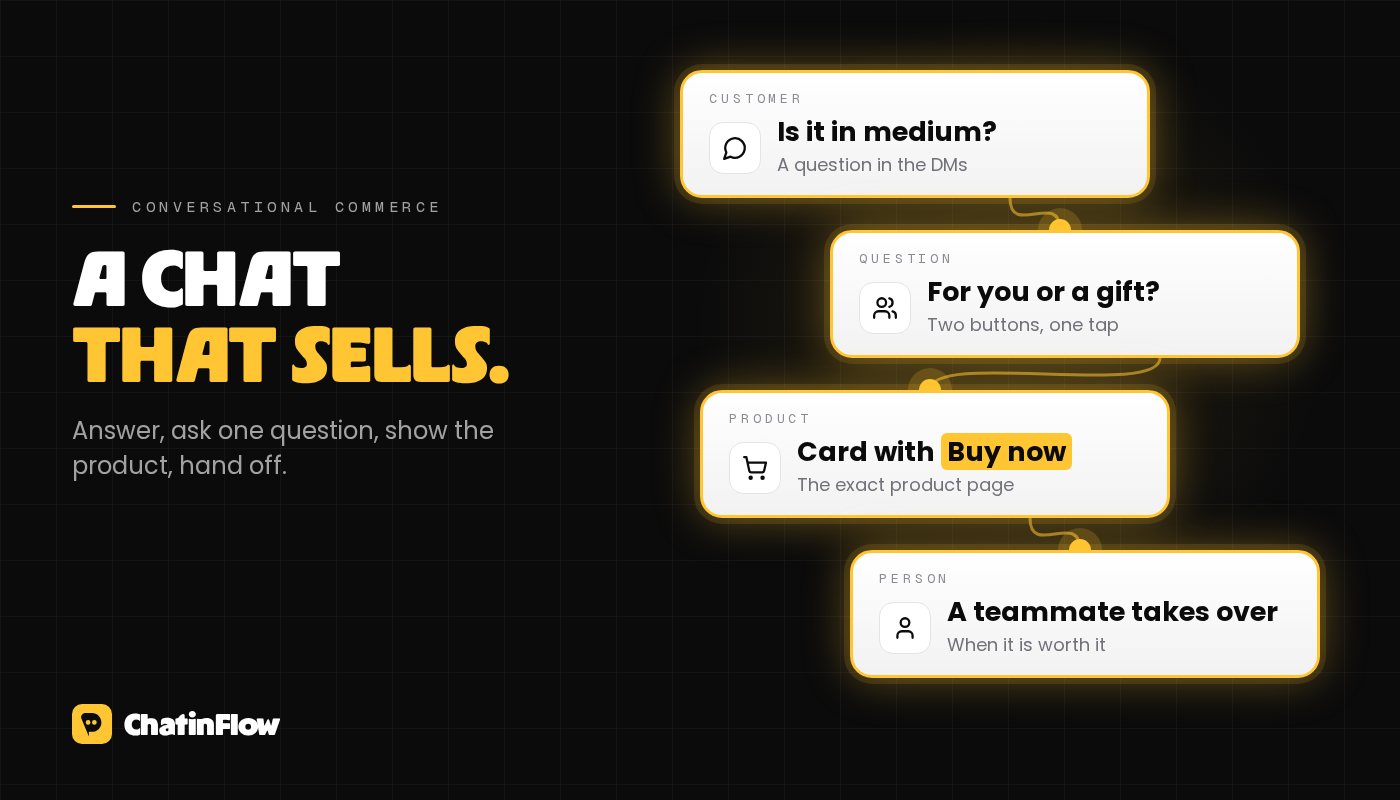
A product page shows everyone the same thing. A chat can ask one question first and then show the right thing. That one question is where conversational commerce earns its keep.
Keep it to a single question with tap-to-answer buttons:
- "Is it for you or a gift?"
- "Which skin type: dry, oily or combination?"
- "Delivery or pick up?"
Buttons do three jobs at once. They make answering effortless, they keep the answer clean enough for the next step to use, and on Meta's apps every tap counts as a new message from the customer, which keeps the messaging window open for your follow-up.
Resist the urge to ask five questions. One or two questions that change what you recommend are worth more than a form in disguise.
Rule 3: put the product in the chat
Once you know what fits, show it where the conversation is happening. A message that says "you can find it on our website" sends the customer back to searching. A message that shows the product does the work for them.
- A card, not a paragraph. A picture, a name, a price and one button to the exact product page or checkout.
- A carousel when there is a real choice. Three options side by side beat a list of links. On Instagram a carousel can hold up to ten cards, but three to five is easier to choose from.
- One next step. "Buy now" or "See sizes", not both, and not a link to the home page.
If you sell through a store connected to your chat tool, the chat can also pick up what happens next: an order confirmation in the same thread, or a reminder when a cart was left behind. In ChatinFlow, Shopify and WooCommerce orders can start a flow, and Shopify carts that weren't finished can trigger a reminder.
Rule 4: hand off to a person at the right moment
Automation is good at the questions that repeat. People are good at the ones that don't. The skill is moving the conversation from one to the other without the customer noticing a seam.
Hand the chat to a person when:
- the customer asks for one, in any words ("can I talk to someone?"),
- the question is about something only your team can decide, like a custom order or a refund,
- the order is big enough that a personal answer is worth the minutes,
- an AI reply isn't confident, instead of letting it guess.
When a teammate takes over, the automation should step back for that conversation, and the person should see the whole thread so far, not ask the customer to repeat themselves. In ChatinFlow the automation pauses the moment a teammate replies, and every step of the conversation is visible in the shared inbox.
Rule 5: follow up inside the rules, and measure the sale
Most sales in chat don't close on the first message. Someone asks, gets an answer, and needs a day. The follow-up is where a lot of revenue hides, and it is also where shops get into trouble.
On Instagram and Messenger, a business can reply freely for 24 hours after the customer's last message. On WhatsApp the same window applies to free-form messages, and anything later needs an approved template. Our guide to Meta's 24-hour messaging rule covers each app. Practical habits:
- Earn the follow-up. End with a question or buttons, so the customer's answer reopens the window.
- Move longer sequences to email. If you want to send tips over a week, ask for an email address in the chat and send them there. See how to grow your email list from Instagram.
- Make stopping easy. A customer who writes STOP should stop hearing from you. In ChatinFlow that works out of the box.
Then measure what happened. A conversation is only commerce if you can see which chats ended in a purchase. Track the button taps and link clicks inside the chat, connect your store, and look at which flows lead to orders rather than which ones get the most messages.
Where to start this week
You don't need to build everything at once. A sensible order:
- Day one: answer price, stock and shipping automatically, and turn on comment-to-DM for your next product post.
- Next: add one question with buttons before your most common recommendation.
- Then: replace text links with product cards, and set the rules for handing off to your team.
- Last: connect your store, so orders and abandoned carts show up in the same place as the chat.
Two ready-made starting points: the reel comment to offer recipe sends a product and a code to everyone who comments a word, and the AI conversation recipe answers product questions from your own sources and hands off when it should.
邮件订阅
新流程 直达你的收件箱。
好用的流程、新的玩法手册,以及 ChatinFlow 的更新。没有垃圾邮件,一键即可退订。
你可能也喜欢

问题与解答
关于这篇文章有疑问?ChatinFlow 团队在这里解答。
ChatinFlow 团队
还没有人提问。来问第一个问题吧,我们就在这里回答。