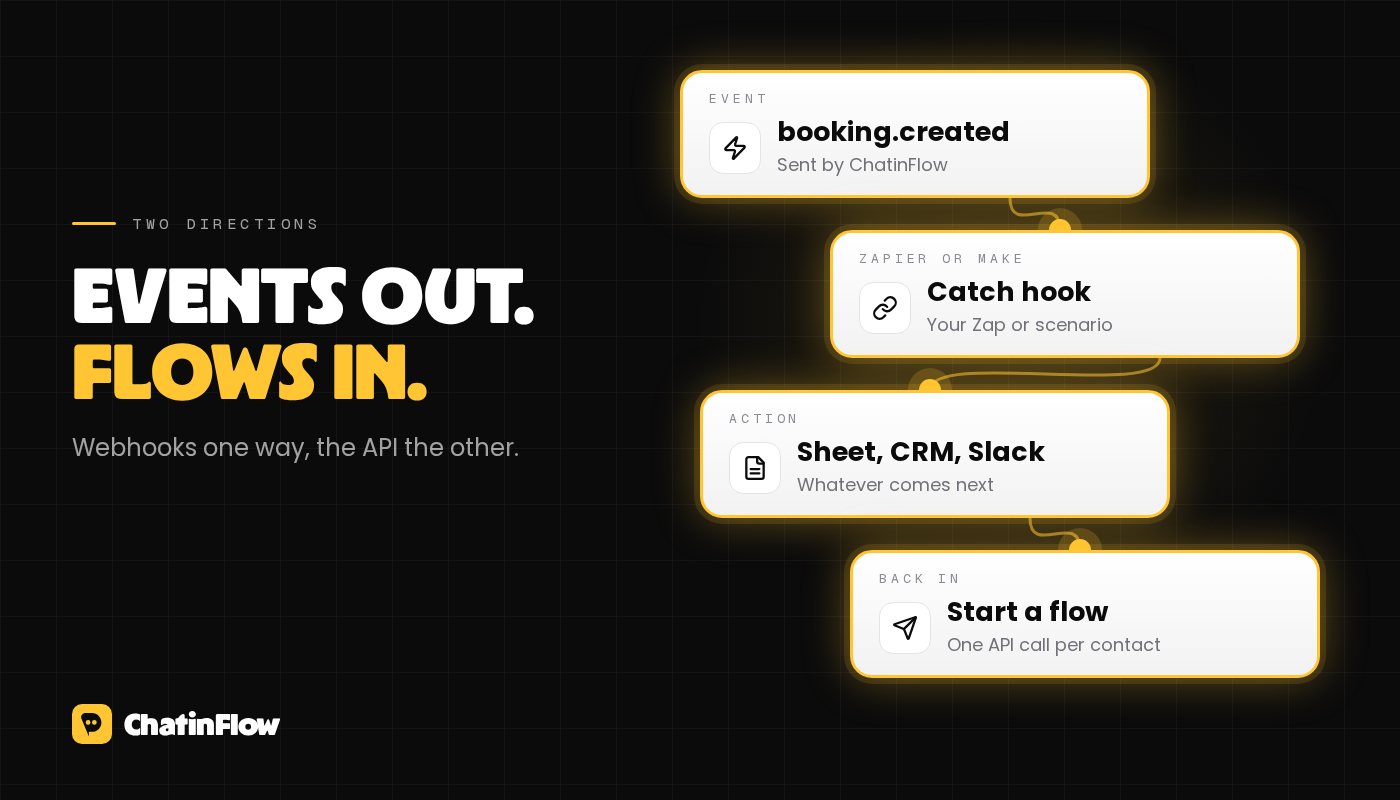
You can connect ChatinFlow to Zapier or Make in two directions. Events go out: when something happens in your chats, such as a new contact, a tag, a booking or a recorded sale, ChatinFlow sends it to a webhook address your Zap or scenario listens on. Flows come in: a step in your Zap or scenario can call the ChatinFlow API to send one contact a published flow. Both run on webhooks and the public API, so there is nothing extra to install.
This guide walks through both directions with Zapier, then shows the same setup in Make, and ends with a few recipes and the details that save you a debugging session.
Before you start
- A plan that includes API access. Outgoing webhooks and the API are part of it; the pricing page shows which plans include it.
- Access to Settings, then Developers in your workspace. That is where webhook endpoints and personal access tokens live.
- A Zapier or Make account. Zapier's Webhooks by Zapier app and Make's Webhooks and HTTP modules are what you will use.
Direction one: send ChatinFlow events to Zapier
Each webhook endpoint in ChatinFlow listens for the events you pick and posts them to one address. Here is the setup:
- In Zapier, create a Zap and choose Webhooks by Zapier with the Catch Hook trigger. Zapier gives you a URL that starts with https.
- In ChatinFlow, open Settings, then Developers, then Webhooks, and add an endpoint with that URL. Pick the events this Zap should get, for example booking created.
- Send a test event from the endpoint. Zapier receives it and can now show you every field.
- Back in Zapier, add the action you want, such as a new row in Google Sheets or a message in Slack, and map the fields from the event.
Events you can subscribe to include contacts being created, tags being added or removed, a contact field changing, someone opting out or back in, a new incoming message, a conversation being assigned, a sale recorded, sequence subscriptions, and bookings being created, confirmed, rescheduled, cancelled, completed or marked as a no-show. The full list, with a sample payload for each, is in the webhooks documentation.
Check that the event really came from ChatinFlow
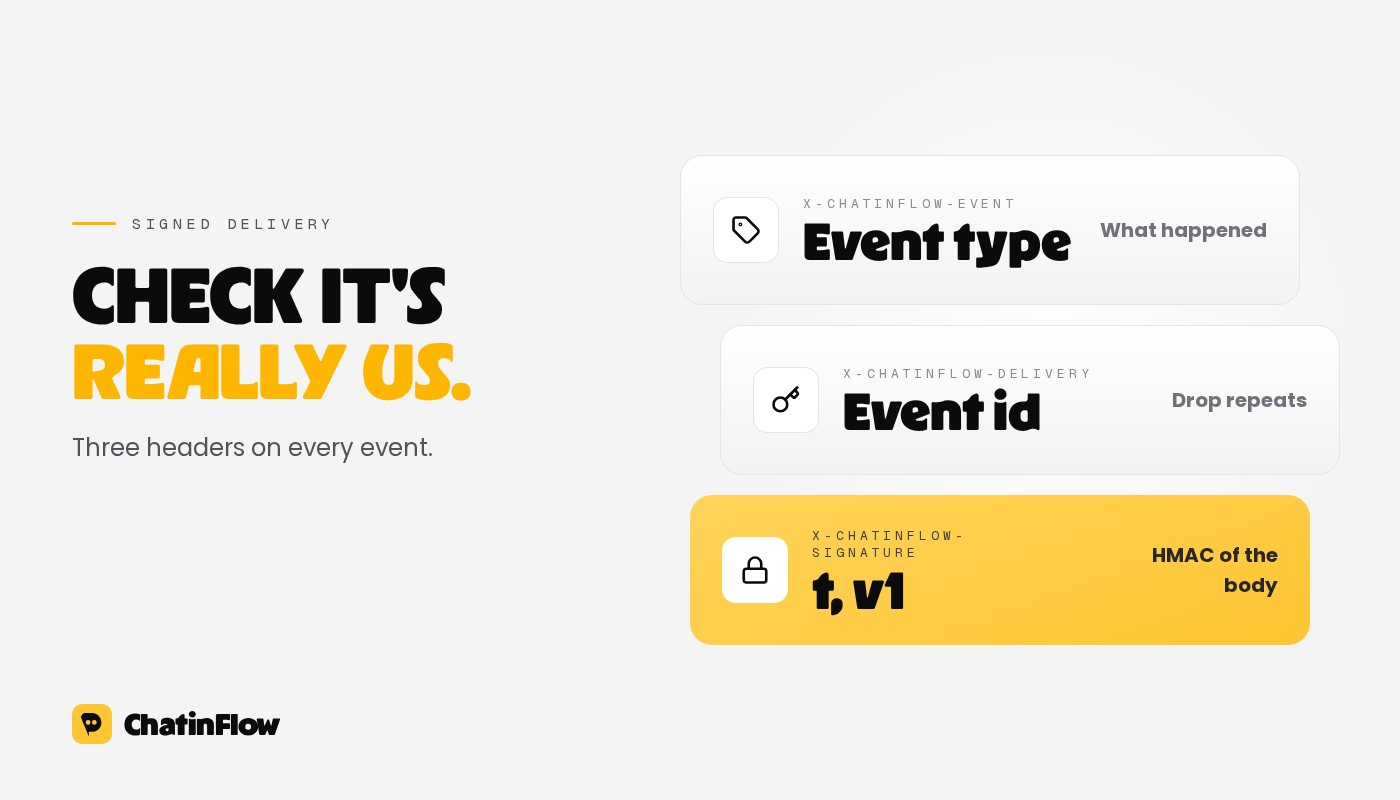
Every delivery carries three headers:
- X-ChatinFlow-Event, the event type,
- X-ChatinFlow-Delivery, a unique id for the event,
- X-ChatinFlow-Signature, in the form t=timestamp,v1=signature, where the signature is an HMAC-SHA256 of the timestamp, a dot and the raw body, keyed with the endpoint's signing secret.
For a Zap that only copies a booking into a spreadsheet, the unguessable catch-hook address is usually protection enough. If the Zap does something sensitive, verify the signature in a code step before the rest of the Zap runs, and reject anything older than a few minutes.
Delivery is at least once. If your endpoint doesn't answer in time, ChatinFlow tries again after a minute, then after five minutes, half an hour, two hours and twelve hours, up to six attempts in all. So the same event can arrive twice: use the delivery id to drop repeats when it matters, for example before creating an invoice.
Direction two: start a flow from Zapier
The other direction lets an outside event send someone a ChatinFlow flow: a form submission, a paid order in another tool, a row added to a sheet.
- In ChatinFlow, create a personal access token under Settings, then Developers. Treat it like a password.
- Publish the flow you want to send. Only published flows can be started.
- In Zapier, add a Webhooks by Zapier action with Custom Request, method POST, to the start endpoint of that flow: /api/v1/workspaces/your-workspace/automations/flow-id/start.
- Add the headers Authorization with the value Bearer followed by your token, Content-Type set to application/json, and an Idempotency-Key, a fresh unique value per request, so a retried Zap step doesn't start the flow twice.
- Send a JSON body with the contact_id and, optionally, variables your flow uses, such as a coupon code.
The contact_id is the contact's ChatinFlow id. Events you receive from ChatinFlow carry it. If your Zap starts from an outside form, look the contact up first with the contacts endpoint and a search on their email or phone, and use the id it returns. The exact request formats are in the API reference.
One rule doesn't change because the flow started from outside: the channel's own messaging rules still apply. On Instagram and Messenger the flow can only message someone inside the 24-hour window after their last message, and on WhatsApp anything later needs an approved template. See Meta's 24-hour messaging rule for each app.
The same setup in Make
Make works the same way with different names:
- To receive events, start a scenario with the Webhooks app and a Custom webhook trigger, copy its address into a ChatinFlow webhook endpoint, and send a test event so Make learns the structure.
- To start a flow, use the HTTP app with Make a request, method POST, the same start address, the same headers and the same JSON body.
Five recipes to copy
- Every new booking into a spreadsheet. Event: booking created. Action: add a row with the name, service and time.
- Hot leads to your team chat. Event: tag added, filtered to a tag such as hot lead. Action: post a message in Slack or Microsoft Teams.
- Sales into your CRM. Event: sale recorded. Action: update the deal or contact in your CRM.
- No-shows into a follow-up list. Event: booking marked as no-show. Action: add the person to a list your team calls.
- A form that answers in the DMs. Trigger: a new form response in your form tool. Steps: find the contact by email, then start a ChatinFlow flow that sends the resource they asked for, while their conversation window is open.
When something doesn't arrive
- The endpoint must be a public https address. ChatinFlow doesn't follow redirects, so paste the final address.
- Answer quickly. A receiver that takes longer than ten seconds counts as a failed attempt and gets retried.
- Look at the delivery log. Each endpoint keeps its recent deliveries with the response your receiver gave, and you can resend one from there.
- Rotate the secret if it was ever pasted somewhere public, and update the code step that checks signatures.
邮件订阅
新流程 直达你的收件箱。
好用的流程、新的玩法手册,以及 ChatinFlow 的更新。没有垃圾邮件,一键即可退订。
你可能也喜欢
问题与解答
关于这篇文章有疑问?ChatinFlow 团队在这里解答。
ChatinFlow 团队
还没有人提问。来问第一个问题吧,我们就在这里回答。