The full guide
How to build a Telegram bot for your business without code
By the ChatinFlow product team · Updated October 17, 2026 · 9 min read
Download the PDF8-page PDF · 556 KBTelegram is the most open of the big chat apps for businesses. A bot can write to anyone who started it, there is no 24-hour window, broadcasts need no template approval, and the Bot API is free. That makes a Telegram bot one of the cheapest ways to run bookings, announcements, lessons and sales in chat. The hard part has always been building the bot. ChatinFlow removes it: you create the bot with Telegram's BotFather, paste its token, and build everything else with the same visual flows you use for Instagram and Messenger. This guide walks through creating and connecting the bot, the first flows to build, broadcasts and sequences, start links that tell you where people came from, and how your team works alongside the bot.
Step 1: Create your bot with BotFather
Every Telegram bot is created inside Telegram itself, by talking to the official @BotFather account.
- Open Telegram, search for @BotFather and start a chat.
- Send /newbot. BotFather asks for a display name, such as "Luna Studio", and then a username that ends in "bot", such as "lunastudio_bot".
- BotFather replies with a token: a long string of numbers and letters. Treat it like a password; whoever has it can send as your bot.
- Optionally, use BotFather's commands to set the bot's description, about text and profile picture, so people know whose bot it is.
Step 2: Connect the bot to ChatinFlow
In ChatinFlow, open Channels and choose Telegram. Paste the token and connect. ChatinFlow registers the webhook for you, so new messages reach your workspace as they arrive, and the token is stored encrypted.
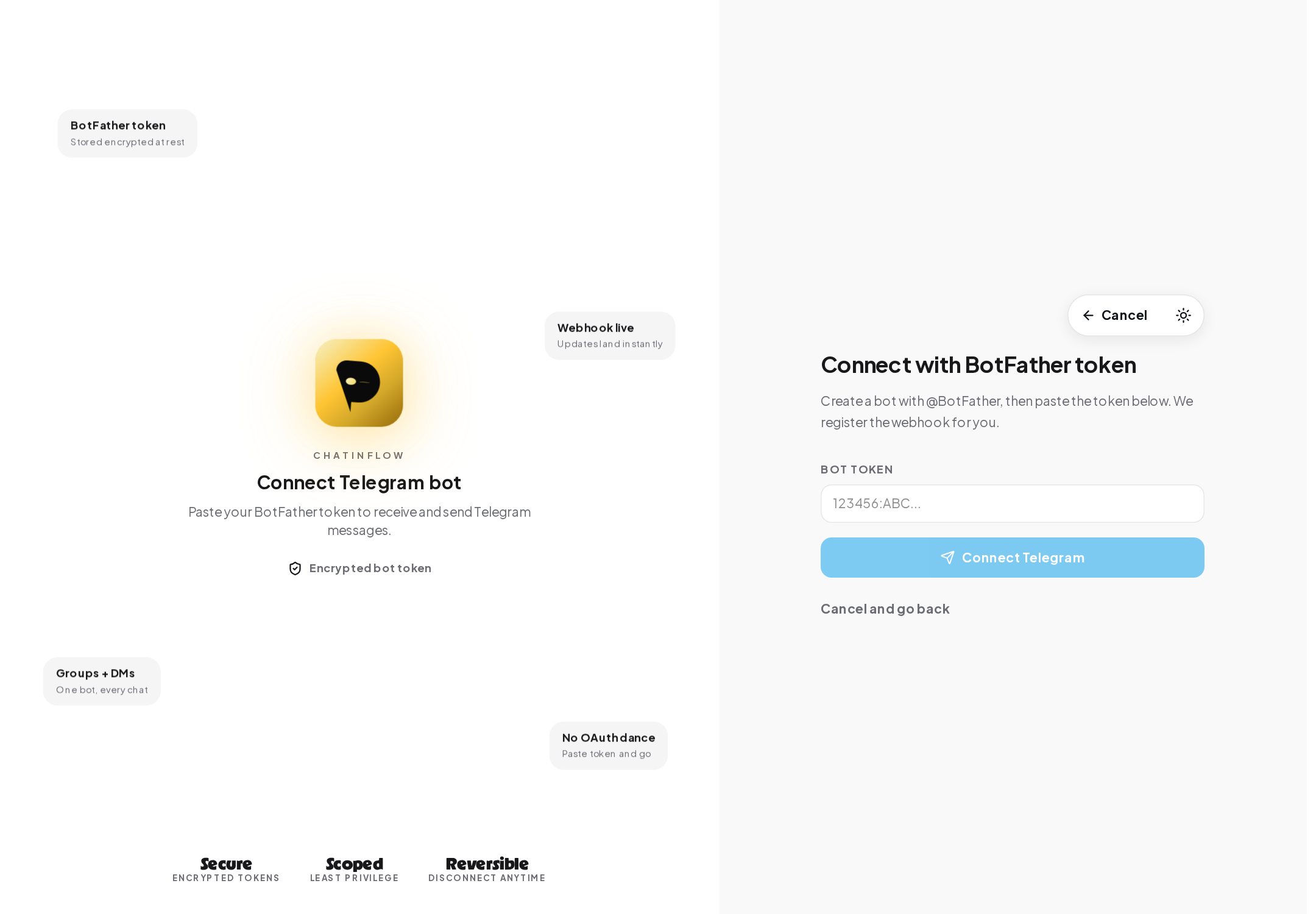
From now on, the bot answers with your flows. If you ever create a new token in BotFather, reconnect with Change Telegram connection in the channel's settings.
Step 3: Build the first flows
Open Automations, New automation and choose Telegram. The quick setup answers the messages people send your bot: specific words, any message, or only their first message, which is the right choice for a welcome.
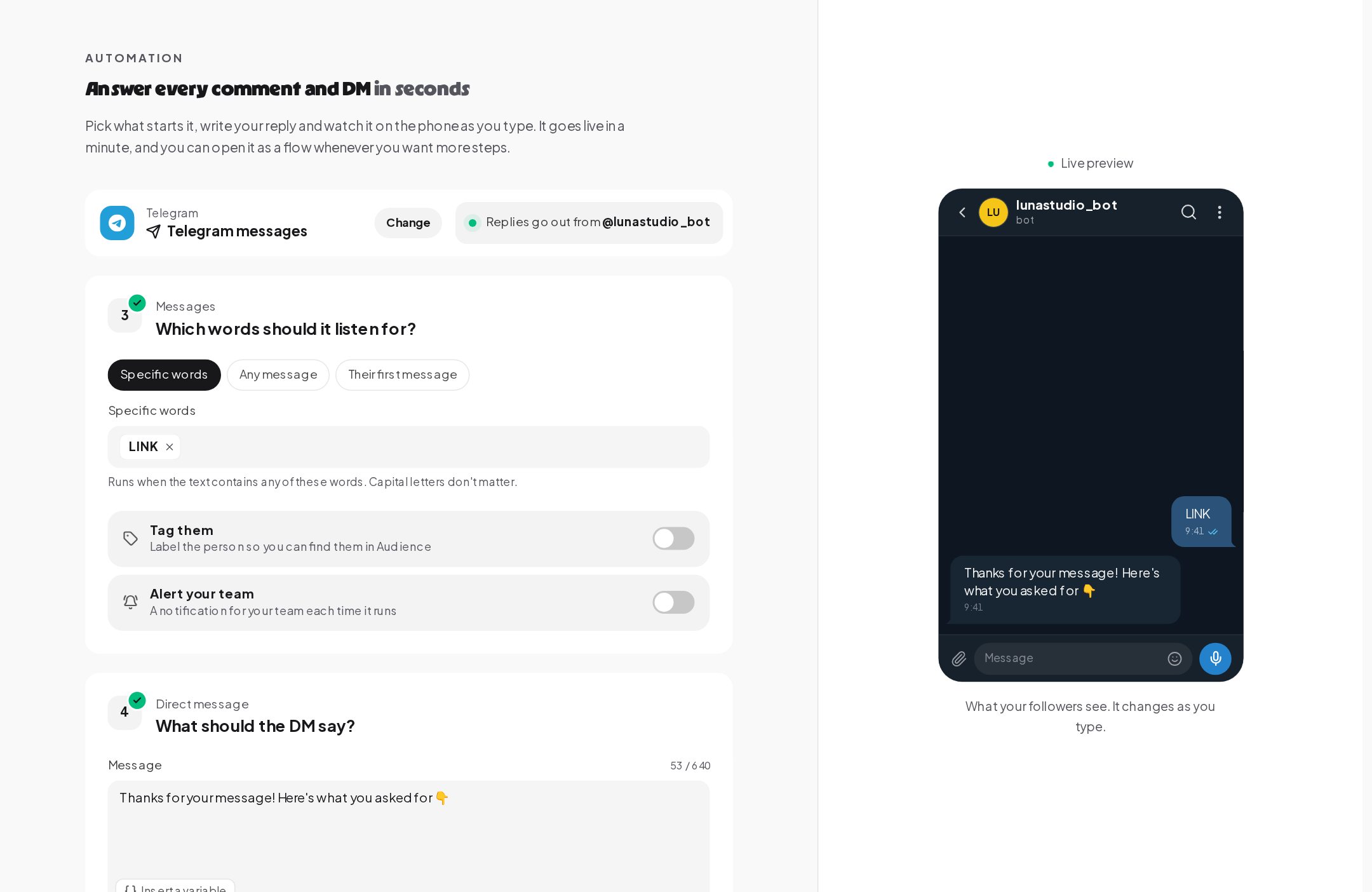
Three flows cover most bots on day one:
- Welcome. Someone taps your t.me link or finds your bot and sends /start. Answer their first message with a short hello and a menu of buttons: Book a class, Prices, Opening hours, Talk to a person. People tap their way through instead of typing commands.
- Keyword replies. PRICE, HOURS or MENU answered the moment they are asked, with reply buttons and link buttons under the message.
- Booking. Free times from your calendar as taps, the booking saved with its details, and a reminder the evening before at the time you choose.
Every step in the builder works in Telegram: questions that save answers on the contact, tags, conditions, a typing indicator before a longer answer, and reactions from Telegram's own set of emoji.
Step 4: Send broadcasts and sequences
This is where Telegram stands apart. Once someone has started your bot, there is no 24-hour window. That opens two kinds of messages other channels make hard.
Broadcasts. A Telegram broadcast is plain text to everyone who started your bot, with no template to approve. Send it now or schedule it, in each contact's own time zone and only inside the hours you allow. Anyone who stopped the bot is skipped.
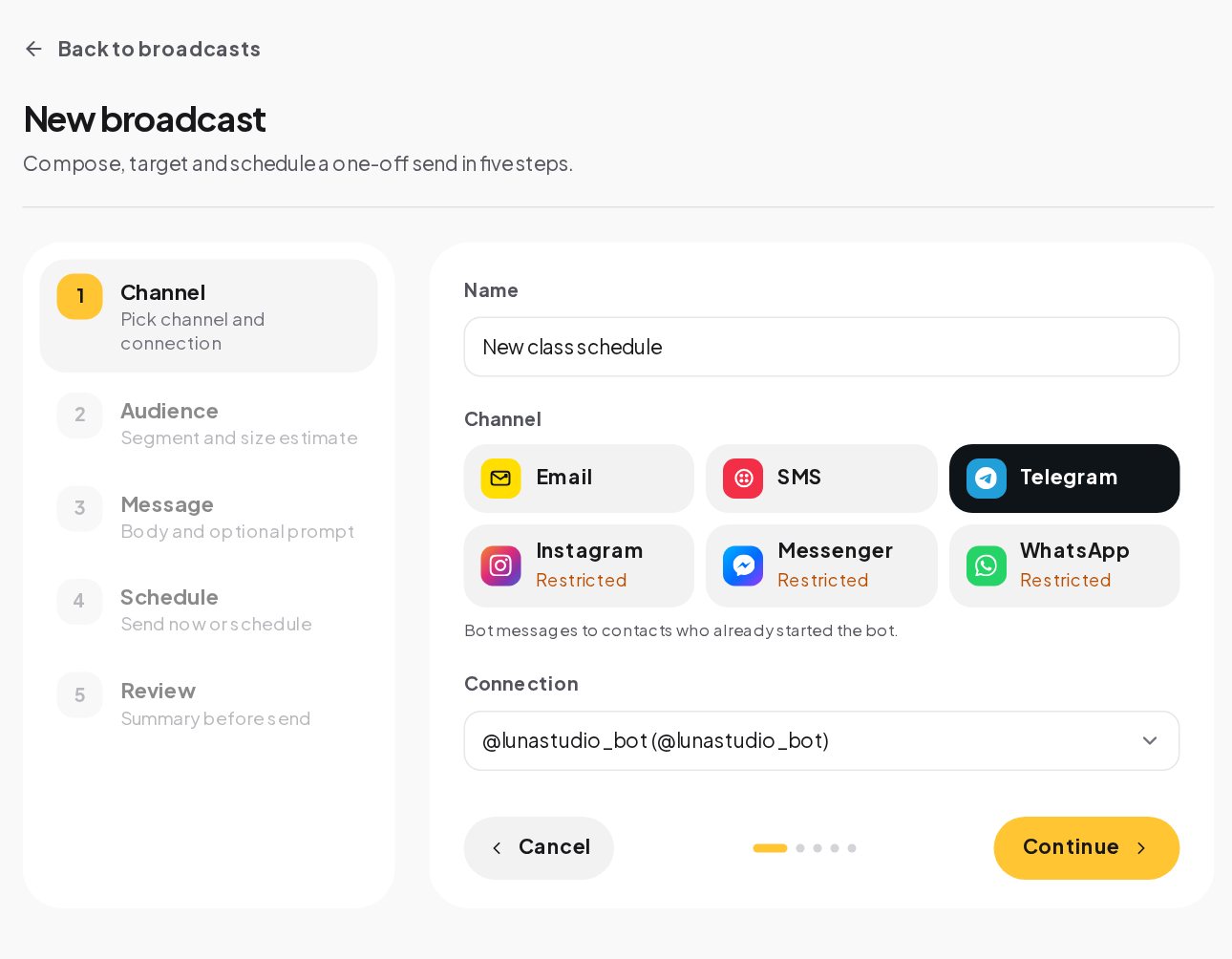
Sequences. A message a day, or a lesson a week, sent in business hours. A reply takes the person out, so nobody keeps getting lessons after they asked a question. Courses, onboarding, a seven-day challenge and appointment reminders all fit.
Telegram itself limits how fast a bot can send, so a large broadcast goes out at the pace Telegram allows. Keep broadcasts useful and occasional; people can stop the bot at any time, and they will if it becomes noise.
Step 5: Know where every person came from
Telegram start links carry a code: t.me/yourbot?start=CODE. When someone opens the bot from that link, the code arrives with their first message, and a referral trigger can start a flow for that source alone.
Growth links, under Automations, make these for you. Name the place you share the link, such as a flyer at the studio, give it a code, pick Telegram, and the link counts the unique people it brought in. The source is saved on the contact, so you can segment by it later.
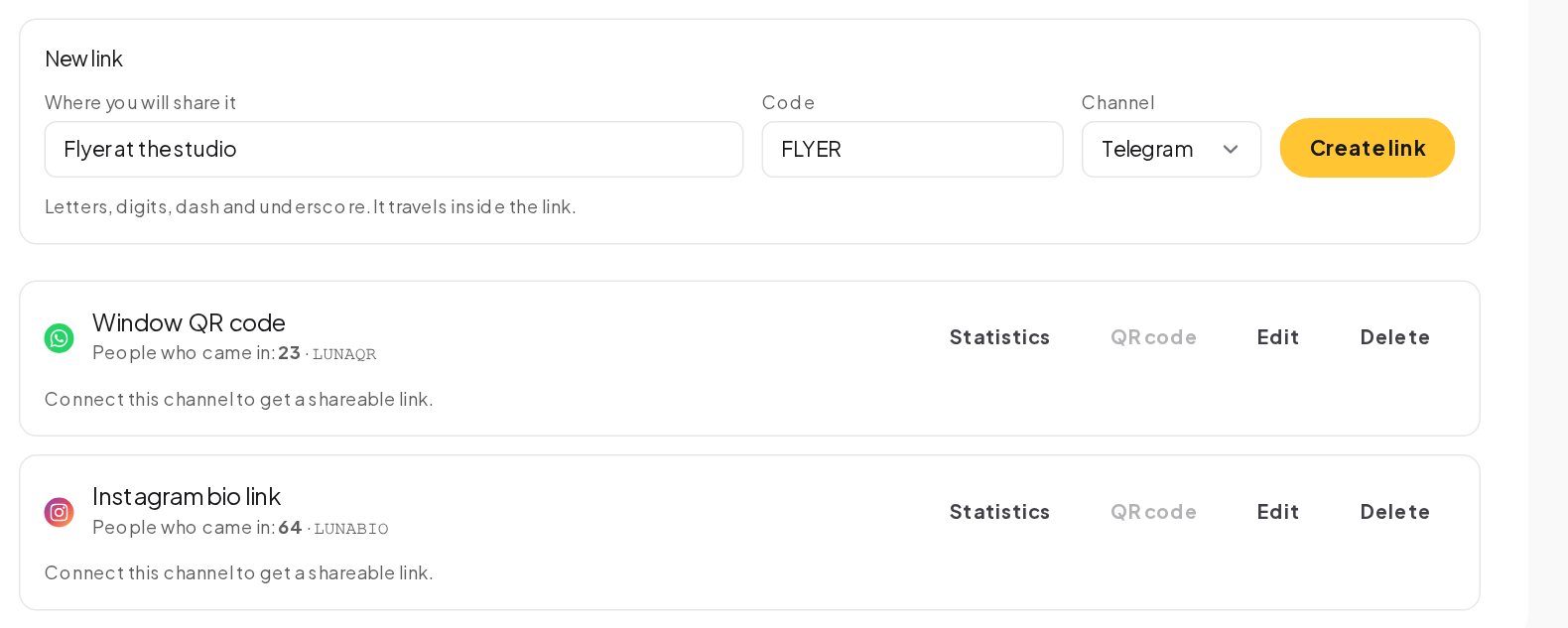
Use one link per reel, ad, flyer or partner. Each can open with its own welcome and offer, and the counts tell you which ones are worth repeating.
Step 6: Sell and give out codes in the bot
Two patterns turn a bot into a sales channel.
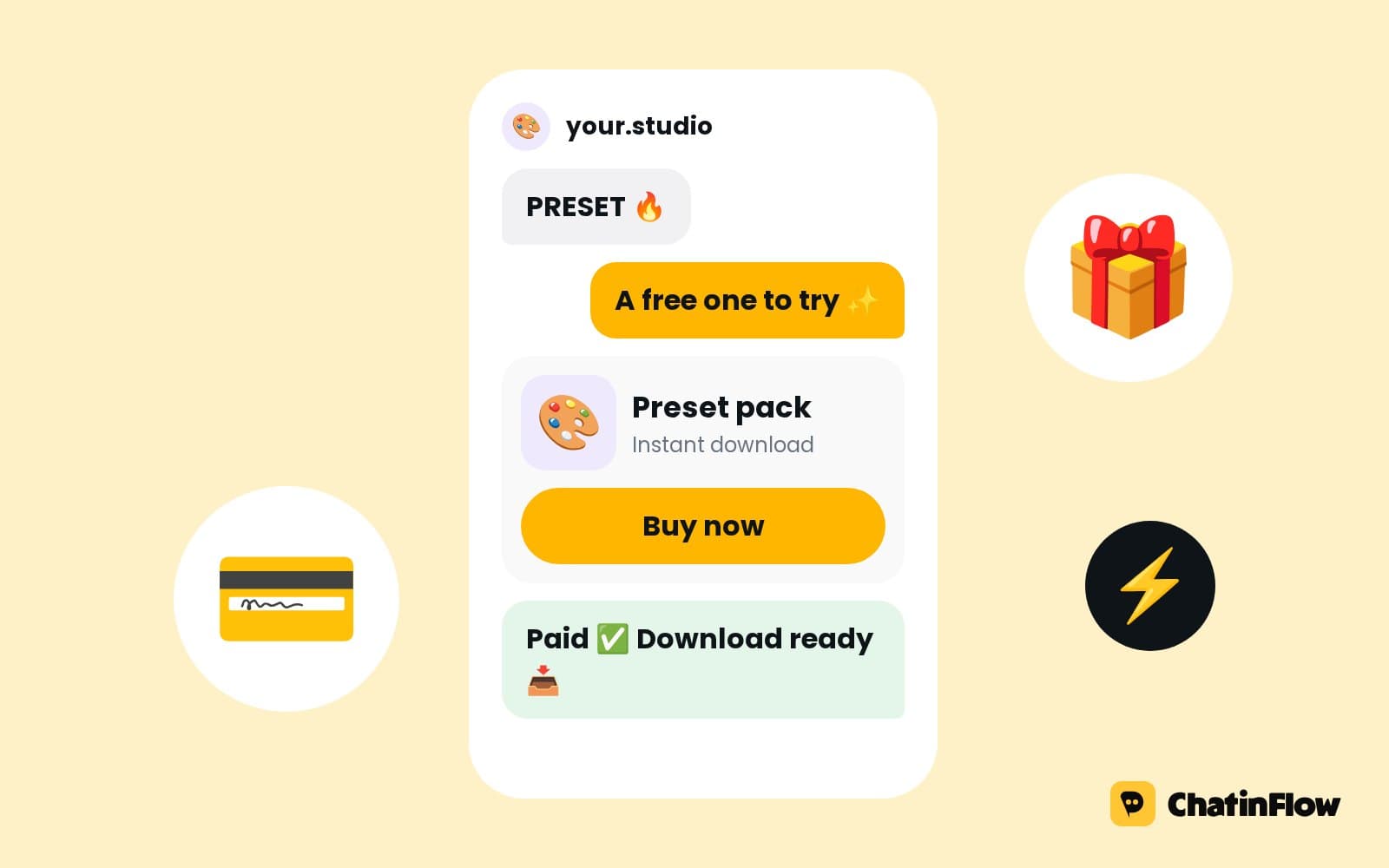
A Buy button. Put a Buy button in a flow. Stripe or PayPal takes the payment into your own account at your price, the bot says thanks in the chat, and the sale is recorded for your results in Analytics.
Limited spots and codes. Announce limited places with one broadcast. The first people to reply YES get a spot and their own one-time code from your code list, the same code if they ask again. When the list is full, late replies take the Full path, for example a waitlist offer instead of a promise you cannot keep.
Step 7: Add AI and your team
An AI reply or the AI agent can answer inside your bot from the sources you add, with the conversation so far, on your own OpenAI, Anthropic, Google or Azure key on a paid plan. When the AI should not answer, the agent hands the chat to a person.
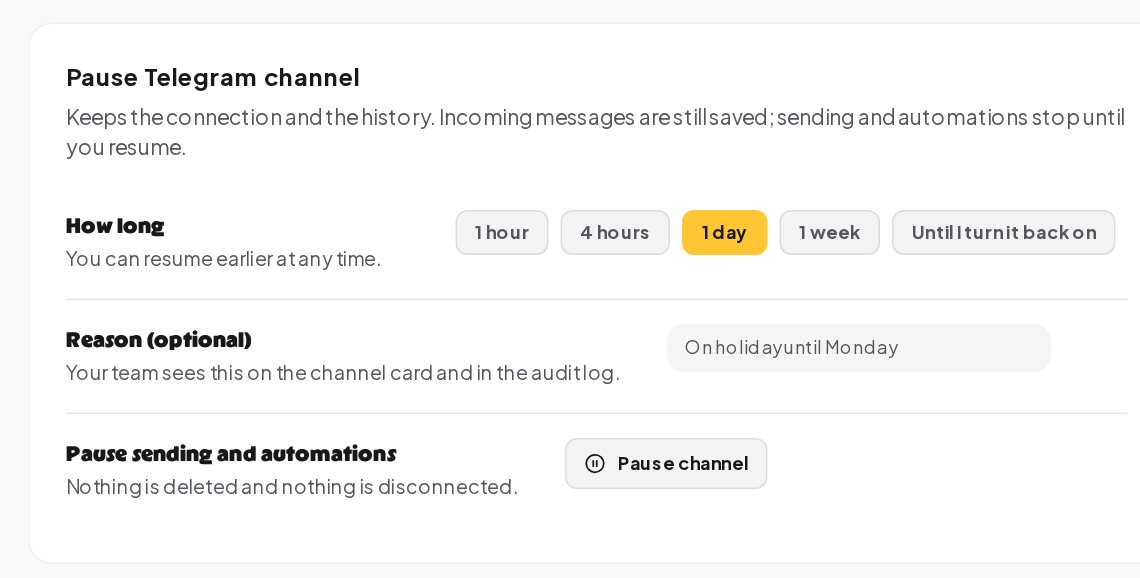
Telegram chats sit in the shared inbox next to Instagram, WhatsApp and Messenger. Assign a chat to a teammate, notify the team, and when a teammate writes, the bot pauses for that chat so the two never talk over each other. Pause Telegram channel in the channel's settings stops sending and automations for a while without disconnecting anything.
Designing a menu people actually use
A bot lives or dies by its first screen. A few rules make the menu work:
- Four buttons or fewer at the top. Book, Prices, Opening hours and Talk to a person cover most businesses. More choices slow people down.
- Verbs, not nouns. "Book a class" tells people what happens next; "Classes" does not.
- Always a way back. End every branch with a button to the main menu, using a Go to step, so nobody gets stuck at a dead end.
- One message, one idea. Split long answers into two short messages with a typing indicator between them; it reads like a person.
- Remember the answer. When someone picks a level, a location or a class type, save it on the contact with a question step, and use it to skip questions next time.
Growing the bot with referrals
Telegram communities grow by word of mouth, and the bot can reward it. Refer a friend gives each member a personal link. When a friend starts the bot through it, the member can get a reward message, a code or a tag, and only new contacts count, so nobody earns rewards by inviting themselves. A daily limit and a check against a member's own link keep it fair.
Telegram's rules, in plain terms
- People start the bot first. A bot can write only to people who started it. You cannot message a phone number or a username that never opened your bot.
- No 24-hour window. Once started, replies, broadcasts and sequences can reach the person later.
- Anyone can stop the bot. A person who stops or blocks the bot is skipped by every broadcast.
- Free API. Telegram does not charge for the Bot API; ChatinFlow's plan covers the rest, and the free plan can connect Telegram as its one channel.
A first week with your bot
- Day 1. Create the bot, connect it, write the welcome with four buttons.
- Day 2. Add keyword replies for your three most common questions.
- Day 3. Connect your calendar and add booking with a reminder the evening before.
- Day 4. Make start links for your Instagram bio, a flyer and one ad.
- Day 5. Send a first broadcast to everyone who started the bot, with one clear action.
- Day 6. Turn on a short sequence for new people: welcome, a tip, an offer.
- Day 7. Read the Analytics Automations tab and fix the step that fails most.
Terms in this guide
- BotFather. Telegram's own bot for creating bots. It gives you the token you paste into ChatinFlow.
- Bot token. The secret that lets ChatinFlow receive and send messages as your bot. It is stored encrypted.
- Start link. A t.me link to your bot with a code at the end, which tells ChatinFlow where the person came from when they press Start.
- Subscriber. Someone who started your bot. A bot can write only to people who started it, with no 24-hour window afterwards.
- Broadcast. One message sent to many subscribers at once, available on Starter and up.
- Sequence. A planned series of messages over days, which on Telegram can reach subscribers long after their last message.
- Inline keyboard. Telegram's buttons under a message, used for menus and for the choices of a question step.
- Webhook. The address Telegram calls with each new message to your bot. ChatinFlow sets it up for you when you paste the token.
Common mistakes
- Typed commands instead of buttons. Most people will not type /prices. Give them buttons.
- A token in a shared document. Anyone with the token controls the bot. Keep it in ChatinFlow only.
- Daily broadcasts. No window does not mean no limit to patience. Send when there is something worth reading.
- One start link for everything. Separate links per source are what make the counts useful.
- No person behind the bot. Always offer a Talk to a person button that assigns the chat.
Quick answers
Can my bot message people who never started it?
No. Telegram lets a bot write only to people who started it. Once they have, there is no 24-hour window.
Do I need a developer to build the bot?
No. BotFather creates the bot inside Telegram, and the flows are built visually in ChatinFlow. You only paste the token.
How do I know which ad brought someone to the bot?
Give each ad its own start link from Growth links. The code arrives with the person's first message, is saved on the contact and can start its own welcome.
Can the bot take payments?
Yes. A Buy button in a flow opens a Stripe or PayPal checkout at your price, and the money goes to your own account.
Is Telegram on the free plan?
Yes. The free plan connects one channel, and Telegram can be that channel. Telegram itself does not charge for the Bot API.
Sources
- Bots: An introduction for developers, Telegram, on BotFather, tokens and start links.
- Telegram Bot API, Telegram, on what a bot can send.