Going viral on Instagram in 2026 isn't luck, and it isn't a secret hashtag or a magic posting time. A post goes viral when Instagram's recommendation system tests it on a small group of people who don't follow you, sees them watch, like and send it, and keeps showing it to bigger groups. You can't force that, but you can make every post a much better candidate for it, and you can be ready to turn the attention into something that lasts.
Here is what Instagram has said about how recommendations work, what that means for the content you make, and what to do in the 48 hours after a post takes off.
How a post goes viral
Instagram has described the process in plain terms:
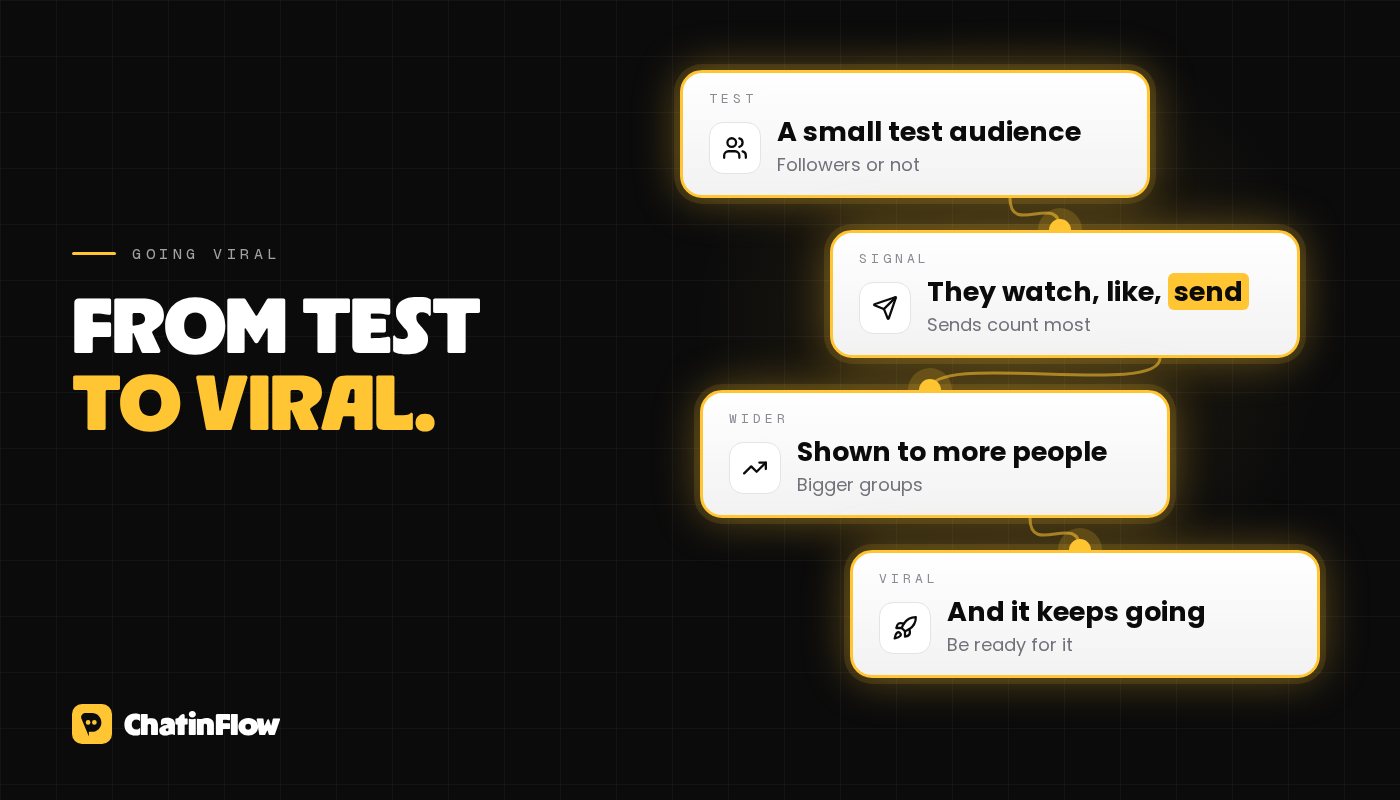
- Every eligible post is first shown to a small audience likely to enjoy it, whether or not they follow you.
- If that audience responds well, the post is shown to a slightly larger audience, and so on.
- The response Instagram weighs most is watch time, likes per reach and sends per reach, according to Adam Mosseri, the head of Instagram. Likes count a little more with your followers; sends count a little more with people who don't follow you. A viral post, by definition, is mostly seen by people who don't follow you.
So going viral comes down to three things: being eligible for recommendations at all, keeping people watching, and making them want to send the post to someone.
Step 1: be eligible
A post can't go viral if Instagram won't recommend it. Posts aren't recommended to non-followers when they:
- Aren't original: reposts of someone else's content are replaced by the original in recommendations, and accounts that mostly repost are left out.
- Carry a watermark from another app.
- Break the Recommendation Guidelines, which are stricter than the Community Guidelines because recommended content reaches people who didn't choose to follow you.
- Try to game engagement, for example by asking people to comment a word only to boost the post. Instagram has said that calls to action are fine and tools that answer comments are fine; it targets content made to manipulate reach.
Professional accounts can check Account Status in the app to see whether any post isn't eligible for recommendations, and why. If your reach suddenly drops to your followers only, look there first.
Step 2: hold attention
Watch time is the signal you control most directly.
- Lead with the payoff. The first line on screen says what the viewer gets: "How I cut my grocery bill in half", "The mistake every beginner makes with sourdough". No logo intro, no "hey guys".
- Cut everything that doesn't move the story. Every pause is a chance to swipe away.
- Show, then tell. The result first, the explanation after.
- Use text on screen. Many people watch without sound.
- Give a reason to watch to the end: a reveal, a final tip, the answer to the question in the hook.
- Loop it. A video whose end flows back into its start gets rewatched without the viewer noticing.
Step 3: make it sendable
Sends are how a post jumps from one group of people to another. People send posts that say something about the person they send it to:
- "This is so you": relatable situations in a specific niche, personality types, inside jokes.
- "We should do this": recipes, trips, date ideas, events, challenges.
- "You need this": a fix for a common problem, a tool, a mistake to avoid.
- "Did you know?": something surprising, explained well.
Then say it: "Send this to the friend who still...". A specific person converts better than "share this".
Step 4: test more ideas, faster
Virality is a numbers game played with good ideas. The more strong attempts you make, the more chances Instagram has to find the right audience for one of them.
- Use trial reels to show new hooks to non-followers before your followers see them: see trial reels.
- Rework your winners. A format that worked once usually works again with a new topic. Many viral accounts have two or three formats they repeat.
- Read the comments. The questions under a successful post are the hooks for the next ones.
What doesn't matter as much as people think
- Hashtags help Instagram understand the topic, but they don't make a post go viral.
- The perfect posting time matters less than the post. A strong post keeps being recommended for days.
- Follower count. Recommendations go to non-followers; small accounts go viral all the time.
The 48 hours after a post takes off
This is where most accounts waste their moment. Tens of thousands of new people see your account, watch one video and leave. What you do next decides whether any of them stay.
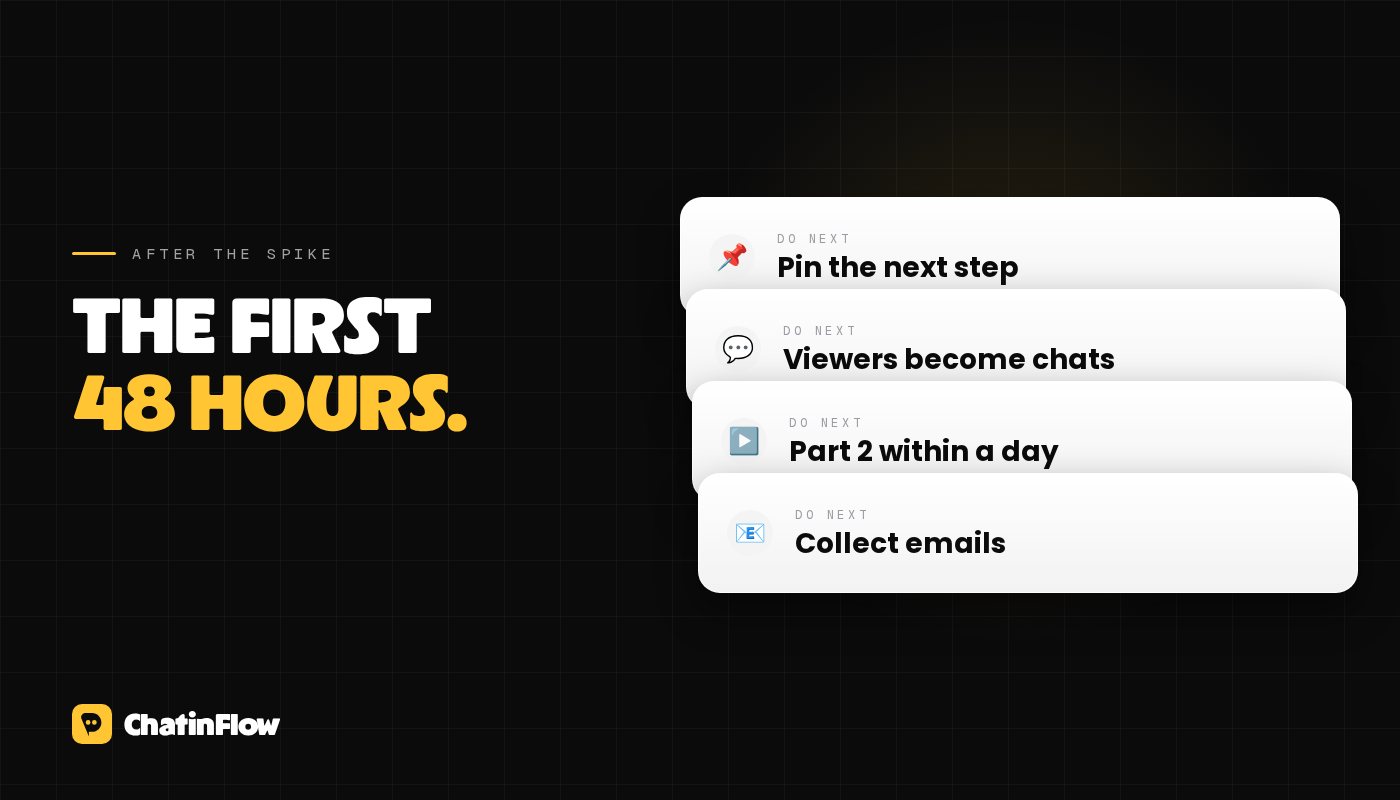
- Pin a comment with what to do next: follow for part 2, or comment a keyword for the full guide.
- Turn viewers into conversations. A keyword in the pinned comment, with an automation that sends what you promised to everyone who comments it, captures people while they are interested. One person can't answer thousands of comments; a comment-to-DM flow can, within seconds. Setup: comment-to-DM guide.
- Post the follow-up fast. "Part 2" or the answer to the top question, within a day, while the audience is still looking.
- Update your profile. The bio should tell a new visitor in one line why to follow.
- Collect emails. Offer more by email in the DM, so a viral week leaves you with a list: see grow your email list from Instagram.
A viral post is borrowed attention. The accounts that grow fastest are the ones that have a next step ready before they need it.
A checklist for your next post
- Original, no watermark, nothing that breaks the guidelines.
- A hook that states the payoff in the first two seconds.
- Nothing in the video that doesn't earn its place.
- A reason to send it, and a line that says who to send it to.
- A pinned comment with the next step, and an automation ready if it includes a keyword.
For the bigger picture on growing an account, read how to get to 100,000 Instagram followers.
Sources
- Instagram for Creators, Helping creators find new audiences (April 30, 2024): small test audiences, original content, watermarks and aggregators. Checked October 2026.
- Social Media Today, Instagram shares algorithm insights for 2025: watch time, likes per reach and sends per reach. Checked October 2026.
- Social Media Today, Instagram clarifies its advice on single-word calls to action (June 5, 2024). Checked October 2026.
邮件订阅
新流程 直达你的收件箱。
好用的流程、新的玩法手册,以及 ChatinFlow 的更新。没有垃圾邮件,一键即可退订。
你可能也喜欢

问题与解答
关于这篇文章有疑问?ChatinFlow 团队在这里解答。
ChatinFlow 团队
还没有人提问。来问第一个问题吧,我们就在这里回答。