The fastest way to grow an email list from Instagram in 2026 is to ask for the address inside a DM conversation the follower started: they comment a keyword, get something useful in their DMs, and are offered more by email. The address goes straight to your email tool, with the tag that says where it came from. No landing page, no link in bio, no form to fill on a phone.
This guide covers why the list matters even if Instagram is your main channel, the flow step by step, what to offer, and the consent rules to respect.
Why an email list, if you live on Instagram
- You can reach people again. On Instagram, your account can only message someone within 24 hours of their last message. An email address has no such window: a launch, a new video or a sale can reach everyone on your list on the day you choose.
- You own it. Reach on Instagram depends on ranking. Your list goes where you go, to any email tool, and survives a bad month on any platform.
- It sells. For creators with products, the list is usually where launches happen, because people who gave their address asked to hear from you.
The flow, step by step
- The post. A reel or carousel that promises something specific: "Comment PLAN and I'll send you my 4-week plan."
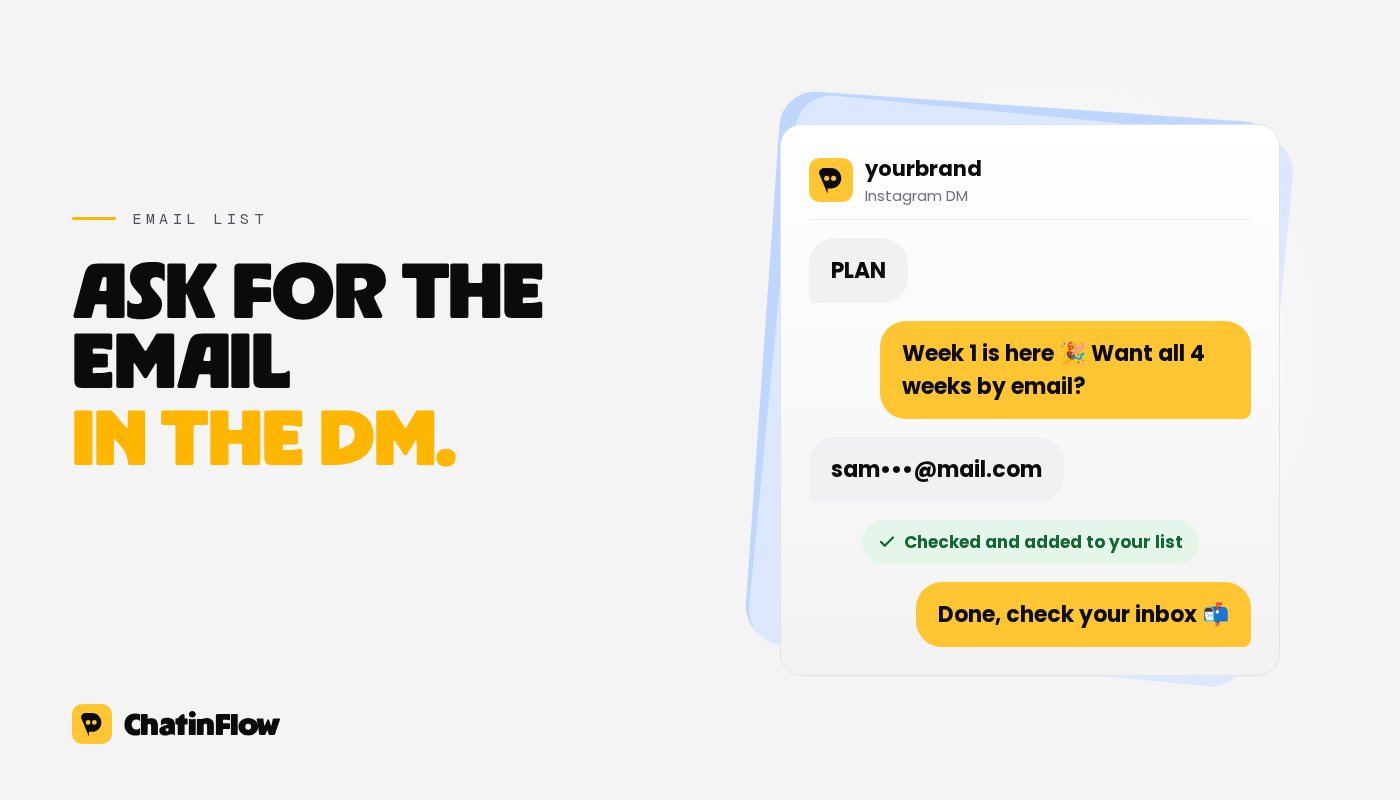
- The private reply. Deliver a real part of it in the DM right away, such as week one of the plan, and offer the rest by email: "Want all 4 weeks plus the printable version? Tap below and I'll email it."
- The question. In ChatinFlow, an Ask a question step with the answer type Email address asks for the address, checks that it looks like one, and asks again if it doesn't. It can save the answer to the contact's email field.
- The consent line. In the same message as the question, say what they will get: "I'll email the plan and one tip a week. Unsubscribe anytime."
- The handoff. The Add to CRM or email list step creates or updates the contact in Mailchimp, Klaviyo, Kit, ActiveCampaign or HubSpot, with the list, tags and fields you choose. Tag them with the source, such as "ig-plan-reel", so you know which post brought them.
- The confirmation. End the DM with "Done, check your inbox in a minute", and let your email tool send the welcome email right away.
The keyword part works on every ChatinFlow plan, including Free. If you don't use an email tool yet, the Add a row to Google Sheets step can collect addresses in a spreadsheet until you do. A ready version of this flow is in the community library: grow your email list.
DM first or email first?
There are two ways to deliver the lead magnet, and they trade list size against goodwill:
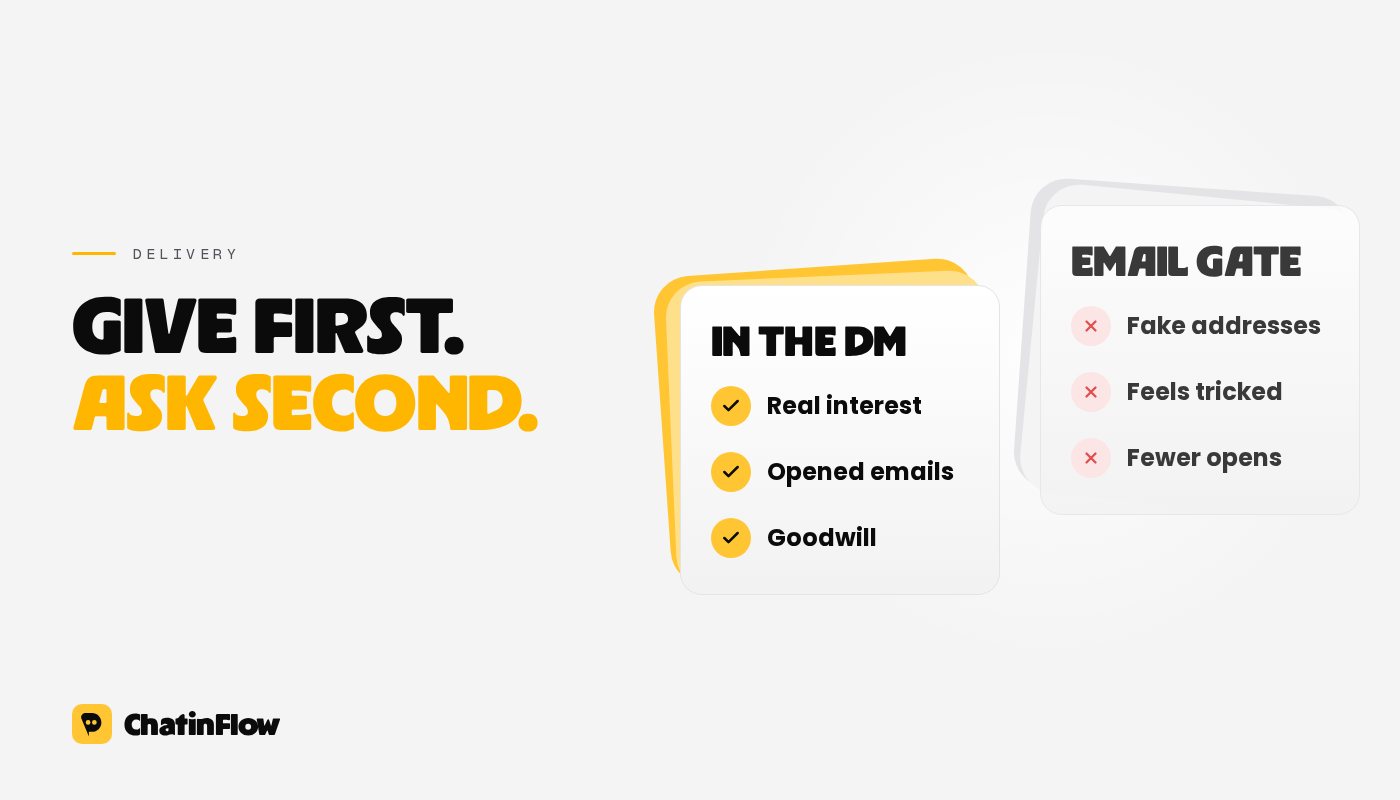
- Everything by email. The person gets nothing until they give an address. More of them sign up, but some leave annoyed, and some type a fake address to get the file.
- Part in the DM, the rest by email. The person gets real value right away, and the email is for the bigger version. Fewer sign up, but the ones who do actually want to hear from you.
We recommend the second for most creators. A list of people who asked for more opens your emails; a list built on a gate is mostly people who wanted one file.
Lead magnets that work in a DM
The best offers are specific, quick to use and clearly connected to the post:
- A checklist or a one-page cheat sheet.
- A template: a budget sheet, a content calendar, a Notion page.
- A short plan: 7 days, 4 weeks, one month of meals.
- A swipe file: captions, scripts, email subject lines.
- A mini course by email: one lesson a day for five days.
- A discount code for your first product, for creators who sell.
Avoid vague offers such as "my newsletter". People sign up for a result, not for a newsletter.
More ways in
Comments on posts are the biggest source, but not the only one:
- Story replies. A story with "Reply PLAN" triggers the same flow from a reply to your story.
- A link in your bio. An ig.me link that opens a chat with your account, with a ref that starts the flow. People who tap it land in the conversation directly.
- Instagram Live. Viewers who comment the keyword during a live get a private reply while the broadcast is running. See Instagram Live comments to DM.
- Your DM welcome. Someone who writes "hi" for the first time can get a short menu, one option of which is the lead magnet.
Consent and the rules
Email lists come with rules, and the DM doesn't change them:
- Say what you will send in the message that asks for the address, and send only that kind of email.
- Every marketing email needs a working unsubscribe link. In the US, the CAN-SPAM Act also requires your postal address and honest subject lines.
- In the EU and the UK, data protection law applies: be clear about the purpose, keep a record of consent, and delete people who ask. Your email tool handles most of this if you set it up.
- Double opt-in (a confirmation email before the address joins the list) costs some signups but protects your sender reputation. Most email tools offer it as a setting.
None of this is legal advice; if email is central to your business, a short review with a lawyer for your country is worth it.
What to measure
For each post or entry point:
- Keyword comments.
- Replies to the first DM.
- Email addresses given.
- Subscribers confirmed, if you use double opt-in.
- Opens of the welcome email.
The tag you set in the handoff lets you compare sources inside your email tool: which reels bring subscribers who open, click and buy, not only the most signups.
Common mistakes
- Asking for the email in the first message, before giving anything. The private reply is your one guaranteed message; spend it on value.
- No tag. Without a source tag, you can't tell which content builds your list.
- Waiting to send the welcome email. The person is in their inbox now. An email that arrives tomorrow lands next to a dozen others.
- Treating the DM as the newsletter. After the 24-hour window, Instagram won't let you message them anyway. The list is where the relationship continues.
For the comment-to-DM setup behind step 1, read our comment-to-DM guide, and pick a keyword from comment keyword ideas.
Sources
- Meta for Developers, Private Replies: one private reply per comment, follow-ups within 24 hours of the person's response. Checked October 2026.
- Federal Trade Commission, CAN-SPAM Act: a compliance guide for business. Checked October 2026.
Per E-Mail
Neue Flows in deinem Postfach.
Flows, die funktionieren, neue Playbooks und was sich in ChatinFlow geändert hat. Kein Spam, Abmelden mit einem Tipp.
Das könnte dir gefallen

Fragen und Antworten
Stell deine Frage zu diesem Beitrag. Das ChatinFlow-Team antwortet hier.
ChatinFlow-Team
Noch keine Fragen. Stell die erste, wir antworten direkt hier.