Creators are replacing link-in-bio hubs with DM automation because the hub sends people away from the post at the exact moment they were interested, while an automated DM brings the link to them. Someone comments a word under the reel, and the link, a short note and the next step land in their DMs a second later. No profile visit, no hunting through ten buttons, and a conversation you can continue.
That doesn't make link hubs useless. This article looks at what each one does well, where the hub loses people, and how most creators end up using both.
What a link hub does well
A link-in-bio page solved a real problem: Instagram gives you one link on your profile, and you have more than one thing to share. A hub puts your shop, your newsletter, your latest video and your brand partners in one tidy list.
It still does that job well for one kind of visitor: the person who lands on your profile on purpose and wants to see everything you do. For them, a clean page with your main links is the right answer.
Where the hub loses people
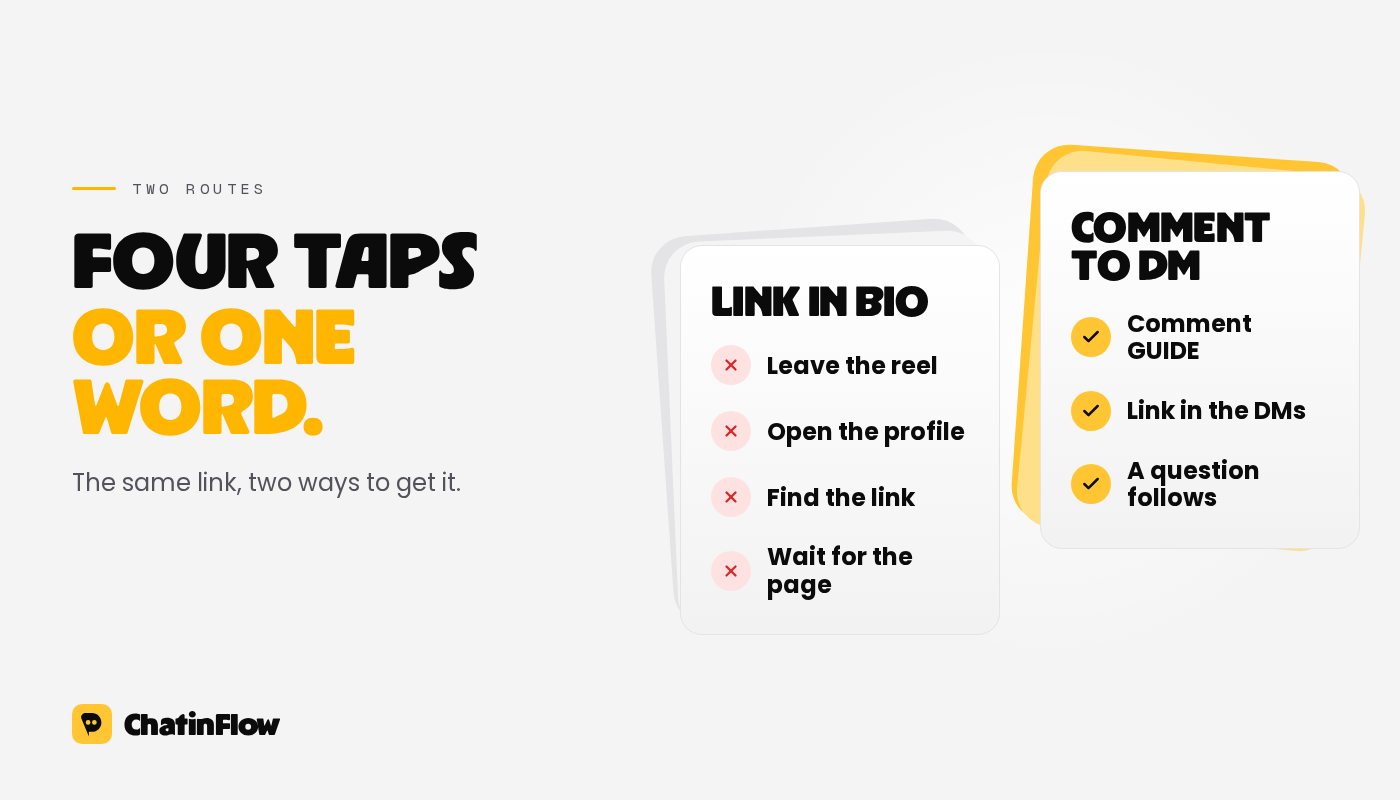
The trouble starts when the hub is the answer to a post. A reel says "link in bio", and the person who wanted that one thing has to:
- leave the reel and open your profile,
- find and tap the link in the bio,
- scan a list of buttons for the right one,
- often wait for a page to load in the in-app browser.
Every step is a chance to get distracted, and the reel that made them curious is already gone from the screen. People who make it through also leave no trace you can follow up on: you see a click count, not who it was, and you can't send them the next thing.
How comment-to-DM replaces the hop
With comment-to-DM, the call to action changes from "link in bio" to "comment GUIDE and I'll send it". Here is what happens:
- The person comments the word under the post, without leaving it.
- Your automation sends one private reply with the link, a short line about what it is, and an optional button for the next step.
- A public reply under the comment, such as "Sent, check your DMs!", shows the next viewer that it works.
Everyone who asked gets the link, at any hour, including the moment a post takes off and comments pile up faster than anyone could answer by hand. The setup, the matching options and the platform rules are in our comment-to-DM guide.
What a DM can do that a hub can't
The link is only the start. Because the exchange happens in a conversation, you can do things a static page never could:
- Ask one question. "Beginner or advanced?" with two buttons, and send the right version of the guide.
- Collect an email address when it makes sense, and say what you will send. See how to grow your email list from Instagram.
- Tag people by interest, so the next launch goes to the people who asked about that topic.
- Follow up inside the rules. Instagram lets a business reply for 24 hours after the person's last message, so a question with buttons can turn one link into a conversation.
- Know who asked. Each conversation is a contact you can see, not an anonymous click.
There is also a quieter benefit. Comments and conversations are signals of interest that Instagram can see, while a click on an outside link happens off the platform. We cover what Instagram says about recommendations in sends per reach.
When to keep a link in your bio
Most creators who switch keep a bio link, for the profile visitor who wants everything. The change is that posts stop pointing to it.
A good setup:
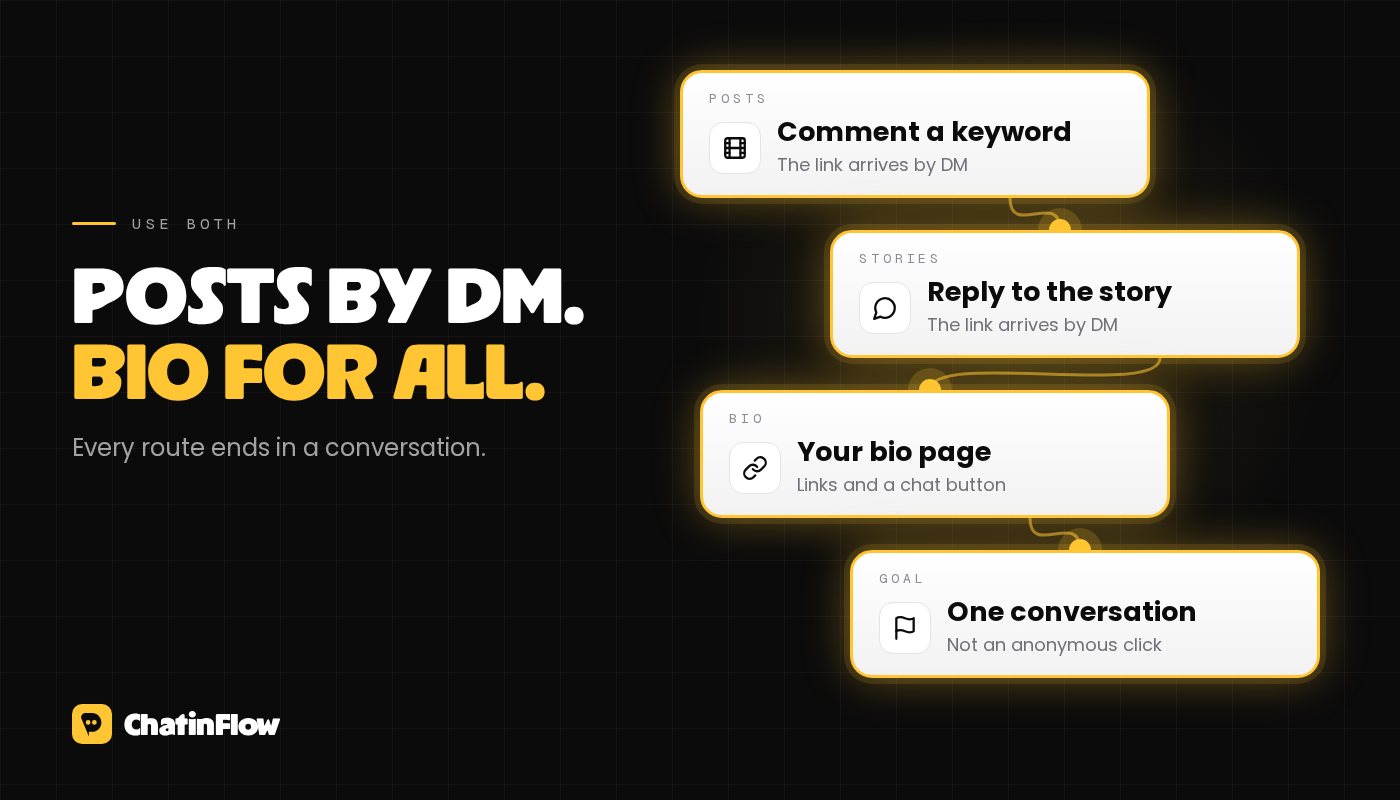
- Posts and reels ask for a comment keyword and deliver by DM.
- Stories ask for a reply or a reaction and deliver by DM.
- The bio links to one page for profile visitors, ideally with a button that opens a chat with you.
ChatinFlow includes a bio page for this, at chatinflow.com/c/yourname: your picture, your links, and buttons that open a DM with you and start the right flow, with views and taps counted per button. You can also keep the hub you already use and add a link that opens your DMs.
Making the switch without losing anything
- Start with one post. Pick your next reel with a clear freebie and use a keyword instead of "link in bio".
- Pick a keyword people will actually type: short, one word, related to the offer. Our list of comment keyword ideas helps.
- Write the DM to deliver first. The link in the first message, a question after. See writing copy that converts in chat.
- Keep your bio link for now, and watch which route brings more people to the thing you shared.
The comment to DM and story lead magnet recipes are ready-made starting points.
Per E-Mail
Neue Flows in deinem Postfach.
Flows, die funktionieren, neue Playbooks und was sich in ChatinFlow geändert hat. Kein Spam, Abmelden mit einem Tipp.
Das könnte dir gefallen
Fragen und Antworten
Stell deine Frage zu diesem Beitrag. Das ChatinFlow-Team antwortet hier.
ChatinFlow-Team
Noch keine Fragen. Stell die erste, wir antworten direkt hier.