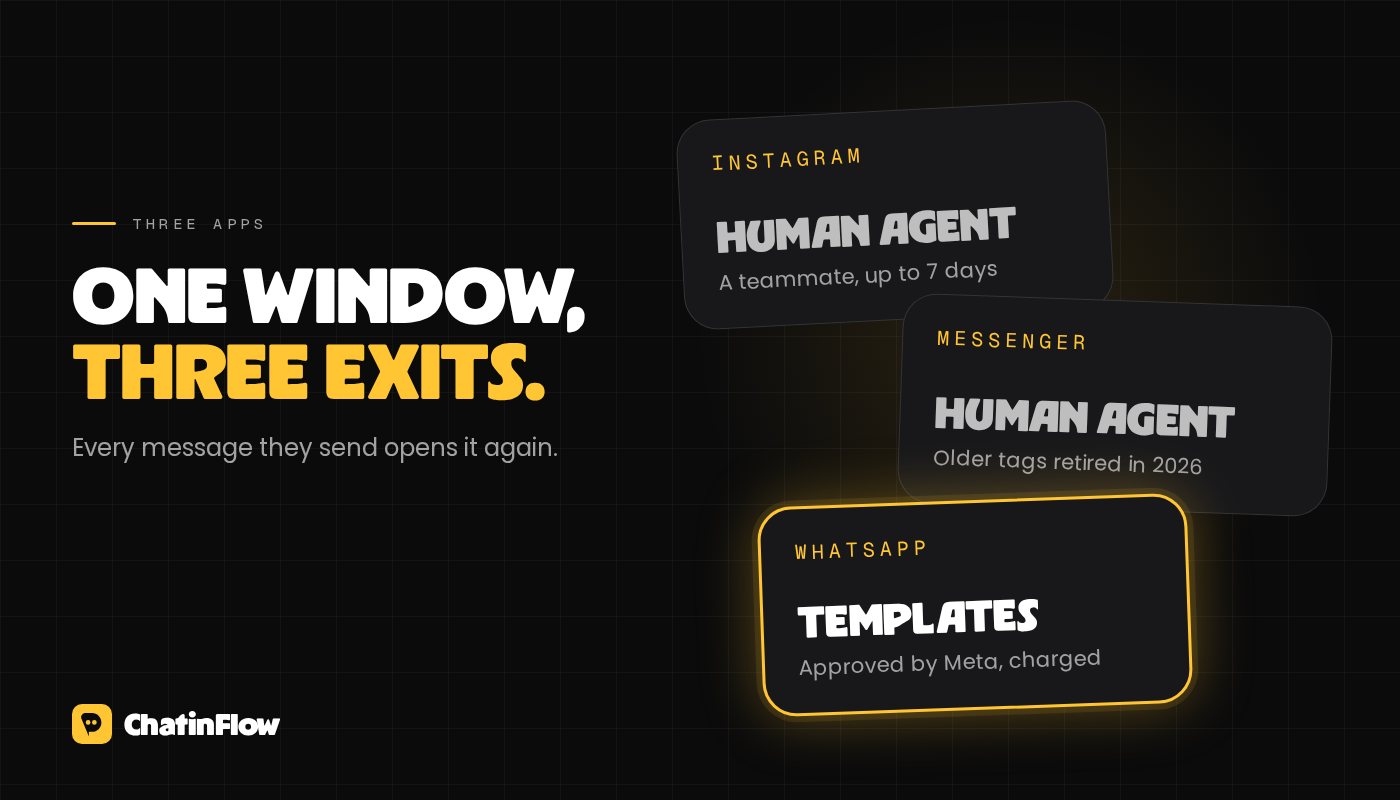
Meta's 24-hour messaging rule says that a business can message a person freely for 24 hours after that person's last message, on Instagram, Messenger and WhatsApp. When the 24 hours pass, each app has its own narrow way to continue: on Instagram and Messenger a real person on your team can still reply for up to 7 days with the human agent tag, and on WhatsApp you can only send a message template Meta has approved, which is charged.
Everything else about automating DMs builds on this rule. This guide explains how the window works in each app, what you can send inside and outside it, and how to design flows that keep conversations going without breaking it. It isn't legal advice, and Meta updates its policies, so check the sources at the end before a big launch.
What opens the window
The window opens, or reopens, every time the person sends you something. That includes:
- a direct message, in any of the three apps,
- a tap on a button or a quick reply in your message, because each tap arrives as a new message,
- on Instagram, a reply to your story or a mention of you in theirs,
- a tap on an ad or a link that opens a chat with you and starts with the person's message.
A comment is a special case. On Instagram and on Facebook Pages, a comment lets you send the person one private reply within 7 days, even though they never wrote to you in the DMs. After that private reply, you can write again only when they answer, and their answer opens the normal 24-hour window. Our comment-to-DM guide covers the details.
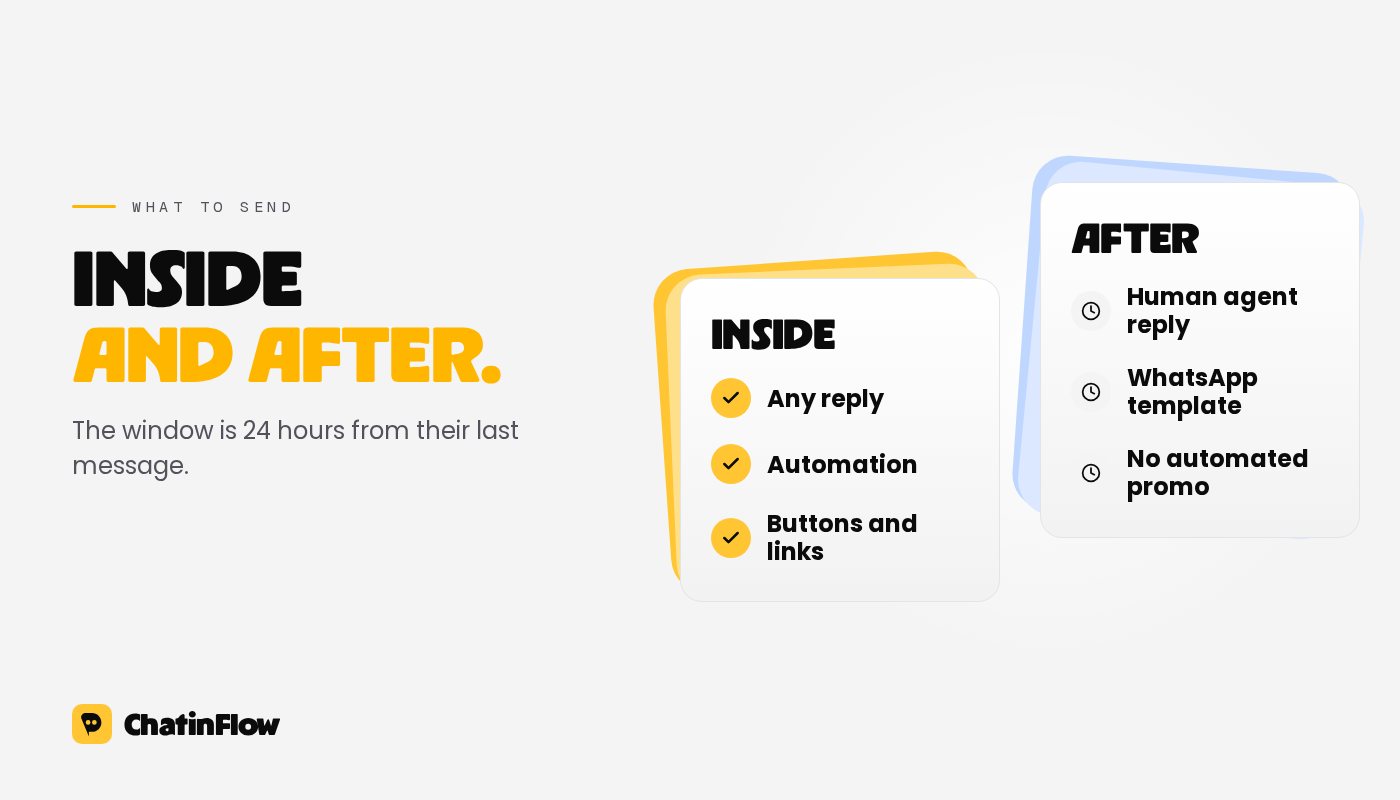
Inside the 24 hours you can send anything a normal conversation needs: answers, links, buttons, product cards, and promotional content the person would expect from the chat they started.
Outside it there is one exception, the human agent tag. It lets a real person on your team reply up to 7 days after the person's last message, for situations a day isn't enough for, such as a weekend or a problem that takes longer to solve. It is for replies a human writes. Using it for automated or promotional messages is against Meta's rules. Our Instagram DM automation rules go deeper on the Instagram side.
Messenger
Messenger follows the same 24-hour standard window as Instagram, and the human agent tag works the same way: a person on your team, up to 7 days, never for promotion.
Messenger used to allow a few more message tags outside the window, for confirmed event updates, post-purchase updates and account updates. Meta retired them: since April 27, 2026 the Send API rejects messages that use those three tags. Many older guides still recommend them, so if a flow of yours depends on one, rebuild it around a reply inside the window. Promotional messages outside the window need the person's explicit opt-in through Meta's own subscription features, never a tag.
On WhatsApp the window is called the customer service window. It also lasts 24 hours from the person's last message, and inside it you can send any free-form message: text, pictures, buttons, lists.
Outside the window, the only thing you can send is a message template that Meta has approved in advance. Templates come in three categories, and the category decides what you may say and what it costs:
- Marketing templates, for offers, announcements and anything promotional.
- Utility templates, for updates about something the person already did, like an order or a booking.
- Authentication templates, for one-time codes.
Since July 2025, Meta charges per delivered template rather than per conversation. Free-form messages inside the customer service window are free, and so are utility templates delivered while that window is open. Marketing templates are always charged. Rates depend on the category and the person's country, and Meta publishes them on its pricing page.
There is one more window worth knowing. When someone writes to you from a Click to WhatsApp ad or a Facebook Page button, and you reply within 24 hours, a free entry point window opens: for 72 hours, all your messages to that person are free, templates included.
What this means for your flows
The rule shapes how a good flow is built. Five habits keep you inside it and keep conversations moving:
- End with a question or buttons. Each answer reopens the window, so a flow that asks keeps its right to follow up.
- Deliver in the first message. If the person asked for something, send it while the window is surely open.
- Don't plan a drip campaign in DMs. A sequence on day 1, 3 and 7 will fail on Instagram and Messenger once the window has closed. Ask for an email address and send the sequence there.
- Use templates on WhatsApp for anything later. A booking reminder the day before is a utility template; a new collection announcement is marketing.
- Let people stop. Offer a clear way to opt out, and honor it right away.
How ChatinFlow handles the window
ChatinFlow checks these rules before every message, so a flow can't break them by accident:
- A message step that would land outside the 24-hour window isn't sent. The flow records why, so you can see which conversations it missed.
- The human agent tag is used only when a teammate replies from the inbox, never by an automation.
- On WhatsApp, a template step reaches people after the window; free-form steps wait for the window like on the other apps.
- A broadcast reaches only people whose window is open, except a WhatsApp broadcast built on an approved template.
- Contacts who write STOP stop getting broadcasts, and START brings them back.
The free messaging window calculator shows when a given conversation's window closes.
Common mistakes
- Treating the human agent tag as a 7-day window for automation. It is only for replies a person writes.
- Sending a promotional template as utility. Meta reviews template categories, and a wrong category can be changed or rejected.
- Counting from the wrong message. The window runs from the person's last message, not from yours.
- Messaging people who never contacted you. No tag or template makes that allowed on Instagram or Messenger, and on WhatsApp it needs the person's opt-in first.
Sources
- Meta for Developers, WhatsApp Business Platform pricing: per-message pricing since July 1, 2025, free non-template messages and utility templates inside the customer service window, and the 72-hour free entry point window. Read October 2026.
- Meta for Developers, Messenger Platform Send API reference: the standard messaging window, the human agent tag, and the retirement of the confirmed event, post-purchase and account update tags.
- Meta for Developers, Instagram Platform private replies: one private reply per comment within 7 days.
Par e-mail
De nouveaux flows dans votre boîte.
Les flows qui marchent, de nouveaux playbooks et ce qui a changé dans ChatinFlow. Pas de spam, et un seul geste pour vous désabonner.
Vous aimerez aussi
Questions et réponses
Posez vos questions sur cet article. L'équipe ChatinFlow répond ici.
Équipe ChatinFlow
Pas encore de questions. Posez la première, nous répondons ici même.