The full guide
Instagram DM templates and auto-replies that people actually answer
Most of the messages a small business gets are versions of the same dozen questions. How much is it? Do you have it in my size? Can I book for Saturday? Where is my order? Are you open? Answering each one from scratch takes time, and answering them late loses sales.
Most of the messages a small business gets are versions of the same dozen questions. How much is it? Do you have it in my size? Can I book for Saturday? Where is my order? Are you open? Answering each one from scratch takes time, and answering them late loses sales. A good set of ready replies solves both problems, as long as the replies sound like you, answer the real question and end with a clear next step. This guide explains what makes an auto-reply work, walks through ready templates for first contact, sales, bookings, support and growth, and shows how to use them by hand or let them send themselves.
What makes an auto-reply work
A reply that people answer has four qualities.
- It answers the question that was asked. If someone asks the price, the first thing they see is the price, not a greeting and a story about your brand.
- It uses their name. A first name turns a template into a reply. In ChatinFlow, the first name fills itself in when the message goes out.
- It ends with one next step. A link, a button, a time, a question. One, not three.
- It is short enough to read in a notification. Two or three sentences. If it needs more, it probably needs a person.
Templates fail when they are generic ("Thanks for your message! We'll get back to you soon!"), when they dodge the question or when they pretend to be a person and then cannot answer a follow up.
The variable and the brackets
The templates use two kinds of placeholders.
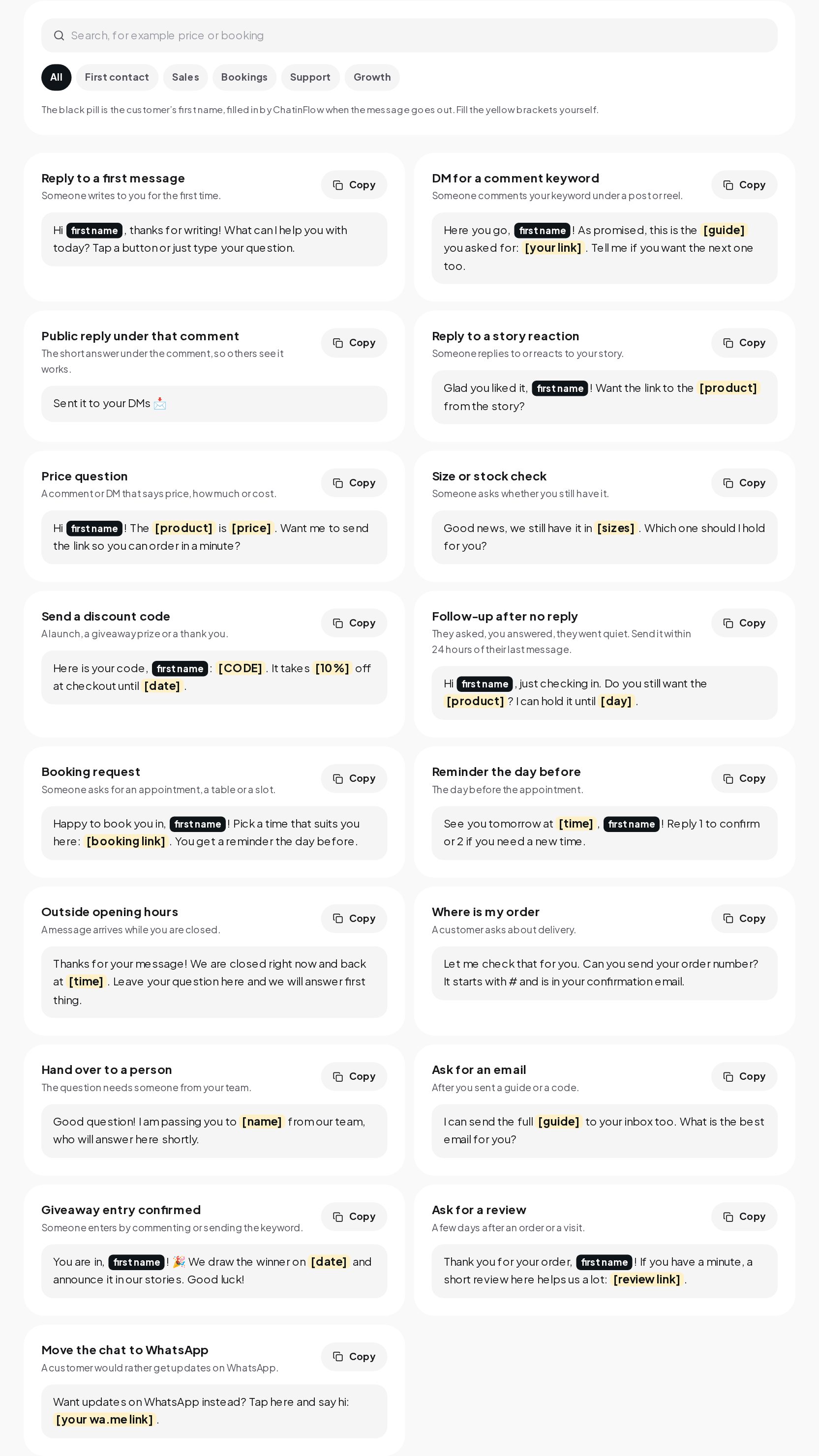
- {{contact.first_name}} is the variable ChatinFlow fills with the person's first name when the message is sent. It shows as a first name pill in the library. If you copy a template elsewhere, replace it with the name.
- [Brackets] are for things only you know: your product, your price, your link, your time. Fill them before you use the template. Nothing in a template is invented for you.
First contact
These are the replies to the first moment someone reaches out.
Reply to a first message. When someone writes to you for the first time:
Pair it with two or three buttons for your most common questions, so people can answer with one tap.
DM for a comment keyword. When someone comments your keyword under a post or reel:
Public reply under that comment. The short answer under the comment, so others see it works:
Reply to a story reaction. When someone replies to or reacts to your story:
Sales
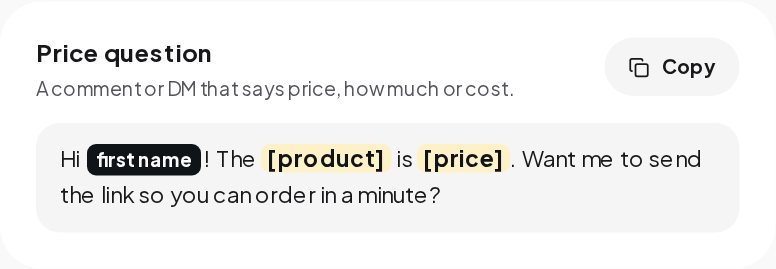
Price question. A comment or DM that says price, how much or cost:
The price comes first. The question at the end keeps the conversation going.
Size or stock check. When someone asks whether you still have it:
Send a discount code. For a launch, a giveaway prize or a thank you:
Always include the end date. A code without one gets saved and forgotten.
Follow up after no reply. They asked, you answered, they went quiet:
Send it within 24 hours of their last message. After that, Instagram and Messenger will not deliver it, and WhatsApp needs an approved template. The Messaging Window Calculator shows exactly when the window closes.
Bookings
Booking request. When someone asks for an appointment, a table or a slot:
Reminder the day before. For the day before the appointment:
The reply options matter. They make confirming effortless, and the customer's reply reopens the messaging window for anything that follows.
Support
Outside opening hours. When a message arrives while you are closed:
Better still, answer the common questions at once and use this only for the rest.
Where is my order. When a customer asks about delivery:
Hand over to a person. When the question needs someone from your team:
Be honest about the handover, and make sure someone is actually there to pick it up.
Growth
Ask for an email. After you sent a guide or a code:
Giveaway entry confirmed. When someone enters by commenting or sending the keyword:
Ask for a review. A few days after an order or a visit:
Move the chat to WhatsApp. When a customer would rather get updates on WhatsApp:
The WhatsApp Link Generator makes that link, with a first message already typed.
Rules every template follows
The library only includes replies that work within Meta's rules, so none of them will get you in trouble.
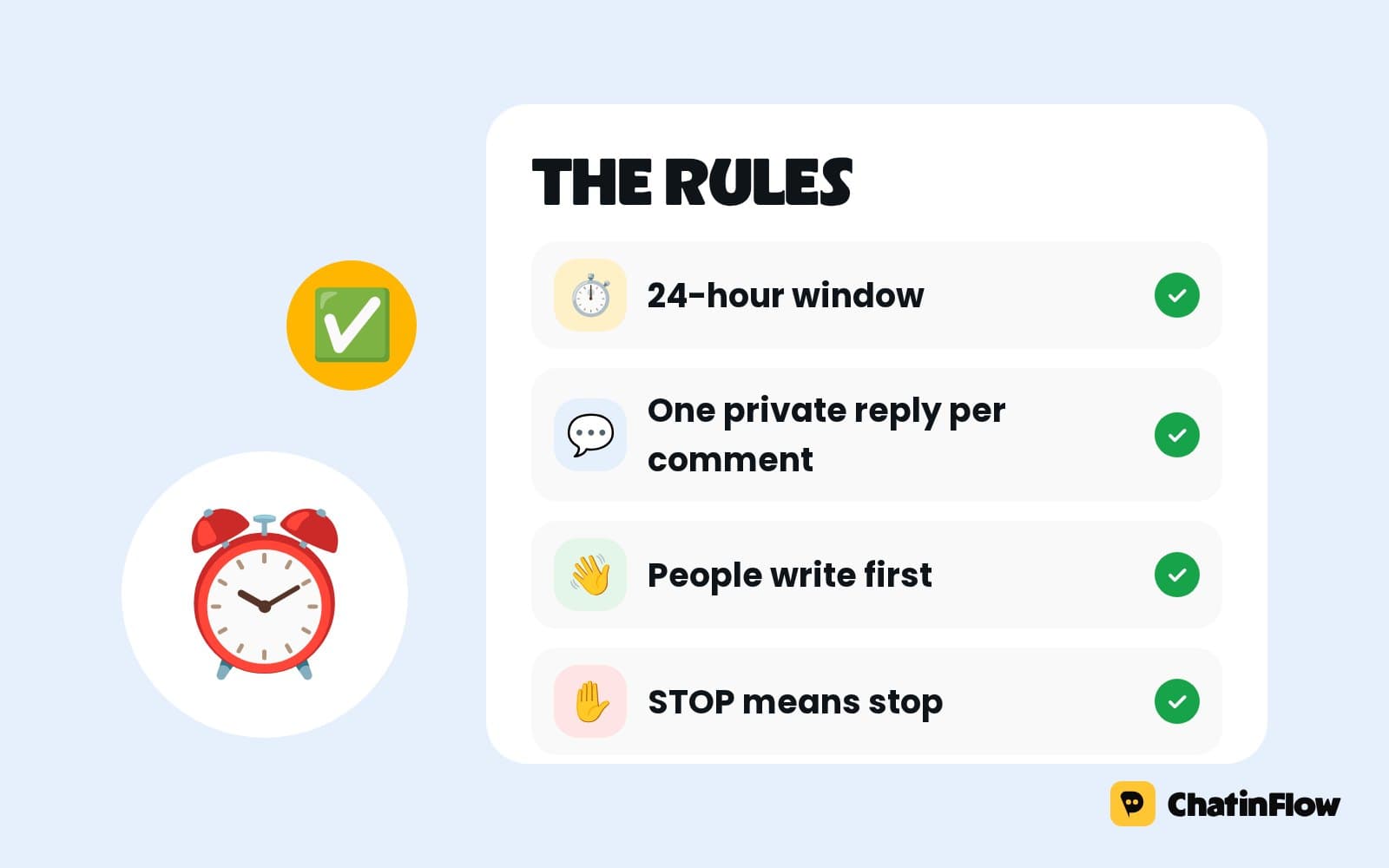
- They answer people who wrote first. You cannot start a conversation on Instagram with someone who never wrote to you.
- No welcome message for new followers. Instagram does not tell business tools when someone follows you, so that message cannot be sent automatically by any tool.
- The 24-hour window applies. Replies go out within 24 hours of the person's last message on Instagram, Messenger and WhatsApp. On WhatsApp, a reminder sent later needs an approved template.
Writing your own templates
Use the library as a starting point and adapt the voice. A bakery and a law firm should not sound the same.
- Write how you talk. Read the reply out loud. If you would not say it to a customer at the counter, rewrite it.
- Keep one emoji at most, unless emoji are part of your brand voice.
- Put the answer in the first line. Notifications show only the start.
- Test with a real question. Send the template to yourself from another account and read it on your phone.
- Review them every few months. Prices, links and opening hours change; templates that state old ones do more harm than no reply.
Using a template in a minute
- Open the DM Templates library and pick the moment: first contact, sales, bookings, support or growth.
- Read when to use it.
- Fill the brackets with your product, price, link or time.
- Copy it into a reply, or put it in an automation so it goes out on its own.
Let the replies send themselves
A template saves typing; an automation saves the whole job. Put a template behind a keyword in the flow builder and ChatinFlow sends it the moment someone asks, day or night, with their first name filled in. To check which messages will trigger it, try your keywords in the Keyword Tester first.
Quick answers
What should an Instagram auto-reply say?
Answer the question that was asked, use the person's first name and end with one clear next step, such as a link, a time or a button.
Can I send a DM to new followers automatically?
No. Instagram does not tell business tools when someone follows you, and you cannot message someone who never wrote to you.
How long after a message can I reply?
Up to 24 hours after the person's last message on Instagram, Messenger and WhatsApp. After that, WhatsApp needs an approved template.
What does the first name pill mean?
It is the variable ChatinFlow fills with the person's first name when the message is sent.
Sources
- Messenger Platform and IG Messaging API policy, Meta for Developers, on the 24-hour window and the human agent tag.
- Template fundamentals, Meta for Developers, on template categories and review.