The full guide
How to create a WhatsApp link with a message, and a QR code that opens a chat
A WhatsApp link is the shortest path from "I'm interested" to a conversation. One tap on a link in your bio, an ad or an email, or one scan of a code on a menu or a shop window, and the customer is in a chat with you, often with their first message already typed.
A WhatsApp link is the shortest path from "I'm interested" to a conversation. One tap on a link in your bio, an ad or an email, or one scan of a code on a menu or a shop window, and the customer is in a chat with you, often with their first message already typed. No saving your number, no searching. This guide explains how WhatsApp's click to chat links are built, the number formats that work and the ones that fail, how to pre-fill a message that gets answered, where to place the link and how to print a QR code that scans every time.
How a wa.me link is built
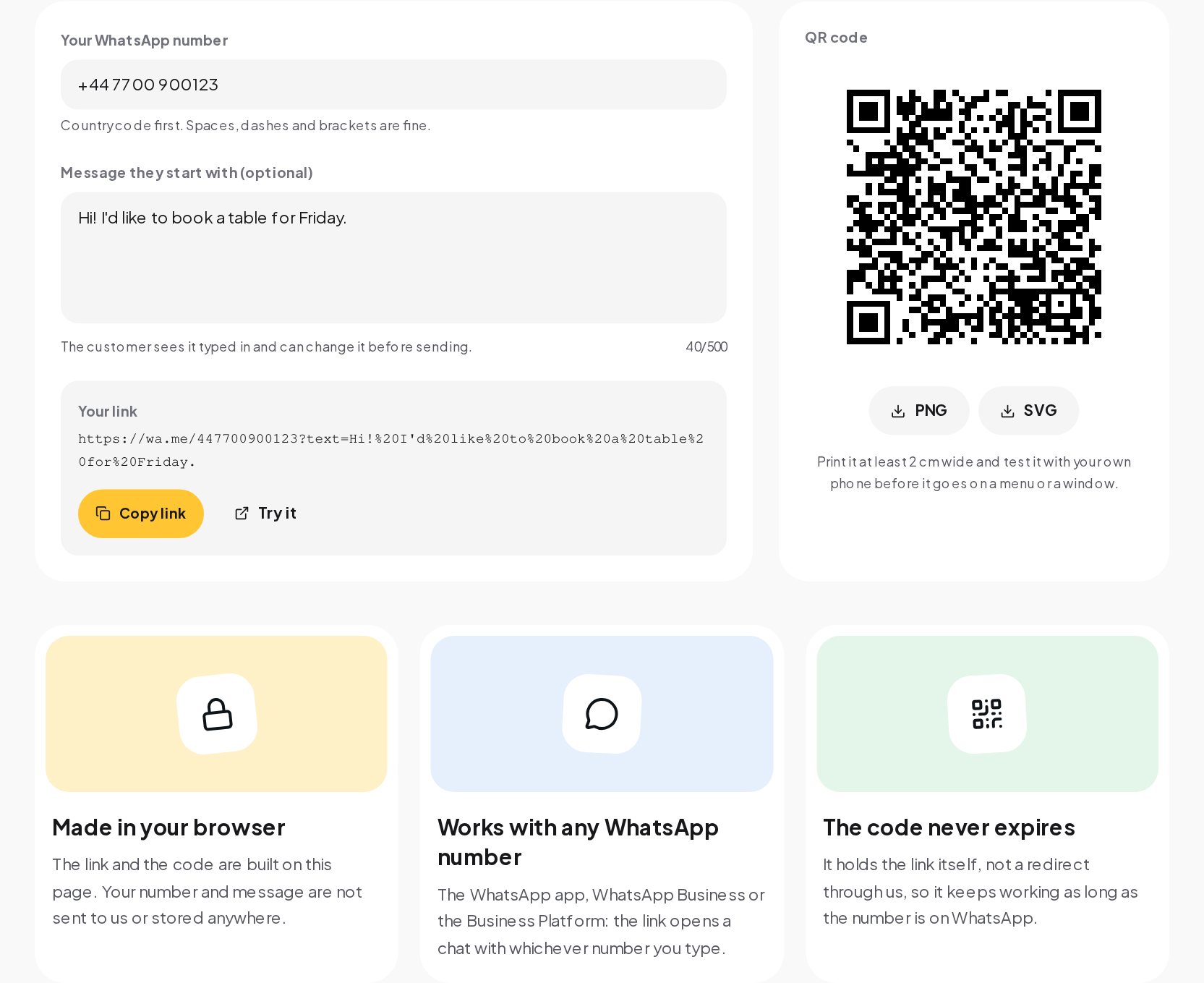
WhatsApp's official click to chat format is a short address on wa.me followed by your phone number in international format, digits only:
To pre-fill a message, add it as the text parameter, encoded so that spaces and special characters survive in a link:
Piece by piece:
| Part | Example | Notes |
|---|---|---|
| Address | https://wa.me/ | WhatsApp's own short domain for click to chat |
| Number | 447700900123 | Country code and number, digits only, no plus and no leading zero |
| Message | ?text=... | Optional; the customer sees it typed in and can edit it |
When someone taps the link on a phone, WhatsApp opens a chat with your number. On a computer, it offers WhatsApp Web or the desktop app.
Number formats that work, and the ones that fail
The number is where most broken links go wrong. WhatsApp needs the full international number.
| You type | Works? | Why |
|---|---|---|
| +44 7700 900123 | Yes | Country code first; spaces are removed |
| 0044 7700 900123 | Yes | The leading 00 is the international prefix and is removed |
| (+1) 555-010-0199 | Yes | Brackets and dashes are removed |
| 07700 900123 | No | A number starting with 0 is in local format; the country code is missing |
| 7700 900123 | No | Without the country code WhatsApp cannot know which country |
The generator cleans the number for you. It strips the plus, spaces, dashes and brackets, removes a leading 00 and refuses a number that starts with a single 0, telling you to start with the country code instead. It also checks the length: international numbers are at most 15 digits including the country code, so anything shorter than 8 digits or longer than 15 is flagged.
Test the link with a phone that is not yours. If it opens a chat with the right name, it works.
Writing the first message
A pre-filled message saves the customer from staring at an empty chat, and it tells you what they want before you read anything else. Good first messages:
- Say what the customer wants. "Hi! I'd like to book a table for Friday." is better than "Hello".
- Match where the link lives. A link on a product page can say "Hi, I have a question about the linen shirt." A link on a menu can say "Hi, I'd like to order."
- Stay short. One sentence is enough. The customer can add details.
- Leave it editable. The customer sees the message typed in and can change it before sending. Write something they would happily send as is.
The generator keeps the message to 500 characters, because a longer message makes the QR code too dense to scan reliably and nobody wants to send an essay to open a chat.
A different message per placement has a bonus: you can tell which link brought the conversation. "Hi, I saw your story" and "Hi, I found you on Google" tell you where to put your effort.
Where to put your WhatsApp link
| Placement | Suggested first message |
|---|---|
| Instagram bio link | "Hi! I found you on Instagram and have a question." |
| Instagram or Facebook ads | Use the ad's own WhatsApp button, or the link with a message about the offer |
| Website contact page | "Hi! I have a question about..." |
| Product pages | "Hi, I'm interested in [product]." |
| Email signature | "Hi, following up on your email." |
| Google Business Profile | "Hi! I found you on Google." |
| Printed menus, flyers, packaging | The QR code, with "Hi, I'd like to order." |
| Shop windows and counters | The QR code, with "Hi, I have a question." |
Printing a QR code that scans
A QR code holds the link itself, so it can go anywhere a link cannot: paper, glass, packaging, a poster across the room.
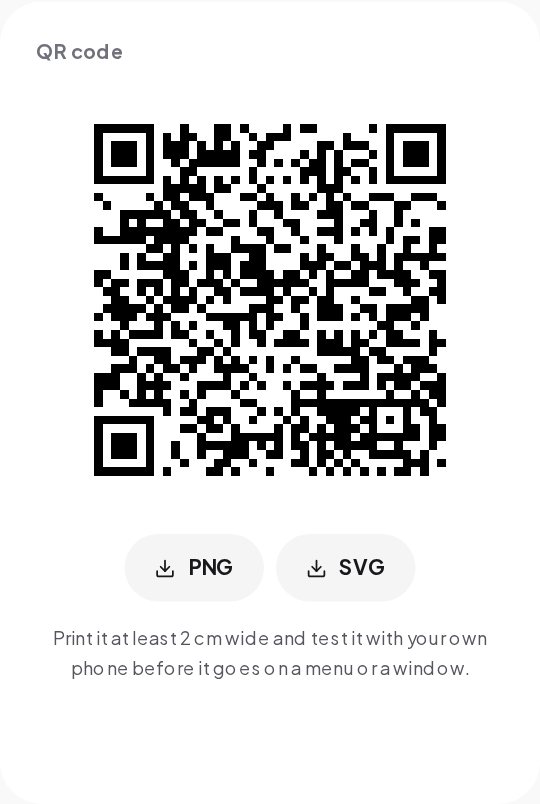
- Print it at least 2 cm wide. Bigger is better at a distance. A code on a poster read from a few meters away needs to be much larger.
- Keep a quiet zone. Leave white space around the code. Text or patterns right up to the edge stop phones reading it.
- Keep strong contrast. Dark code on a light background. Light codes on dark backgrounds and codes in pale brand colors often fail.
- Tell people what it does. "Scan to chat on WhatsApp" next to the code gets more scans than a code on its own.
- Test before you print a batch. Scan the proof with two different phones, in the light where it will hang.
Does the code expire?
No. The code holds the wa.me link itself, not a redirect through another service, so it keeps working as long as your number is on WhatsApp. If you ever change your number, you need a new code. A code that points through a link shortener or a paid service stops working if that service does.
WhatsApp, WhatsApp Business and the Business Platform
The link works the same with every kind of WhatsApp number:
- WhatsApp on a personal phone.
- WhatsApp Business, the free app for small businesses, which adds a business profile, labels and quick replies.
- The WhatsApp Business Platform, the version businesses connect to software such as ChatinFlow, which lets several people answer from one number and automate replies.
The link opens a chat with whichever number you type. Nothing about the link changes when you move from one to another.
Mistakes that break WhatsApp links
- Leaving the leading zero. 07700 900123 needs to become 44 7700 900123.
- Forgetting to encode the message. Spaces and characters such as & or ? in a hand-written link can cut the message short. The generator encodes it for you.
- Using a number that is not on WhatsApp. The link opens WhatsApp, which then says the number is not registered.
- Printing a code nobody tested. A smudged, tiny or low-contrast code fails silently, and customers just walk away.
- Opening chats you cannot answer. A link that brings messages at 10 pm needs a reply at 10 pm, or the customer is gone by morning.
Making your link in a minute
- Open the WhatsApp Link Generator and type your number with the country code. Spaces, dashes and brackets are fine.
- Add a first message the customer starts with, or leave it empty.
- Copy the link and try it from another phone.
- Download the QR code for print, and test it with your own phone before it goes on a menu or a window.
The link and the code are built on the page. Your number and message are not sent to us or stored anywhere.
Answer the chats it opens
A WhatsApp link works so well that it creates a new problem: the messages keep coming, often outside working hours, often asking the same few questions. With WhatsApp automation in ChatinFlow, every chat gets a greeting at once, the usual questions about prices, hours and bookings get an answer, and anything that needs a person is handed to your team. If you track your links, the UTM Builder helps you tag the web links you send in those chats so sales show up in your analytics.
Quick answers
How do I make a WhatsApp link with a message?
Put your full international number after https://wa.me/ and add the message as ?text= followed by the encoded message. The generator does both and checks the number.
Why does my WhatsApp link not work?
Usually the number starts with 0 or is missing the country code. Start with the country code, for example 44 for the United Kingdom.
Does a WhatsApp QR code expire?
Not when it holds the wa.me link itself. It works as long as the number is on WhatsApp.
Does it work with WhatsApp Business?
Yes. The link opens a chat with any WhatsApp number, personal or business.
Sources
- How to use click to chat, WhatsApp Help Center.
- E.164: The international public telecommunication numbering plan, ITU-T.