The full guide
DM sales attribution: how to track sales from Instagram and WhatsApp messages
See which flow or broadcast made each sale, from Buy buttons, store orders and won deals, add what you spent, and send every sale back to your ads.
Most businesses that sell through chat cannot answer a simple question: which message made the sale? The customer commented on a Reel, got a DM with a link, came back three days later after a broadcast and paid. The sale shows up in Shopify or Stripe; the conversation lives somewhere else; nobody connects the two. Attribution in ChatinFlow does that connection for you. Every message your flows, AI and broadcasts send is written down against the contact who received it, every sale is matched to that contact, and the last message before the sale gets the credit. This guide explains how the matching works, how to connect your sales sources, how to add what you spend to see the return, and how to send each sale back to Meta, TikTok and Google Ads.
How DM sales attribution works
Attribution rests on two records and one rule.
Touches. Each flow message, AI reply and delivered broadcast is recorded against the contact who received it, with the time and the source.
Sales. Each sale is recorded against a contact, found by the buyer's email, phone or channel id. The buyer is looked up in your workspace only, never anywhere else.
The rule. The most recent touch in the 30 days before the sale gets the credit. That is last-touch attribution: one sale points to one message you can repeat. Up to 25 earlier touches are saved with the sale, so you can see what else reached the buyer before they paid.
| Question | Answer in ChatinFlow |
|---|---|
| Which model? | Last touch, within 30 days |
| What counts as a touch? | A flow message, an AI reply or a delivered broadcast |
| What counts as a sale? | A paid buy button, a paid store order, a won deal, a Record a conversion step, a conversions API call |
| How is the buyer found? | By email, phone or channel id, in your own workspace |
| What if no touch is found? | The sale is kept and shown as unattributed |
| What if the same order arrives twice? | Nothing is added; the order id is the duplicate key |
The last-touch rule is deliberately simple. It tells you which message to send more of, and it is easy to check by hand: open the contact, look at the last message before the order. If you need a different model, the earlier touches saved on each sale and the API give you the raw material.
Connect Shopify, WooCommerce, Stripe or your checkout
A sale has to reach ChatinFlow before it can be credited. There are five ways in.
A connected store. In Settings, Integrations, Stores, connect Shopify or WooCommerce. Each order files the buyer as a contact, counts as a sale when it is paid and can start a Store order flow. "Paid" means what your store calls paid: Paid in Shopify, Processing or Completed in WooCommerce. Refunded or canceled orders stop counting, and test orders start flows but never count as sales.
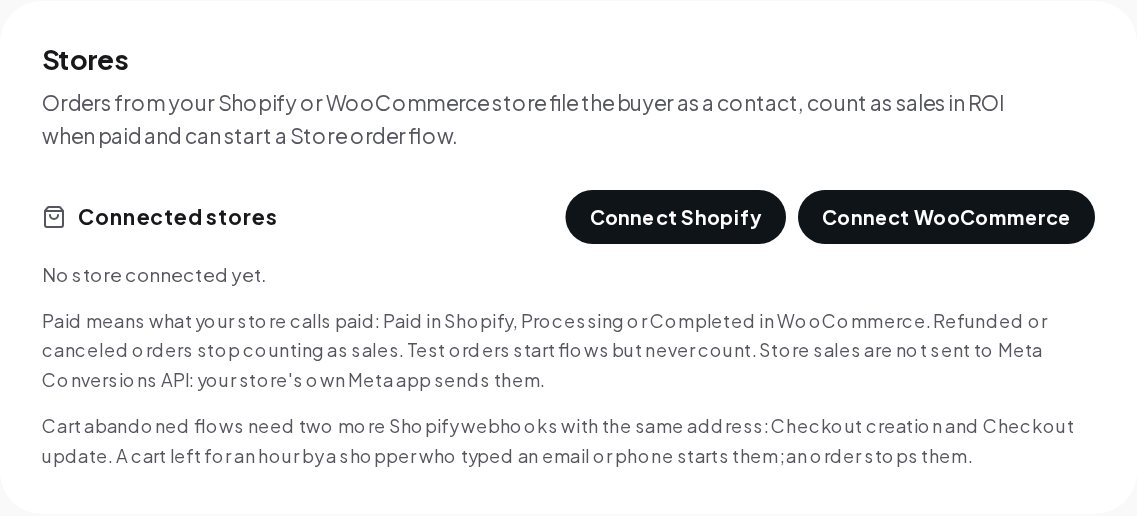
The same card explains cart recovery: Shopify's Checkout creation and Checkout update webhooks let a cart left for an hour, by a shopper who typed an email or phone, start a Cart abandoned flow, and an order stops it.
A Buy button in the chat. The Buy button step opens a Stripe or PayPal checkout at your price, and the money goes straight to your own account. A paid checkout is recorded as a sale and credited like any other.
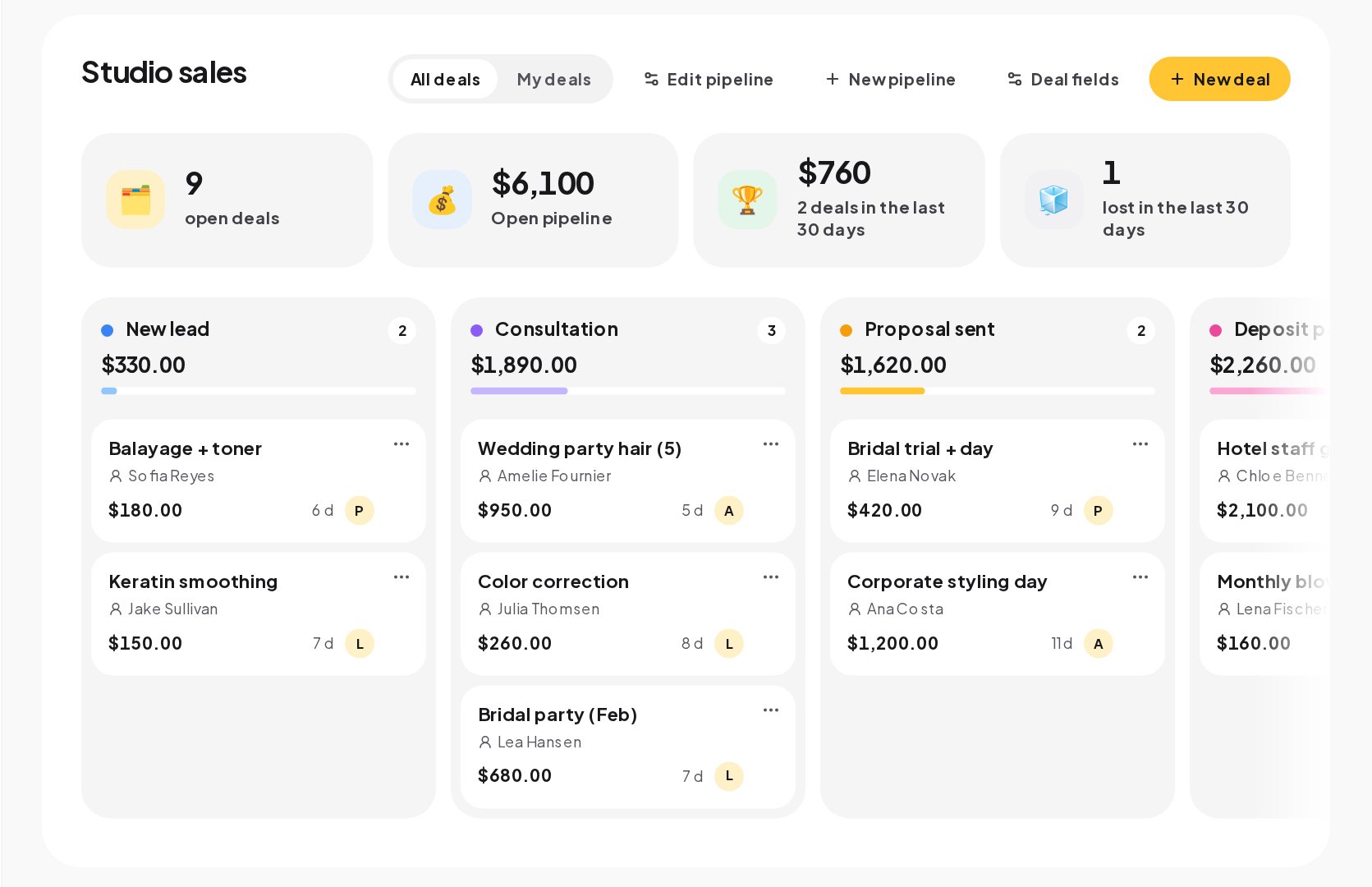
A won deal. In Sales, every deal starts in a conversation and moves stage by stage on a board. When you mark a deal won, it is recorded as a Purchase conversion with its value, and the report and goals update with it.
The Record a conversion step. Put it in a flow to count a sale or a signup with its value, for example after a booking is confirmed.
The conversions API. Any other store, or a script of your own, posts each order to the conversions endpoint with a personal access token. Reporting sales through the API needs a token with write access, on the plans with API access. Every amount sent this way is marked as reported by your workspace.
Match buyers to the people who messaged you
A sale is credited only when ChatinFlow can find the buyer among your contacts. That depends on the buyer's email, phone or channel id already being on a contact. Three habits raise the match rate:
- Collect the email in the chat. An Ask a question step that asks for the email before sending a discount code or a link puts the key on the contact, and a Reply check step confirms it really is an email.
- Use the same email at checkout. When the chat sends a checkout link, the shopper usually types the same address they just gave you.
- Connect the store before the campaign. A store connected after the sale cannot credit it.
A buyer who never messaged you is still recorded as a sale, as unattributed. That is useful too: the share of unattributed sales tells you how much of your revenue the chats do not touch yet.
Add your ad and creator spend to see ROI
Sales alone do not tell you whether marketing paid off. Open Analytics, the Results tab, and find the chapter Did your marketing pay off?. It shows sales and spend for this month or the last 3, 6 or 12 months.
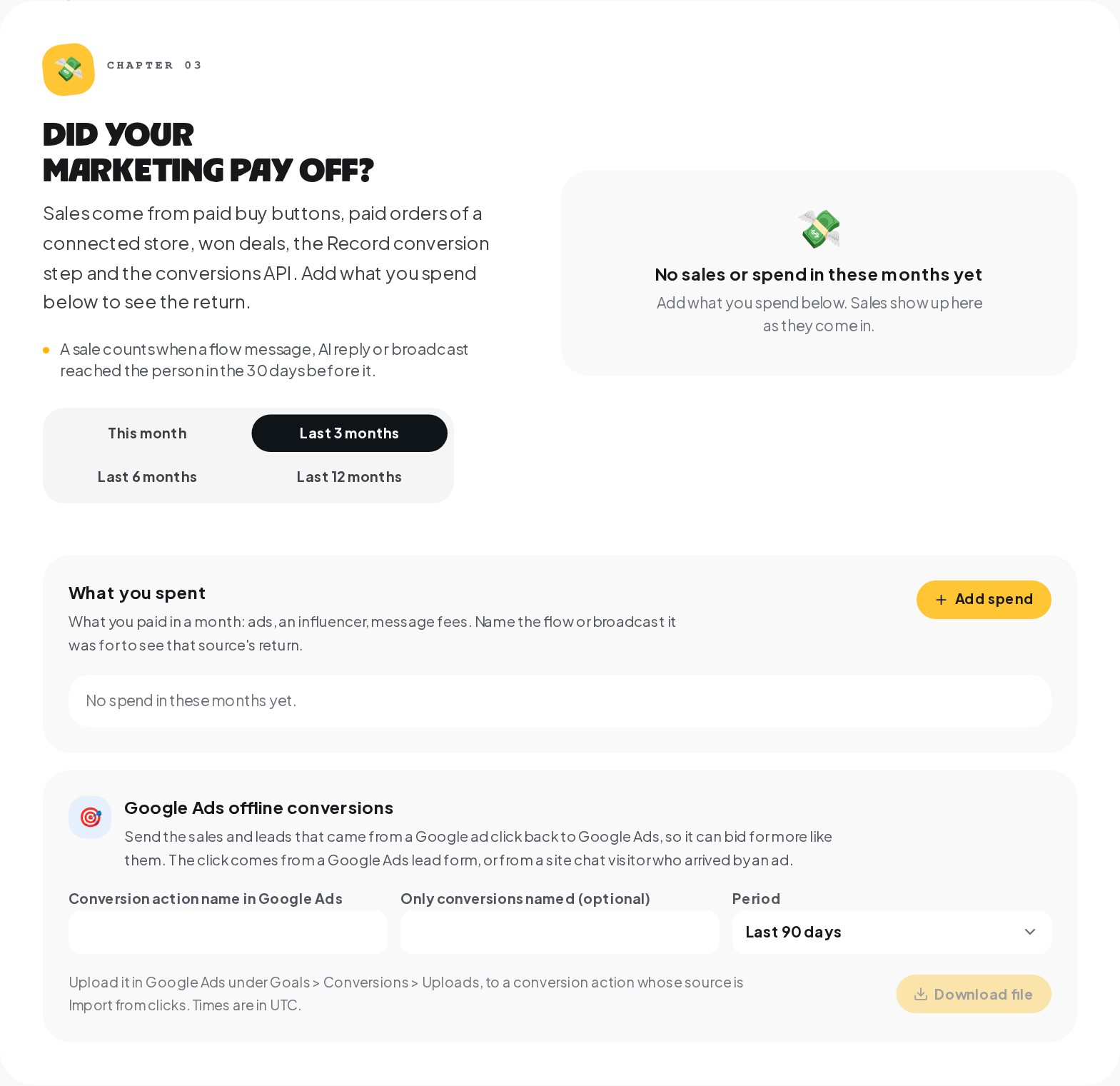
Press Add spend and enter what you paid in a month: ads, an influencer, message fees. Name what it was for, the amount and the currency, and pick the flow or broadcast it paid for. With the spend linked to a source, the chapter shows that source's return: the sales credited to it next to what it cost.
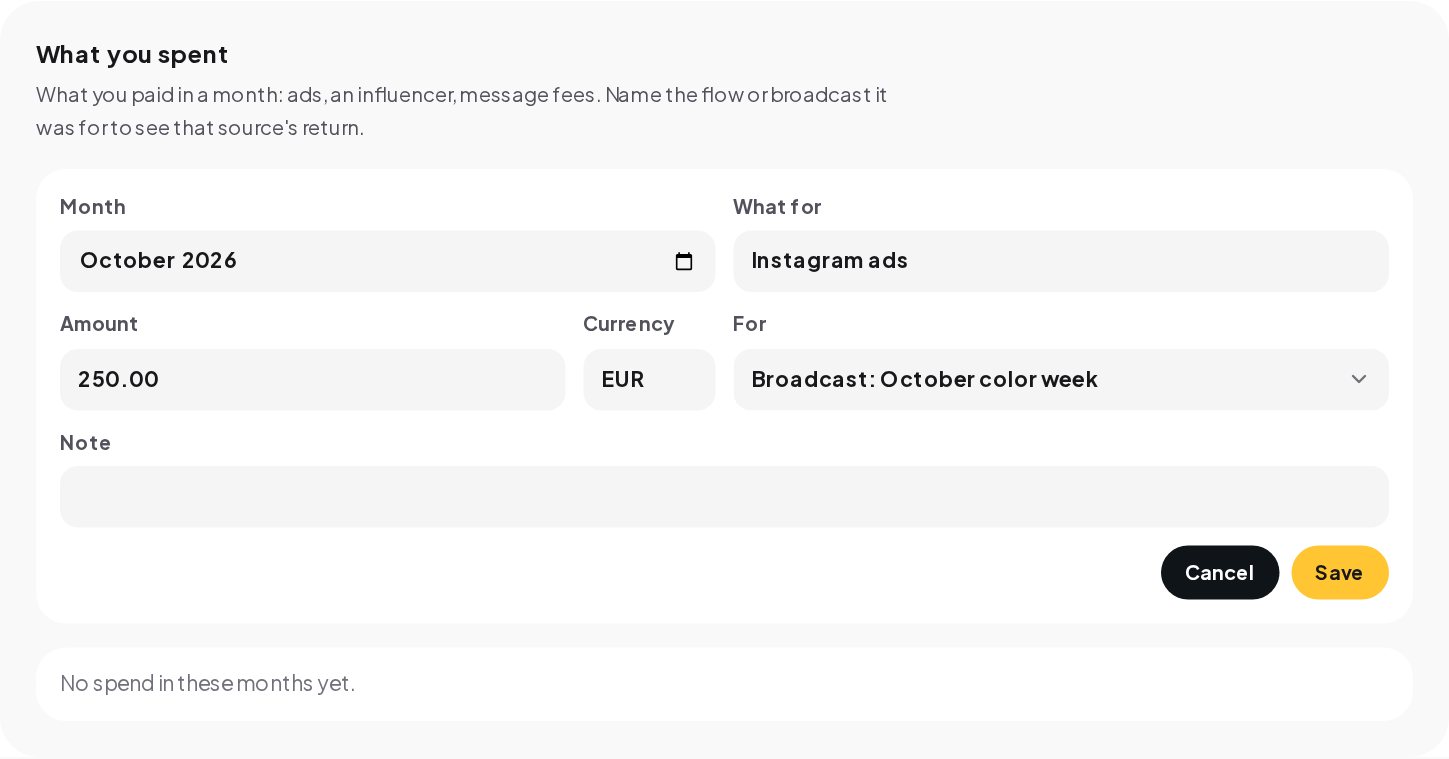
Enter spend per month, even rough numbers. A return that is wrong by 10% still tells you which of two campaigns to repeat.
Send each sale back to Meta, TikTok and Google Ads
Ad platforms bid better when they know which clicks turned into sales. ChatinFlow sends each sale it records to the platforms you connect in Settings, Integrations.
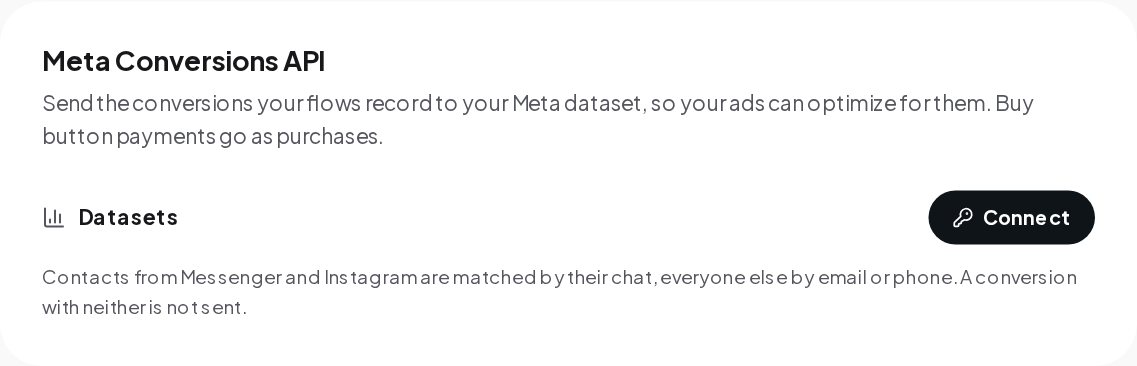
Meta Conversions API. Connect a Meta dataset and the conversions your flows record go to it, so your ads can optimize for them. Buy button payments go as purchases. Contacts from Messenger and Instagram are matched by their chat, everyone else by email or phone; a conversion with neither is not sent.
TikTok Events API. Connect your own pixel or offline event set, and each sale is sent as ChatinFlow records it.
Store orders are the exception. Sales from a connected store are not sent to the Meta Conversions API, because your store's own Meta app already sends them. Sending them twice would count each order twice in your ads.
Google Ads. In the same Results chapter, Google Ads offline conversions makes a file of the sales and leads that came from a Google ad click, from a Google Ads lead form or from a site chat visitor who arrived by an ad. Enter the conversion action name, pick a period of 30, 60 or 90 days, download the file and upload it in Google Ads under Goals, Conversions, Uploads, to a conversion action whose source is Import from clicks. Times in the file are in UTC.
Read DM attribution reports and act on them
With sales flowing in and spend entered, three questions become easy to answer.
Which flow sells? Compare your sources by credited sales. The flow with the most credited sales is the one to put more posts, ads and keywords behind.
Which broadcast paid for itself? A broadcast with spend linked to it shows its return directly. One that sold nothing twice in a row is a message to rewrite, or an audience to rethink.
How much is unattributed? A large unattributed share means many buyers never talk to you before they buy, or that their email is not on a contact. Collect emails earlier in your flows, or add a post-purchase flow that starts a conversation.
For your own reports, the summary endpoint of the ChatinFlow API returns sales for any range up to 365 days, attributed and unattributed, grouped by flow, AI reply and broadcast.
What DM attribution does not do
Clear limits make the numbers trustworthy.
- One model only. Credit goes to the last touch; there are no multi-touch models to switch between.
- Your workspace only. A buyer is matched only against your own contacts.
- Reported amounts. Amounts come from your store, your payment provider or your own API calls, and are marked as reported by your workspace.
- No shipping or returns workflow. Refunds and cancellations stop a store order from counting, but ChatinFlow does not process returns or track shipments.
- No cart recovery for WooCommerce. WooCommerce sends no cart events, so cart abandoned flows work with Shopify only.
Attribution glossary
- Touch. A flow message, AI reply or delivered broadcast, recorded on the contact who received it.
- Last touch. The most recent touch in the 30 days before a sale, which gets the credit for it.
- Unattributed sale. A sale with no touch in those 30 days, kept visible on its own instead of hidden.
- Spend. What you enter per month for a flow or a broadcast, so Analytics can show the return next to its sales.
Attribution mistakes to avoid
- Connecting the store after the campaign. Sales before the connection cannot be credited.
- Never asking for an email. Without a key on the contact, a website sale cannot be matched to the chat.
- Spend without a source. Spend not linked to a flow or broadcast shows the total return, not which campaign earned it.
- Sending store sales to Meta twice. Let your store's own Meta app send store orders; ChatinFlow leaves them out on purpose.
- Expecting credit for chats older than 30 days. A touch more than 30 days before the sale does not get the credit.
DM sales attribution: FAQ
Does an AI reply get credit for a sale?
Yes. An AI reply is a touch like a flow message or a delivered broadcast. If it was the last one in the 30 days before the sale, it gets the credit.
What happens when an order is refunded?
A refunded or canceled store order stops counting as a sale, so your totals keep matching your store.
Can I see the earlier messages that reached a buyer?
Yes. Up to 25 earlier touches are saved on each sale, and the API returns them with it.
Do I need the API to track sales from DMs?
No. A connected Shopify or WooCommerce store, a Buy button, won deals and the Record a conversion step all work without it. The API is for any other store or your own scripts.
Sources
- Conversions API, Meta for Developers.
- About offline conversion imports, Google Ads Help.
- About Events API, TikTok For Business.