




The full guide
Enterprise messaging automation that passes a security review: SSO, audit logs and approvals
Single sign-on, an IP allowlist, custom roles, approvals for large sends, an audit log with export and set-up backups, with what ChatinFlow does not offer listed plainly.
For a large brand, the hard part of DM automation is not the first flow. It is the security review before anyone may connect an account, the regional teams who each want their own channels, the agency that needs access without seeing everything, and the one wrong send that reaches a whole country. ChatinFlow is built so that these questions have plain answers: single sign-on over OpenID Connect, an IP allowlist, roles with exactly the rights you give, a second approval for large sends, an audit log with CSV export and set-up backups. This guide walks an IT lead, a security reviewer and a marketing owner through a rollout, step by step, and lists just as plainly what ChatinFlow does not offer, so your review has nothing to discover later.
Enterprise security review checklist in one table
| What your review asks | The answer |
|---|---|
| Who can sign in? | Members of your workspace, through your identity provider over OpenID Connect when single sign-on is required |
| From where? | Only from the networks on the IP allowlist, when you turn it on |
| Who can change what? | Five built-in roles and custom roles with exactly the rights you give |
| Can one click reach everyone? | A send to 1,000 or more contacts needs a second approver |
| What changed, and who did it? | The audit log, filtered by member and kind of event, exported as CSV |
| Where is the data? | In a Hetzner data center in Finland, inside the European Economic Area |
| How are secrets kept? | AES-256-GCM, with a separate data key for each workspace |
| What about AI? | Only on the provider key you connect; ChatinFlow trains no model on your data |
| What happens on STOP? | The person is unsubscribed, the tag is removed, every sequence ends and the chat confirms it |
Plan workspaces for brands, regions and teams
Start with the shape of your organization. A workspace holds its own channels, inbox, contacts, flows, analytics and audit log. Most enterprises use one workspace per brand or region, such as one for the EU support desk and one for the brand's Instagram, so a regional team never sees another region's customers and every audit log stays readable.
Inside a workspace, teams share the inbox and the flows. If two teams answer the same customers, keep them in one workspace and separate their work with roles, tags and assignment instead.
Turn on single sign-on (OpenID Connect)
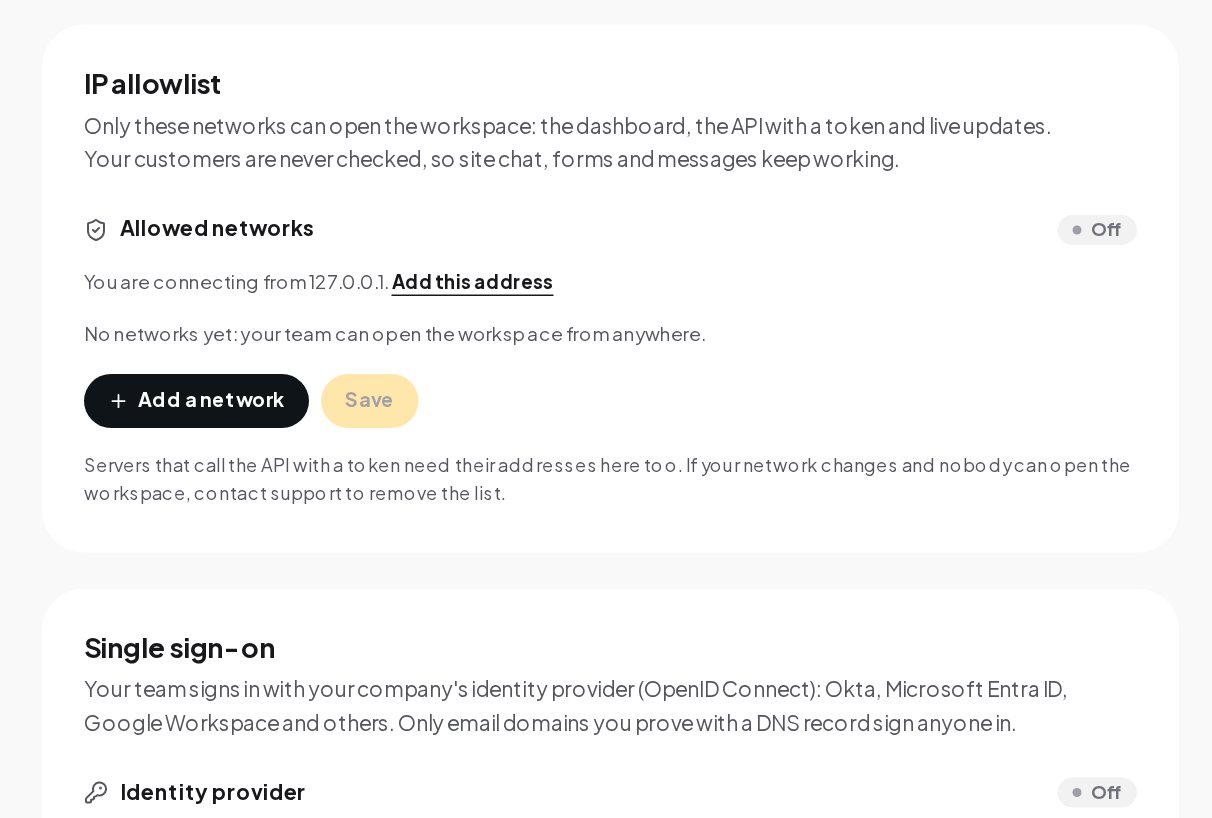
Open Settings, then Access security. Single sign-on and the IP allowlist are on Business and up, and only the owner changes these settings.
Single sign-on takes four steps:
- Register ChatinFlow at your provider. Copy the redirect URI shown on the page into a new OpenID Connect application at Okta, Microsoft Entra ID, Google Workspace or another provider.
- Paste the provider details. Fill in the issuer URL, the client ID and the client secret, and save the provider. The secret is stored encrypted.
- Prove your email domains. Add the domain of your team's email addresses and prove it with a DNS record. Only proved domains sign anyone in.
- Choose how new people join. With "Let people from these domains join as members the first time they sign in", a colleague with a company address gets in on their first sign-in, as a member.
When single sign-on is required, members can no longer sign in with a password or a social login, and the owner keeps a way in. A social login or single sign-on is never attached to an existing account with an unverified email, which closes a common account takeover trick.
Restrict the dashboard with an IP allowlist
On the same page, the IP allowlist limits where your team can open the workspace from: the dashboard, the API with a token and live updates. Press Add a network, enter your office or VPN range, and save. The page shows the address you are connecting from, with a link to add it, so you do not lock yourself out on the first try.
Your customers are never checked, so the website chat, forms and messages keep working from anywhere. Servers that call the API with a token need their addresses on the list too. If your network changes and nobody can open the workspace, contact support to remove the list.
Custom roles: give each job its own access
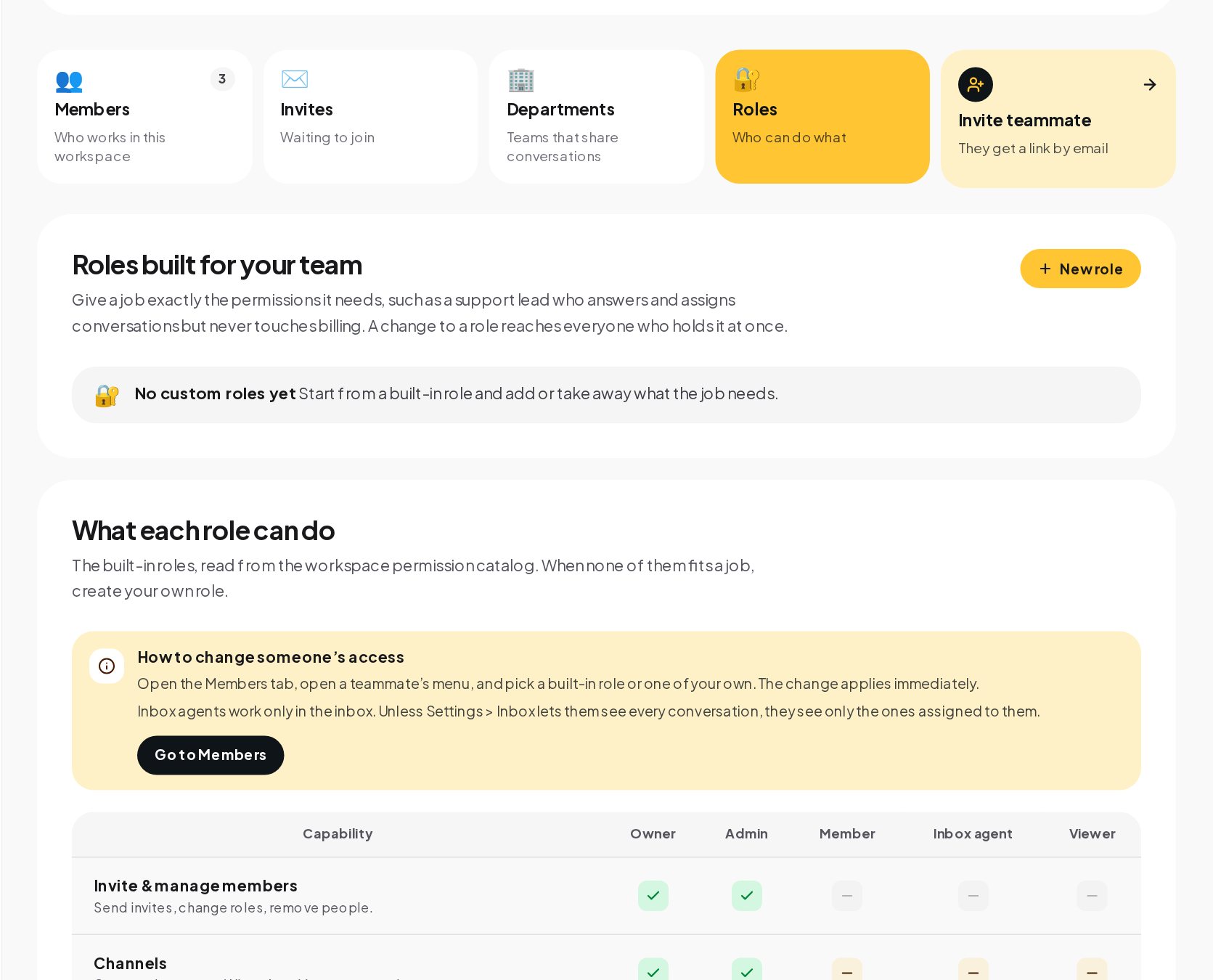
Open Team and invite people with the role that fits.
A pattern that works for a large brand:
- Platform owners in IT or marketing operations as admins, who connect channels, manage members and approve large sends.
- Campaign managers as members, who build flows and broadcasts.
- Support agents as inbox agents, who answer only the conversations assigned to them unless you allow them to see the whole inbox.
- Leadership as viewers, with limited access and no access to members, billing or the audit log.
- Compliance reviewers with a custom role that can view the audit log and change nothing else.
- An outside agency with a custom role that builds flows but never touches billing or members.
A custom role starts from a built-in role, and you add or take away what the job needs. A change to a role reaches everyone who holds it at once, so tightening access after a reorganization is one edit.
Four-eyes approval for large sends
The real risk in messaging at scale is one wrong send. When a flow with a sending step is published in a workspace with 1,000 contacts or more, or a broadcast's audience reaches 1,000, another teammate who can publish approves it first, with their two-step code. The approval covers what was reviewed, so changing the content asks again. Every publish becomes a new version, so a mistake can be rolled back to the version before it.
Make sure every workspace has at least two people who can publish. If only one person can, they approve their own request with a fresh code, which is safe but defeats the purpose of a second pair of eyes.
Tamper-proof audit log
Open the Workbench to read the audit trail: who connected a channel, published a flow, changed a role or approved a send, with the time, the details and the IP address.
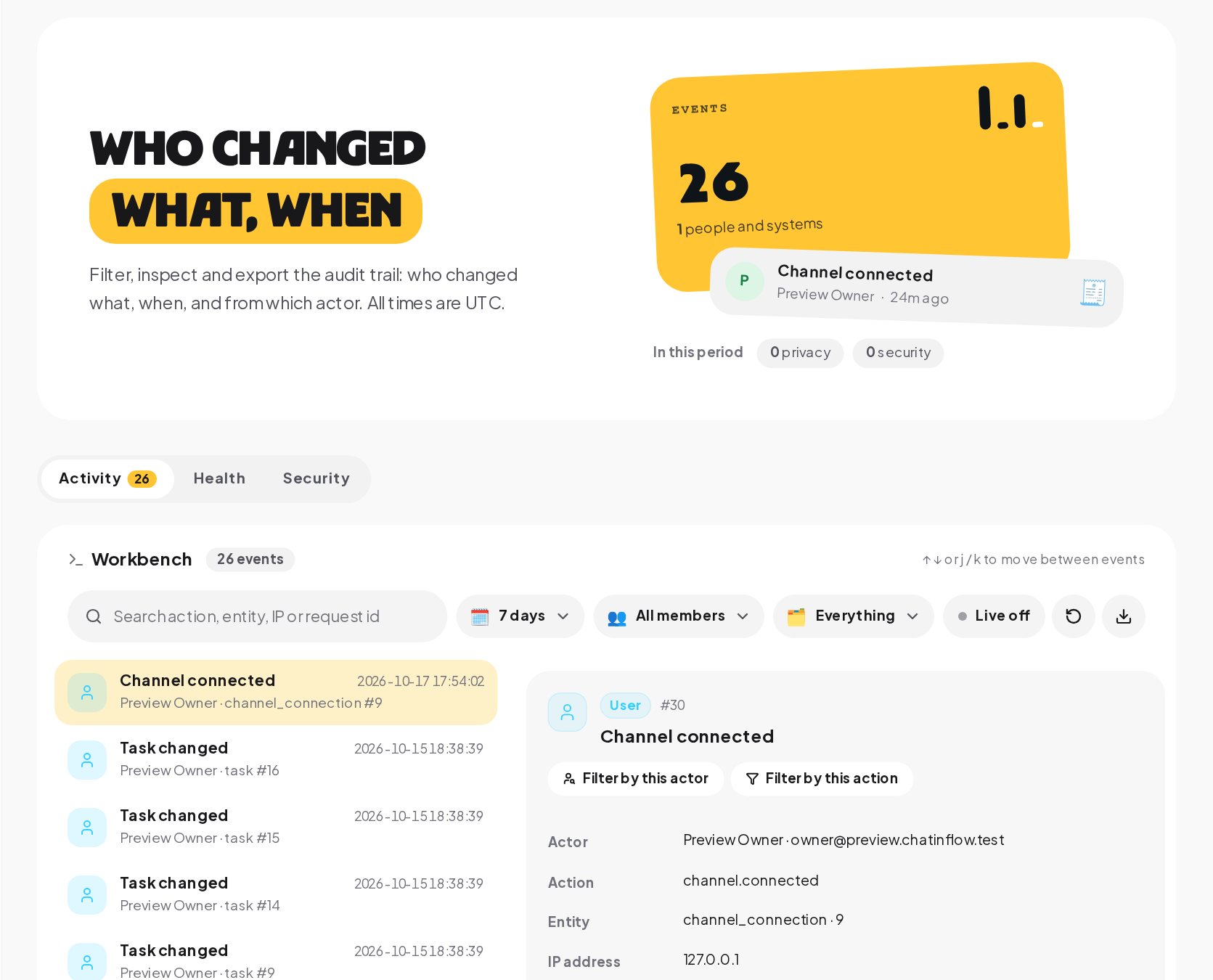
On Business and up, the owner exports every event that matches the filters as CSV for your own reviews; the export stays with the owner because it takes the whole trail off the platform. All times are in UTC, so events from teams in different time zones line up. Audit records cannot be edited or deleted from the dashboard.
Back up automations and settings
Under Settings, Backups, the owner keeps planned copies of each workspace's set-up on Business and up.
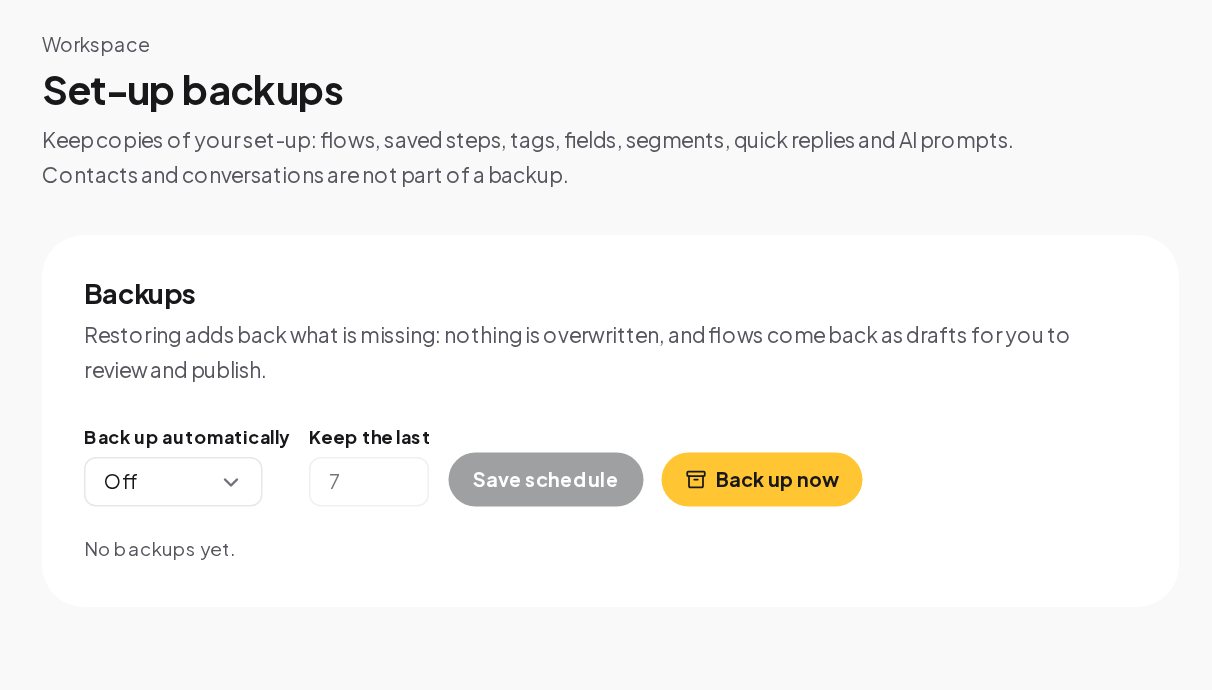
A set-up backup holds flows, saved steps, tags, custom fields, segments, quick replies and AI prompts. Restoring adds back what is missing without overwriting anything, and flows come back as drafts. The database and uploaded files, contacts and conversations included, are also backed up every night.
Connect your CRM and internal systems
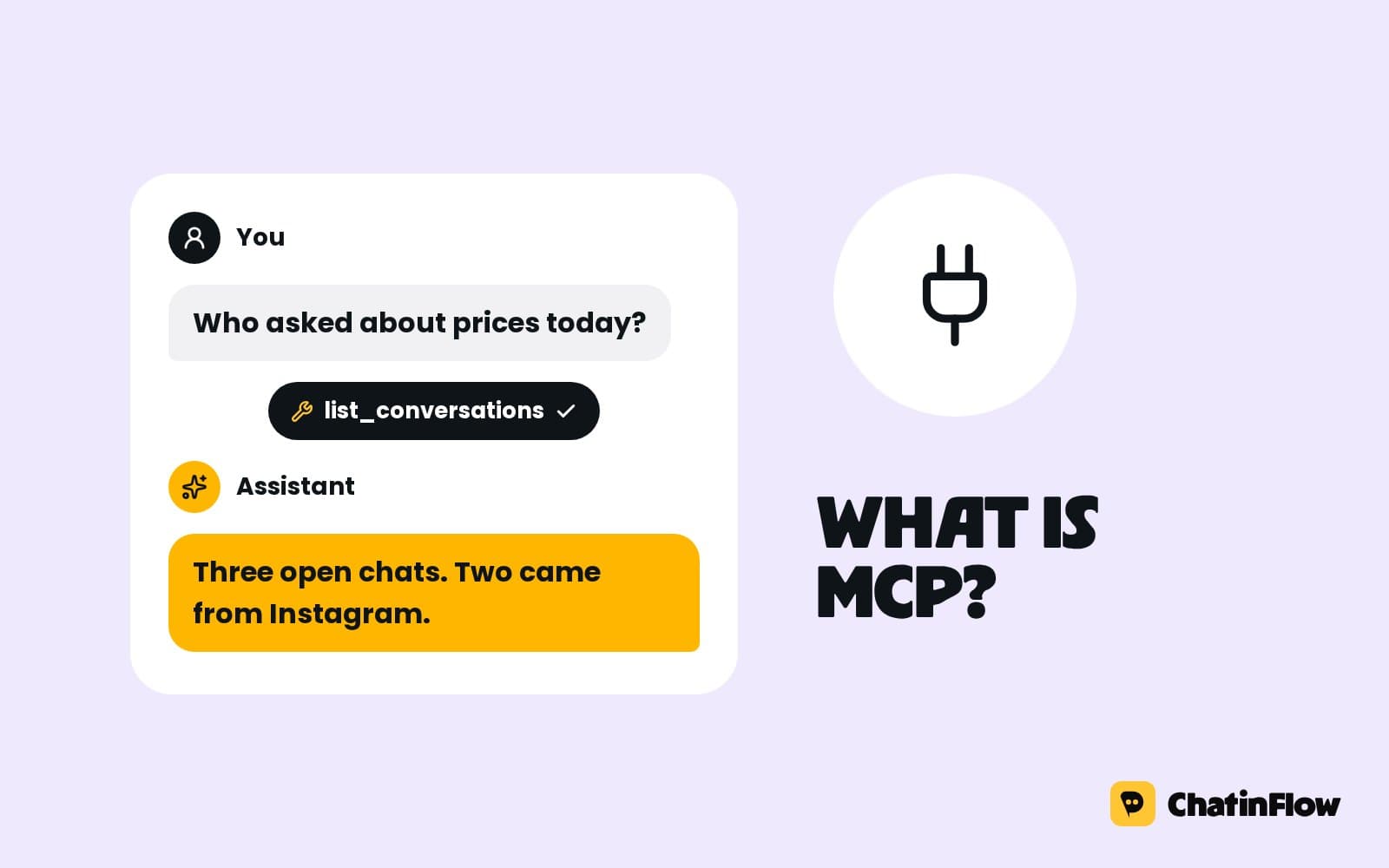
On the plans with API access, the REST API and its tokens let your systems read and write workspace data. Outgoing webhooks send events to your endpoints, each signed with that endpoint's secret, so your receiver can check the message came from ChatinFlow. The MCP server lets an AI assistant your team already uses read the workspace; a write token adds notes and tags, and it never messages customers.
For a CRM, an HTTP request step in a flow can send a lead or a ticket to HubSpot, Salesforce or your own system, and the response is saved in the flow for the next message to use.
Opt-out, consent and GDPR data rights
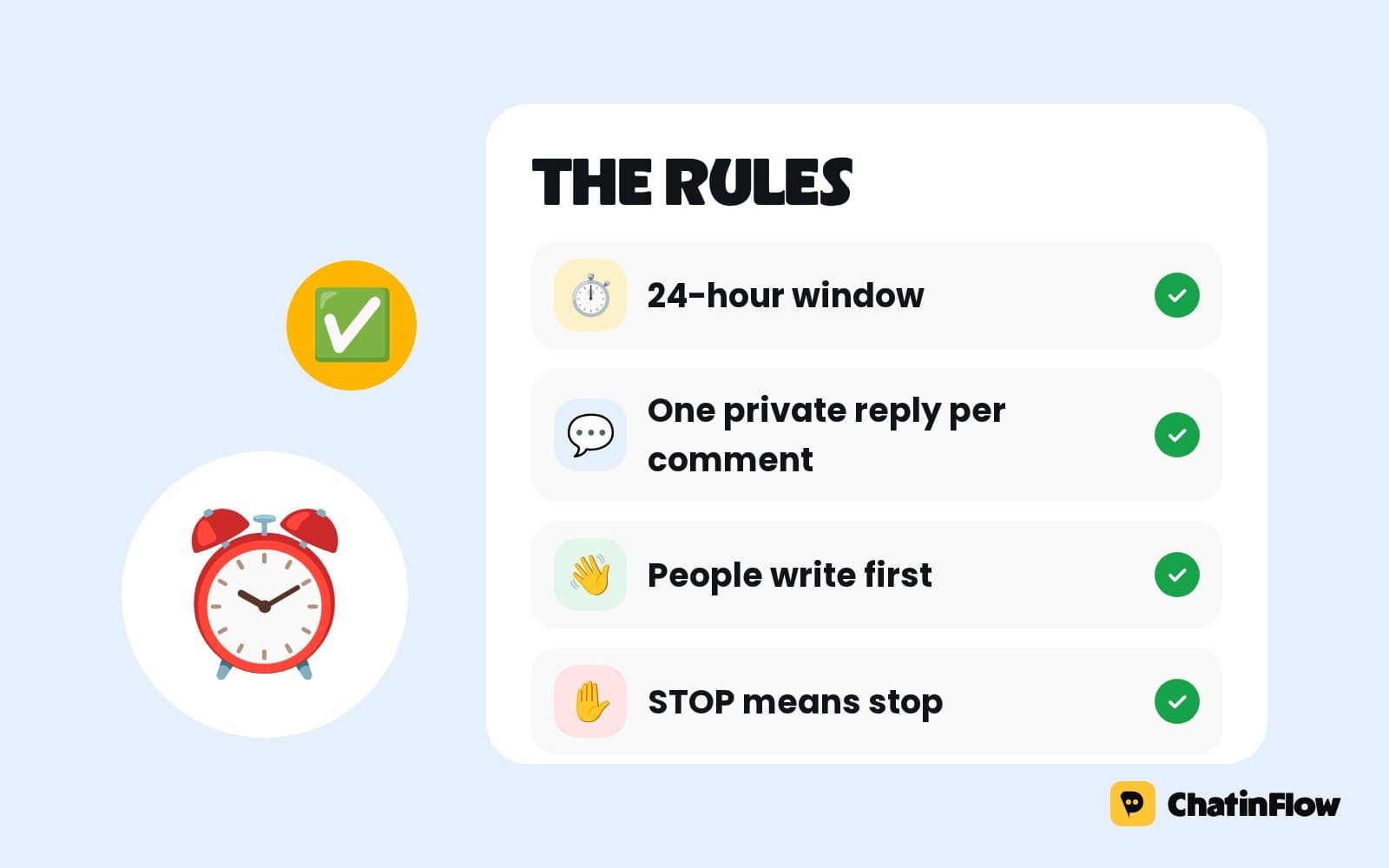
A STOP or UNSUBSCRIBE reply unsubscribes the person, removes the tag, ends every sequence they are in and confirms it in the chat, in every workspace, without anyone remembering to do it. On WhatsApp, messages you start go out as templates approved by Meta, and Meta's rules require that they reach only people who opted in.
Under Settings, Privacy, the owner exports the workspace's data, and a contact's data is erased from Audience when they ask to be forgotten. Export and erase jobs complete within 30 days.
Procurement and vendor review, in practice
- Security questionnaire. Send it to [email protected] and get written answers.
- Data processing terms. The DPA, with the EU Standard Contractual Clauses and the UK Addendum, is part of the Terms of Service and applies automatically. For a countersigned copy, email [email protected].
- Subprocessors. Hetzner for hosting, Cloudflare for the network edge, and Paddle and Stripe for payments. Channels and tools you connect receive data because you connected them.
- Availability. An automated check tests the service every five minutes, and the status page shows each service's health. There is no contractual uptime SLA.
- Pricing. Enterprise is set per contract, with the controls your review needs.
What is not offered: SOC 2, SAML and SCIM
- No SOC 2 report or ISO 27001 certificate.
- No SAML and no SCIM provisioning. Single sign-on works over OpenID Connect, and admins invite, change and remove members in settings.
- No region choice or on-premise hosting. Every workspace is hosted in Finland.
- No end-to-end encryption. Messages are encrypted in transit and stored on servers closed to the internet, and ChatinFlow reads them to run your automations.
- No uptime SLA.
A 30-day enterprise rollout plan
- Week 1. Security review with the questionnaire and the security page; create the first workspace for one brand or region.
- Week 2. Single sign-on, proved domains and the IP allowlist; invite the platform owners and set up custom roles.
- Week 3. Connect one channel, publish the first flows with a second approver, and test STOP end to end.
- Week 4. The owner exports the audit log for your first review; schedule set-up backups and add the next region.
Enterprise rollout mistakes to avoid
- One workspace for every region. Audit logs and analytics get mixed. Use one per brand or region.
- A single publisher. Name at least two people who can approve large sends.
- Allowlisting only the office. Add your VPN and the servers that call the API, or remote teammates and integrations stop working.
- Admin for everyone. Most people need member, inbox agent or a custom role.
- Reviewing from memory. Have the owner export the audit log for every quarterly review.
Enterprise messaging automation: FAQ
Do you support SAML?
No. Single sign-on works over OpenID Connect, with Okta, Microsoft Entra ID, Google Workspace and other providers. SCIM provisioning is not offered either.
Can we keep each region's data apart?
Yes, by workspace. Each workspace has its own channels, inbox, contacts, analytics and audit log, and a person invited to one region's workspace sees nothing of another's.
Can the IP allowlist block our customers?
No. Customers are never checked, so the website chat, forms and messages keep working. The allowlist applies to your team's dashboard, API tokens and live updates.
Where is our data hosted?
In a Hetzner data center in Finland, inside the European Economic Area. There is no choice of region.
Are our conversations used for model training?
No. ChatinFlow trains no model on your conversations. AI runs only on the provider key you connect, under that provider's terms.
Sources
- How OpenID Connect works, OpenID Foundation, on single sign-on with OpenID Connect.
- General Data Protection Regulation, the full text, on data subject rights and processors.
- Standard Contractual Clauses, European Commission, on transfers outside the EEA.