The full guide
Instagram DM automation: auto reply to comments, DMs and stories, step by step
Connect a professional Instagram account and automate replies to comments, DMs, story replies, mentions and Live comments, inside Meta's 24-hour and private reply rules.
Instagram is where most small businesses get asked the same five questions a hundred times a week: how much, do you ship, what size, when are you open, can I book. The questions arrive as comments under a Reel, replies to a story and DMs at midnight. Answering all of them by hand is a full-time job; ignoring them sends the customer to a competitor who answered first. ChatinFlow connects to your Instagram professional account and answers on four fronts: comments, DMs, story replies and mentions, and Live comments, always inside Meta's messaging rules. This guide walks through connecting the account, the four ways people reach you, the settings that shape the first impression, and the tools that keep your comment section clean.
How to connect your Instagram business account to a DM automation tool
You need an Instagram professional account, either Business or Creator, linked to a Facebook Page. In ChatinFlow, open Channels and choose Instagram. The connect screen explains what happens next: Meta Business Login opens, you sign in with the Facebook account linked to your Instagram professional Page, choose what ChatinFlow may do, and come back connected.
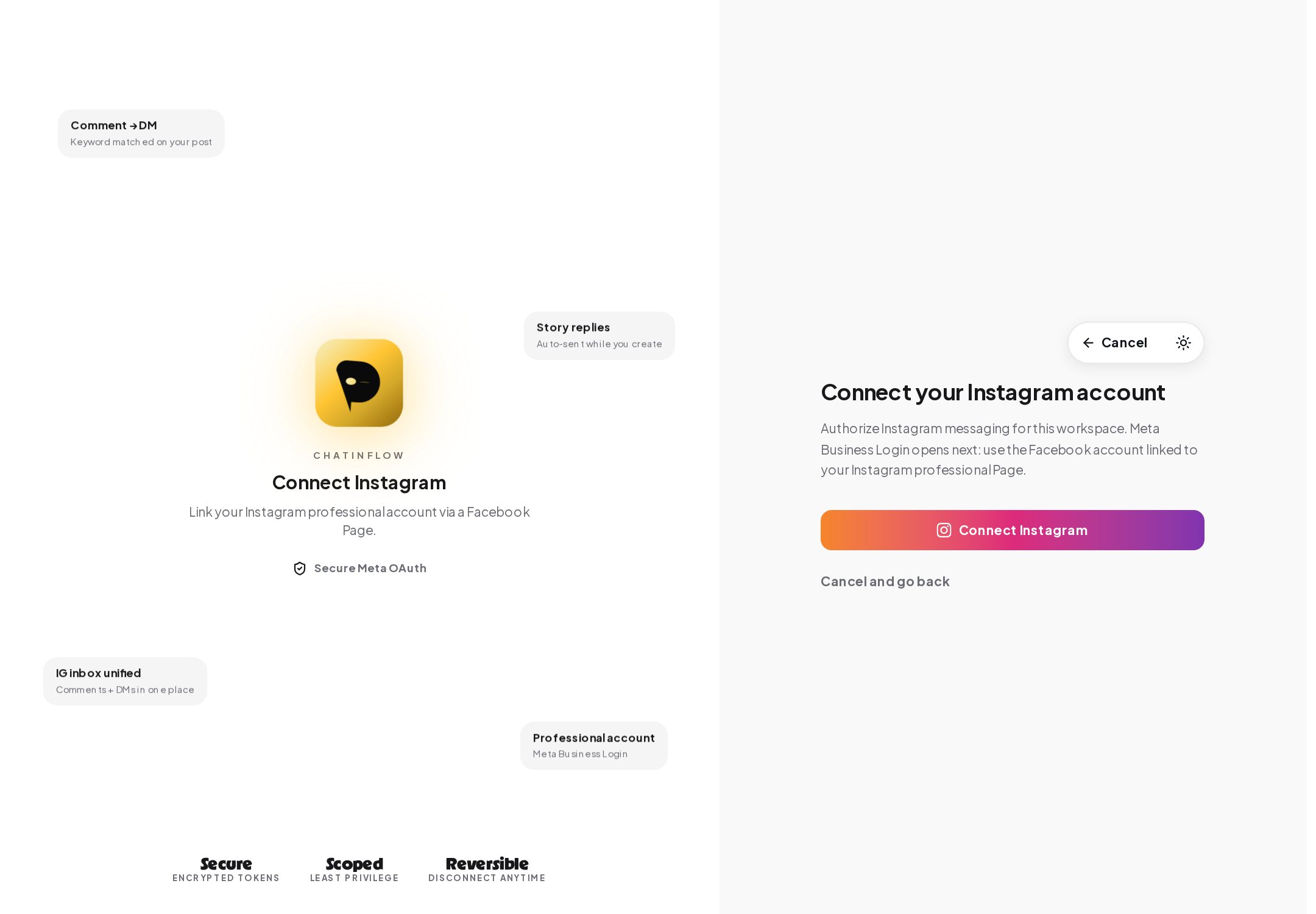
ChatinFlow never sees your password; Meta hands over a token that you can revoke from either side. Once connected, the account appears on the Channels page with its status, the date you connected it and an account health summary.
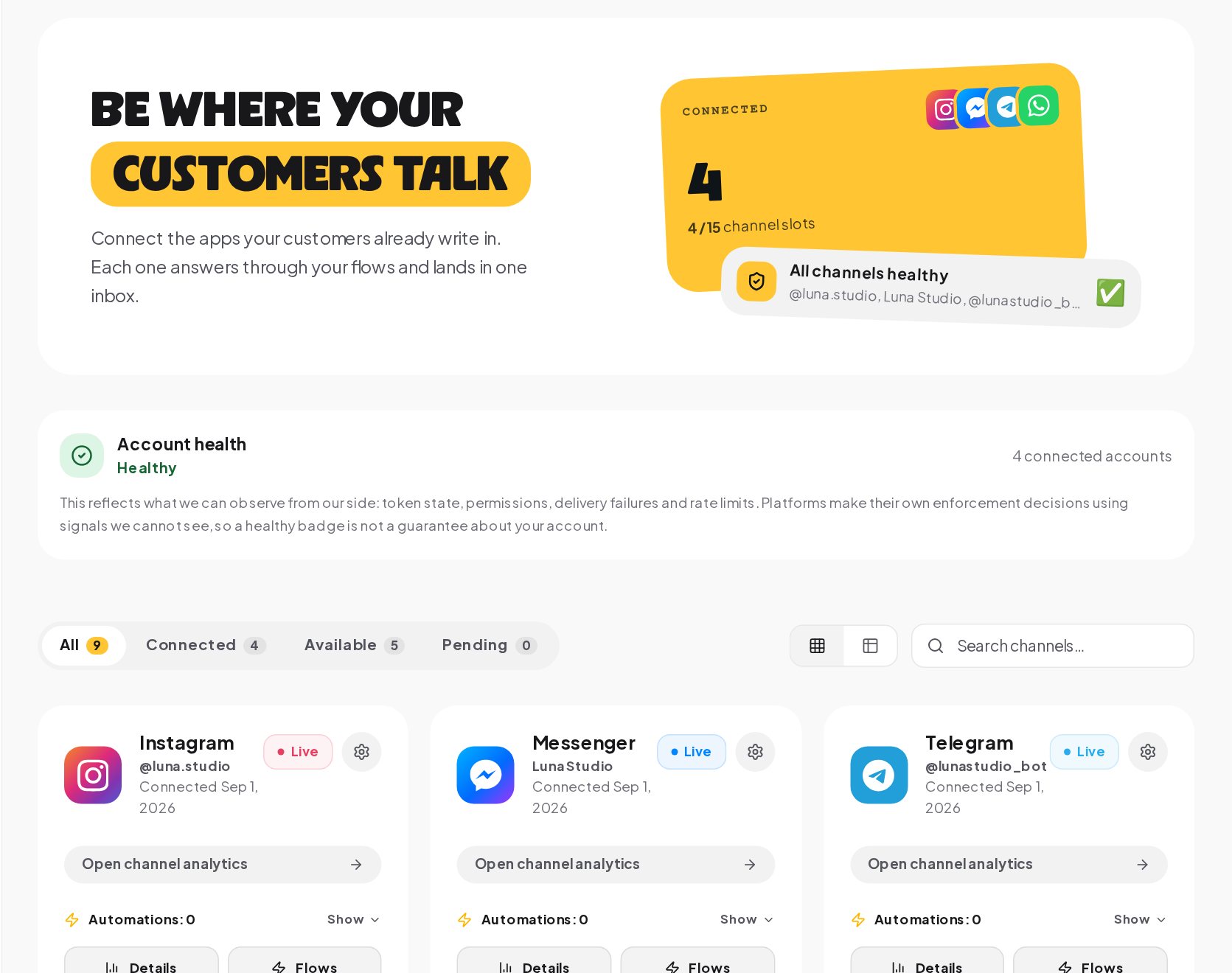
Account health reflects what ChatinFlow can observe from its side: whether the token is valid, the permissions, delivery failures and rate limits. Instagram makes its own enforcement decisions with signals nobody outside Meta can see, so a healthy status is a good sign, not a guarantee.
Four ways to start Instagram DM conversations automatically
Every Instagram automation starts with one of four triggers. Each one fits a different moment.
| Where it starts | What happens | Good for |
|---|---|---|
| A comment on a post, Reel, ad or Live | A public reply under the comment and a private reply in the DMs | Sending a link or a price to everyone who asks under a post |
| A DM | A reply the moment the message lands, with or without a keyword | Prices, opening hours, menus, the questions you get every day |
| A story reply or a mention in someone's story | A DM back, and for mentions a thank-you | Freebies, lead capture, thanking people who share you |
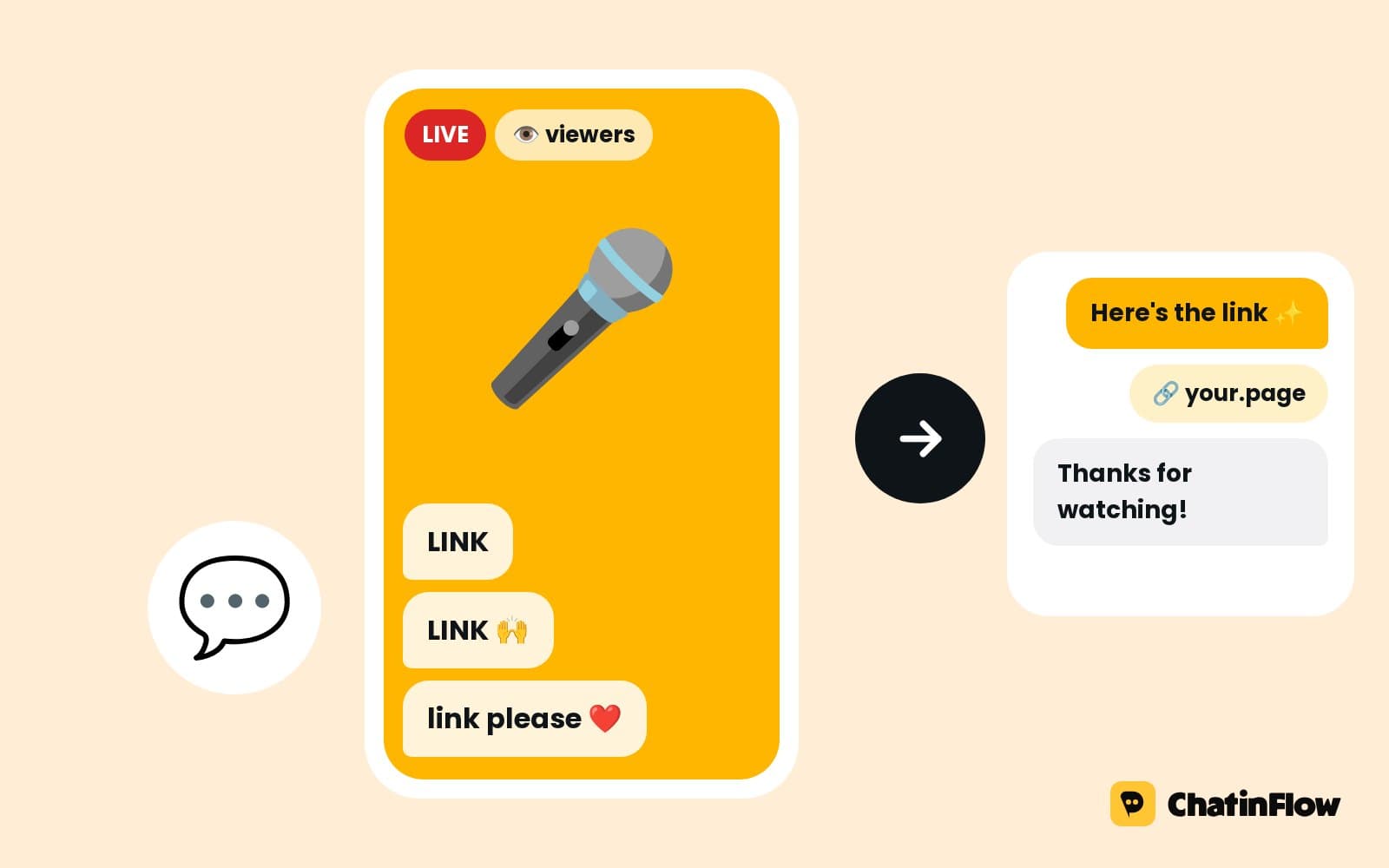
| A Live comment | A private reply to each viewer who writes the word, while you keep hosting | Games, codes and questions during a Live |
There are also two quieter starts. An ig.me link or a Click-to-Direct ad opens a DM that knows where the person came from, and a button in the chat menu sends a payload an automation can pick up.
Auto reply to Instagram comments in public and by DM
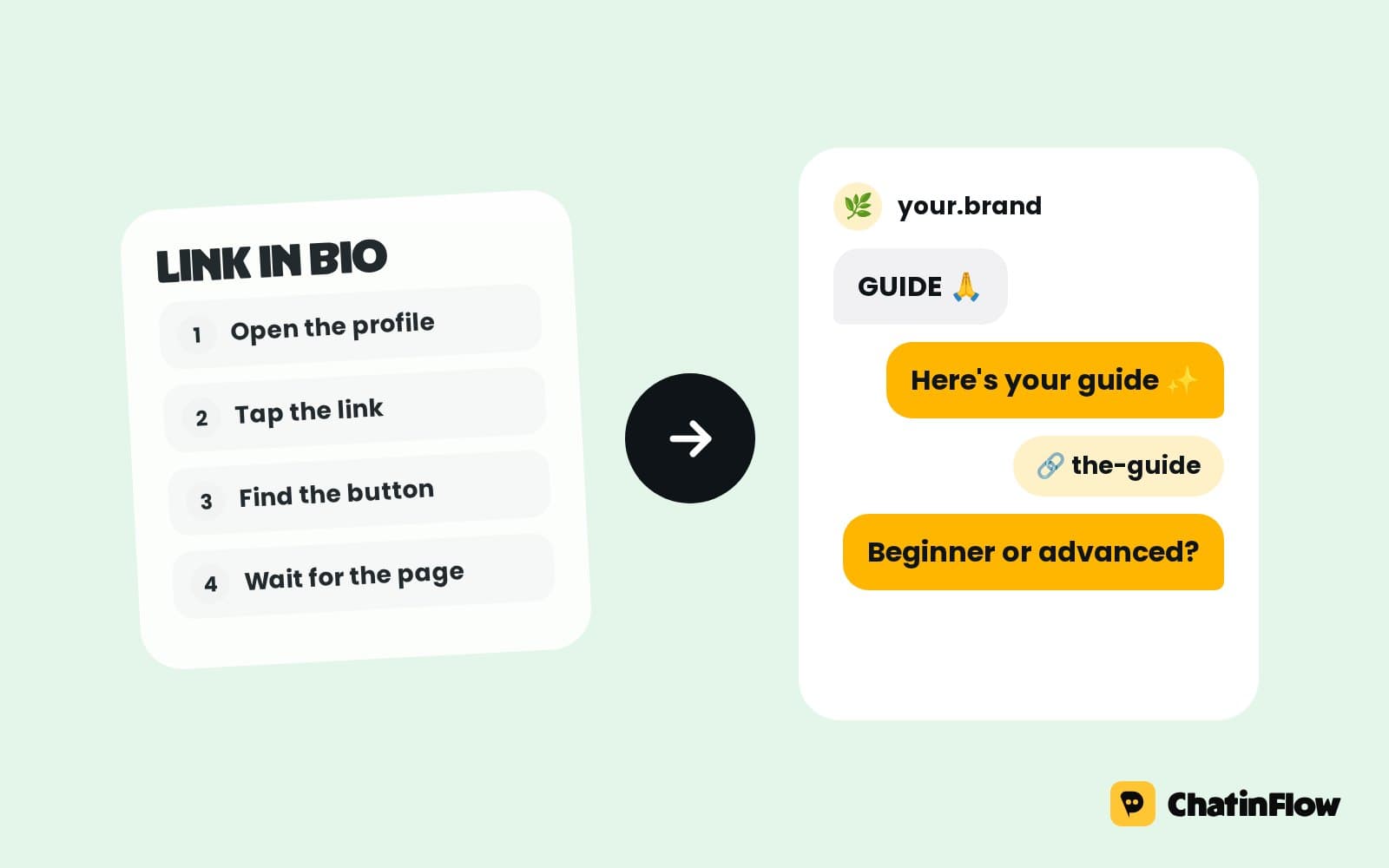
Comment-to-DM is the most used Instagram automation for a reason: one comment keyword, such as LINK, PRICE or GUIDE, turns a public question into a private conversation. Set it up in Automations, New automation, choose Instagram, then Comments.
Three choices shape it:
- Which post. A specific post or Reel, your next one, or any of them. An automation set to a specific post outranks one that watches all posts, so you can run the same keyword on two posts with two different replies.
- Which words. Specific words, or any comment. Specific words are matched as you set them; the keyword guide explains match modes and Catch typos.
- What goes out. A public reply under the comment, written in up to three versions that are picked at random so the thread does not look automated, and the DM itself, with your link.
Instagram allows one private reply per comment, within 7 days of the comment. ChatinFlow sends it as soon as Instagram passes the comment over, at 3 pm or 3 am, and comment automations can be limited to once per post per person so someone who comments twice to tag friends does not get the same DM twice.
Auto reply to Instagram story replies and mentions
Stories are where your most engaged followers are. Two different things can happen there, and ChatinFlow treats them separately.
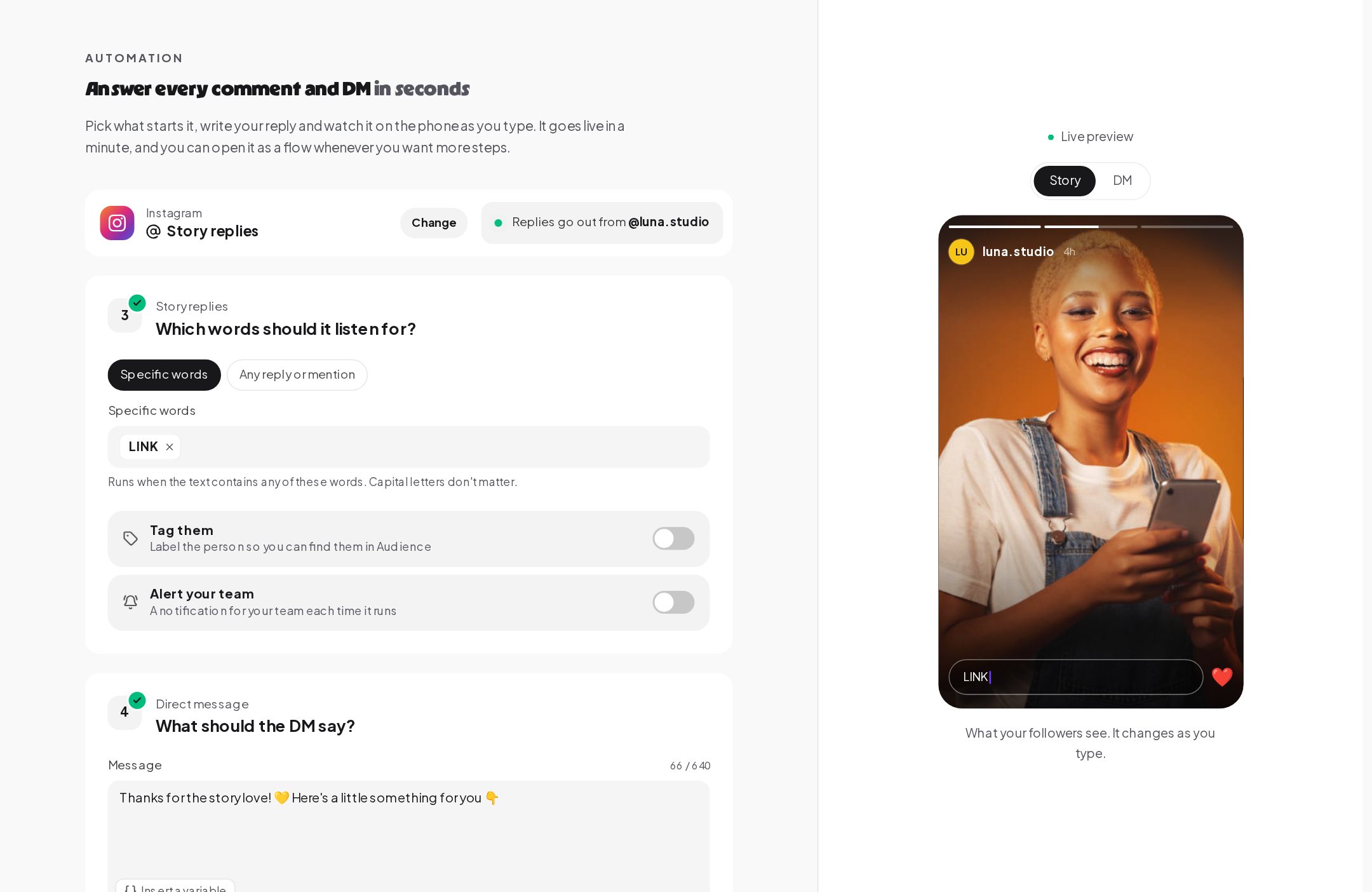
Story replies are messages people send in response to your own story. In the quick setup, choose Instagram, then Story replies, and pick whether specific words start it or any reply or mention. The preview on the right shows your story and the reply field, so you see the keyword the way your followers will.
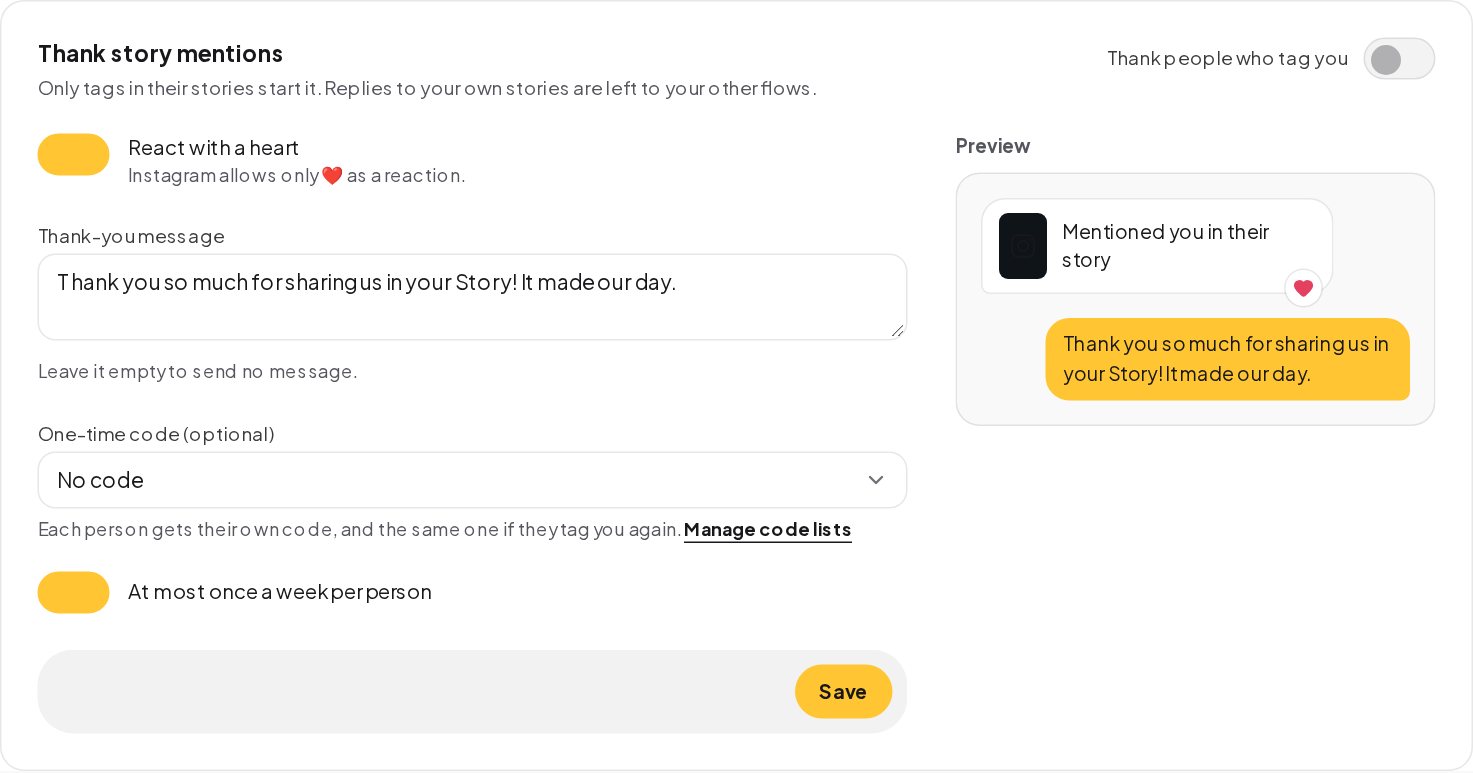
Story mentions are tags of your account in someone else's story. They are free word-of-mouth, and they deserve a thank-you. Under Automations, Story mentions, turn on thanking people who tag you. ChatinFlow can react to their message with a heart, the only reaction Instagram allows here, send a thank-you message and, if you like, give a one-time code from one of your code lists. Each person gets their own code, and the same one if they tag you again, and at most one thank-you a week per person keeps it from feeling automated.
Instagram DM auto reply by keyword, with a default reply for everything else
The DM trigger answers the questions you get every day the second they arrive. Keywords decide what counts: contains, is exactly, starts with, a pattern, or any message. Intent (AI) on your own AI key can also pick the right automation for a message no keyword matched.
Two habits keep DMs tidy:
- One default reply. A DM automation set to any message answers only what no other automation matched, so every message gets at least a friendly acknowledgment.
- Let people pick. A short menu of buttons, such as Prices, Book, Ask a person, is easier than guessing words. Each button sends a payload that starts its own automation.
A message with no keyword and no default reply is not answered automatically; it waits in your shared inbox for the team.
Instagram ice breakers and welcome messages
Before anyone types, Instagram shows a few things in a new chat: ready-made questions people can tap, and a main menu beside the message box. Set both in Settings, Channels, Instagram.
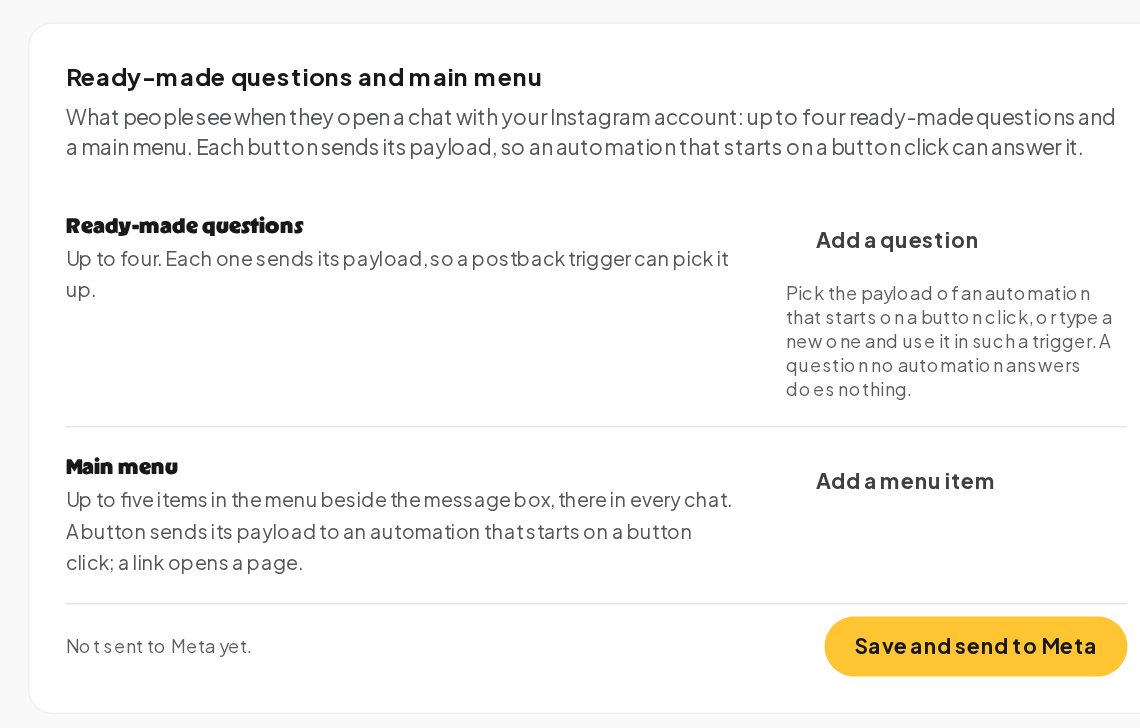
- Ready-made questions. Up to four. Each one sends a payload, so an automation that starts on a button click answers it. A question no automation answers does nothing, so pair each one with an automation before you publish it.
- Main menu. Up to five items, in every chat. A button sends its payload to an automation; a link opens a page, such as your booking page.
The changes take effect when you press Save and send to Meta.
Hide spam comments on Instagram automatically
A busy post attracts spam: "check my bio" bots, fake prizes, crypto offers and people posting their phone number for everyone to see. Comment protection, under Automations, hides them as they arrive.
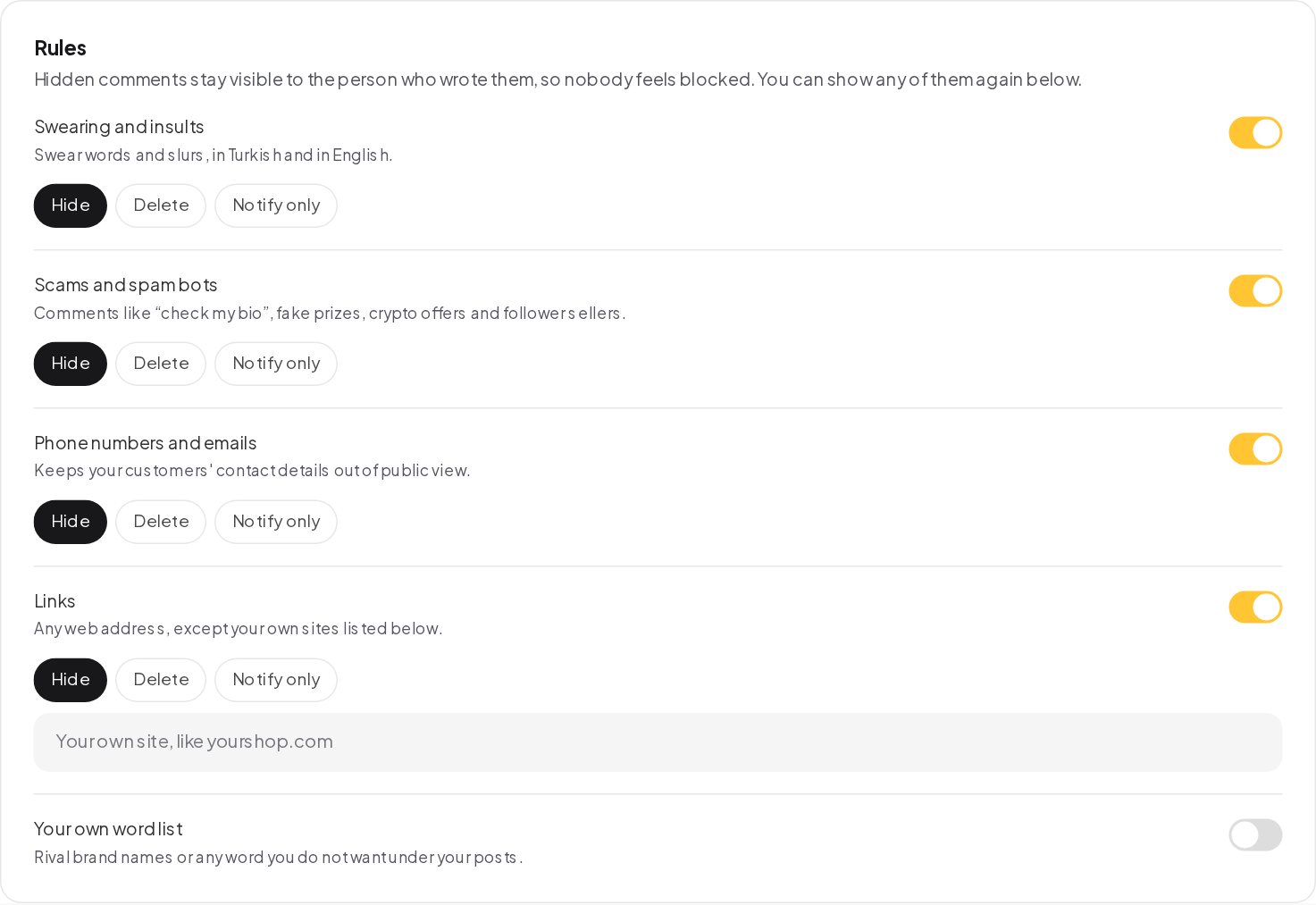
Each rule can be switched on and set to hide, delete or notify you only:
- Swearing and insults, in Turkish and in English.
- Scams and spam bots, such as "check my bio", fake prizes, crypto offers and follower sellers.
- Phone numbers and emails, to keep customers' details out of public view.
- Links, except your own sites, which you list.
- Your own word list, for rival brand names or anything you do not want under your posts.
A hidden comment stays visible to the person who wrote it, so nobody feels blocked, and you can show any hidden comment again. Everything protection does is listed with counts for the last 7 days: hidden, deleted, reported to you and could not act.
Track which post, Reel or ad started each DM
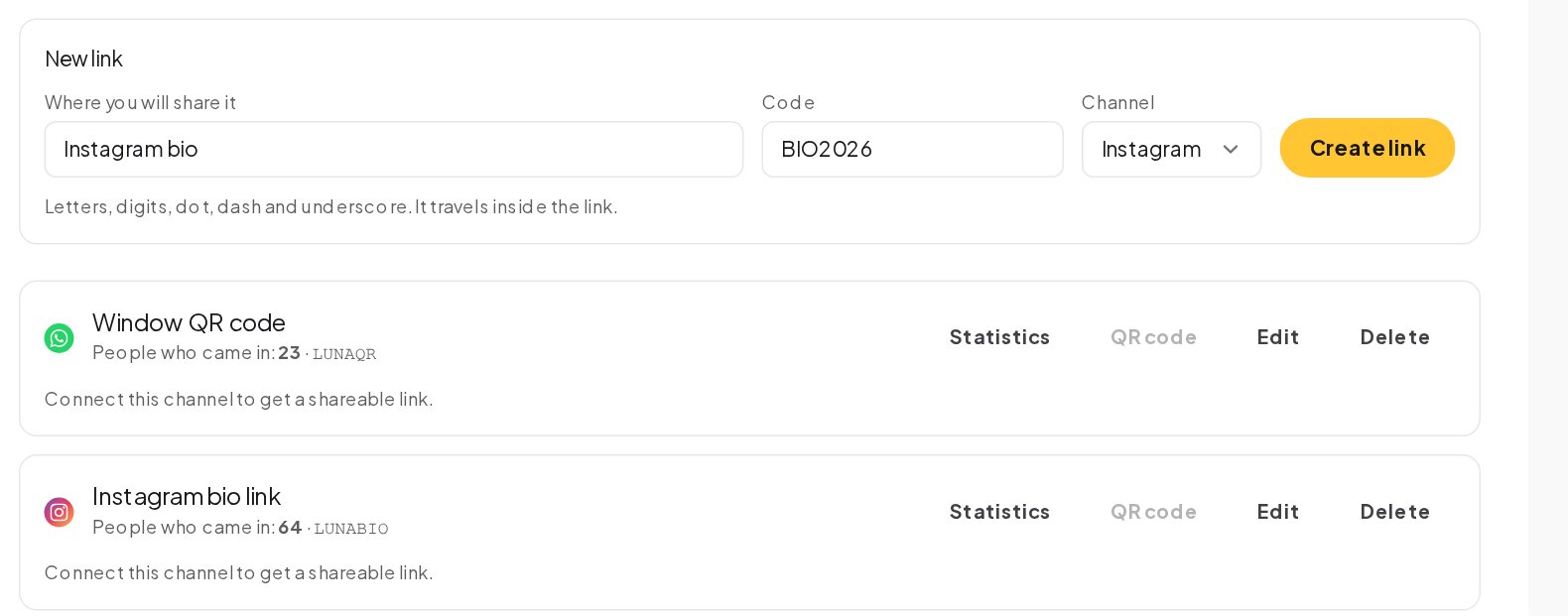
Growth links, under Automations, give you a named link for each place you share it, such as your Instagram bio, a flyer or an ad. Each link carries a short code, opens a chat on the channel you pick, and counts the unique people it brought in. The code can also start a rule, so people who arrive through the bio link get a different welcome from people who scanned a flyer.
Pause Instagram automations when you need to
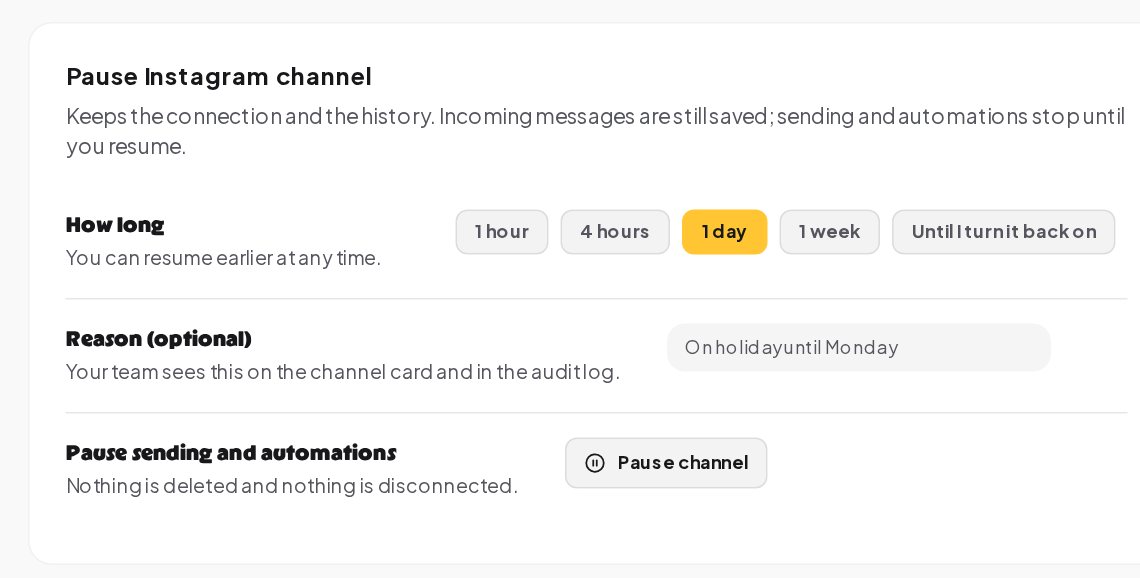
Going on holiday, or running a campaign you want to stop for a day? Pause Instagram channel keeps the connection and the history. Incoming messages are still saved; sending and automations stop until you resume, for an hour, four hours, a day, a week or until you turn it back on. Add a reason, such as "On holiday until Monday", and your team sees it on the channel card and in the audit log.
Instagram automation rules: how to stay inside Meta's policy
Instagram automation is allowed, and Meta's messaging rules are built around one pattern: the person reaches out first. ChatinFlow follows it.
- People write first. Every automation answers a comment, a mention, a message or a tap. Nobody gets a DM out of the blue.
- The 24-hour window. Free-form messages go out while the conversation's 24-hour window is open. ChatinFlow checks it before every send.
- One private reply per comment. Within 7 days of the comment.
- Opt-outs. A message that says only STOP or UNSUBSCRIBE opts the person out and cancels their running automations.
Following these rules is also what makes automation feel human: a reply to a question someone just asked is welcome; an unsolicited pitch is not.
Instagram DM automation examples that work for most accounts
A handful of patterns cover most Instagram businesses. Each one is a template in the Flow Library.
- Comment to DM. "Comment LINK and I will send it": a public thank-you, the link in the DM, a tag on the contact.
- DM keyword reply. PRICE or MENU answered the second it arrives.
- Story reply lead capture. A reply to your story gets a two-message conversation that asks for an email and saves it on the contact.
- Story mention thank-you. A heart, a thank-you and a code.
- Product carousel. Someone DMs SHOP and gets a swipeable carousel of up to 10 cards, each with a photo, a title and up to three buttons to your site.
- Live game. Viewers comment PLAY during your Live; each gets a private reply and a tag.
Instagram DM automation mistakes to avoid
- No keyword in the post. People copy what they see. Put "Comment LINK" in the caption, in capitals.
- A ready-made question with nothing behind it. It does nothing when tapped. Build the automation first.
- The same keyword on every post. Use a specific post when the reply should differ.
- Ignoring hidden comments. Check the protection list once a week; a real customer's question can look like spam.
- Pitching in the DM before answering. Answer what they asked first, then offer the next step.
Instagram DM automation: FAQ
Can you auto reply to comments on Instagram ads?
Yes. Comments on posts, Reels and ads can each start a comment automation with a public reply and a private DM.
Does a hidden Instagram comment disappear for the person who wrote it?
No. A hidden comment stays visible to its author, so nobody feels blocked, and you can show it again at any time.
How many ice breaker questions can an Instagram account show?
Up to four, plus a main menu of up to five items. Each one starts the automation that listens for its payload.
Can I send a DM to someone who only liked my post?
No. Instagram allows business DMs only to people who wrote first, with a comment, a mention, a message or a tap.
Sources
- Private Replies, Meta for Developers, on replying to a comment by DM within 7 days.
- Messenger Platform and IG Messaging API policy, Meta for Developers, on the 24-hour window.
- Instagram Messaging, Meta for Developers, on professional accounts and messaging features.