The full guide
Dental practice marketing on Instagram: turn "how much is whitening?" into booked consultations and check-ups
Answer treatment price questions with your ranges, book new patients with the right clinician, run recalls with consent and send urgent messages to a person.
New patients usually find a dental practice on Instagram or Google and send a quick message before they ever call: "How much is whitening?", "Do you do a free consultation?", "Are you taking new patients?". The front desk is on the phone, every chair is busy, and the message waits until the end of the day, when the patient has already booked somewhere else. ChatinFlow answers those messages with the prices and policies you write, books the visit with the right dentist or hygienist, reminds the patient before it and passes anything clinical to a person instead of answering it. This guide shows dental clinics how to answer treatment price questions on Instagram, book new patients from messages, reduce no-shows, run check-up recalls with consent and handle urgent messages safely.
How to answer dental price questions on Instagram
"How much?" is the first question most new patients ask, and the one practices are most nervous about answering. A good answer is honest about ranges and moves the patient to the next step:
Set up a keyword reply for the treatments you get asked about most: whitening, aligners, implants, veneers, check-up, hygiene. Each one sends your price or range, what's included and a button to book. You can change those answers at any time and they apply to the next message.
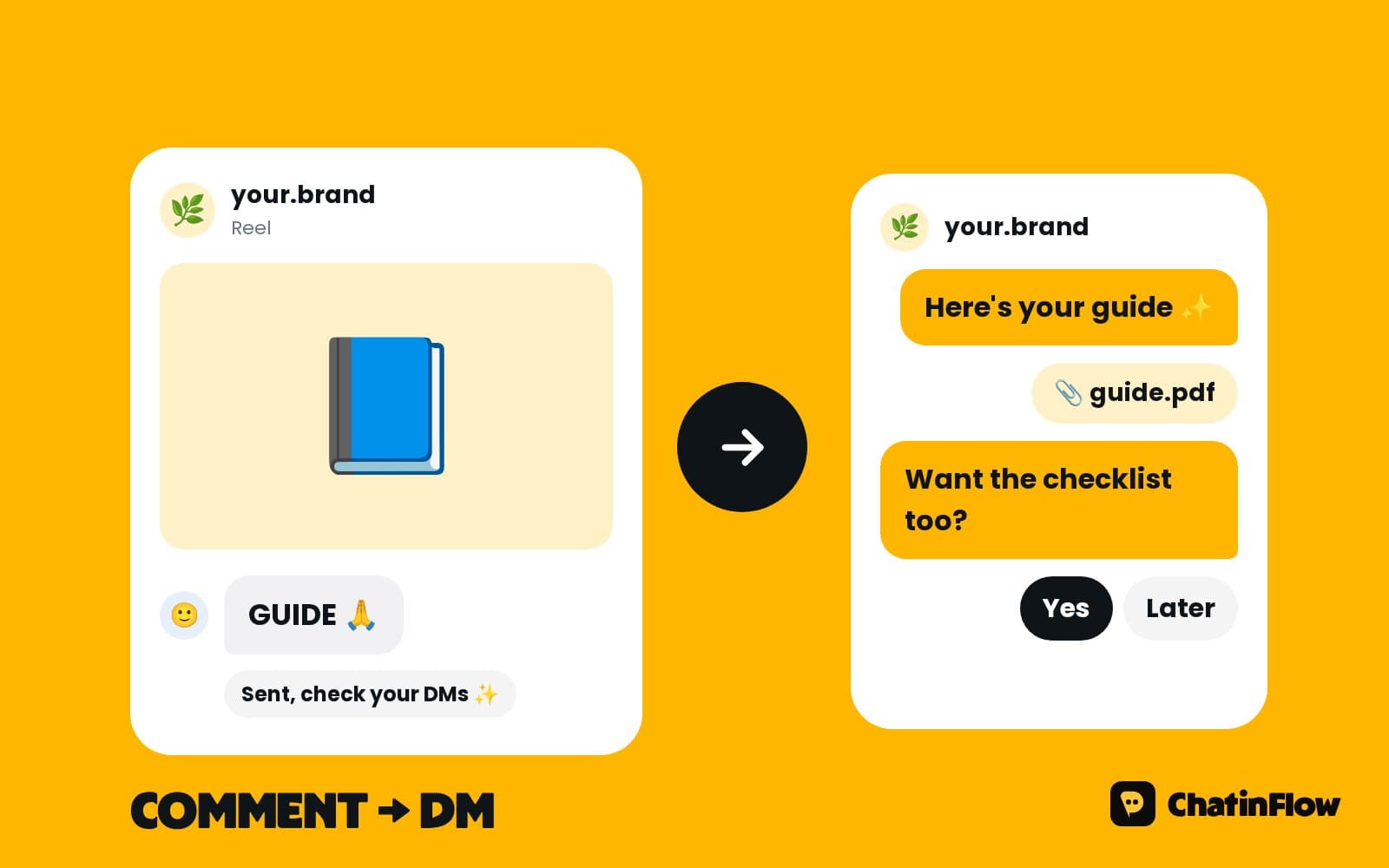
Reply to "price?" comments under your posts
Whitening and smile makeover posts bring comments like "price?" and "how much for this?". A comment automation can post a short public reply, such as "Sent you the details!", and send a DM with your price range and a button to book the consultation. Instagram allows one private reply per comment, within seven days, so each comment gets one answer, and the conversation continues if the patient writes back.
Book new patients online from a message
New patients want to know what happens at the first visit before they book it. The flow:
- Asks whether they're new or returning, and what the visit is for: check-up, hygiene, a specific treatment, a consultation.
- Explains the visit: how long it takes, what it includes, what to bring.
- Offers the free times of the dentist or hygienist who does that visit, as taps.
- Books the one they pick and sends the confirmation with the date, the time, the clinician, the address and a link to change or cancel.
The front desk first meets the patient at the door, with their details already in the booking.
Set up dentists, hygienists and visit types in Bookings
- Clinicians. Each dentist and hygienist with their shifts and days off.
- Chairs or rooms, if a visit needs a specific one.
- Visit types. New patient exam, check-up, hygiene, whitening consultation, implant consultation, each with its own length and who can do it.
- Buffers. Time to clean and set up between patients.
- Time off. Holidays and training days.
Only the right clinician's free times are offered for each visit, so a patient asking for a clean never gets a slot from the implant surgeon's day.
Let patients choose their dentist
Returning patients often want the same dentist or hygienist. The booking step offers the free times of one visit type. To let patients choose, give each clinician a visit type of their own and start the flow with a button per clinician, plus "First available" for patients who just want the earliest time.
Dental appointment reminders that reduce no-shows
At the reminder time you set, a reminder flow can ask the patient to confirm or move the visit. The patient who can't make it taps a button and picks another time with the same hygienist; their old slot is free again within seconds, instead of becoming an empty chair you learn about at 8:30.
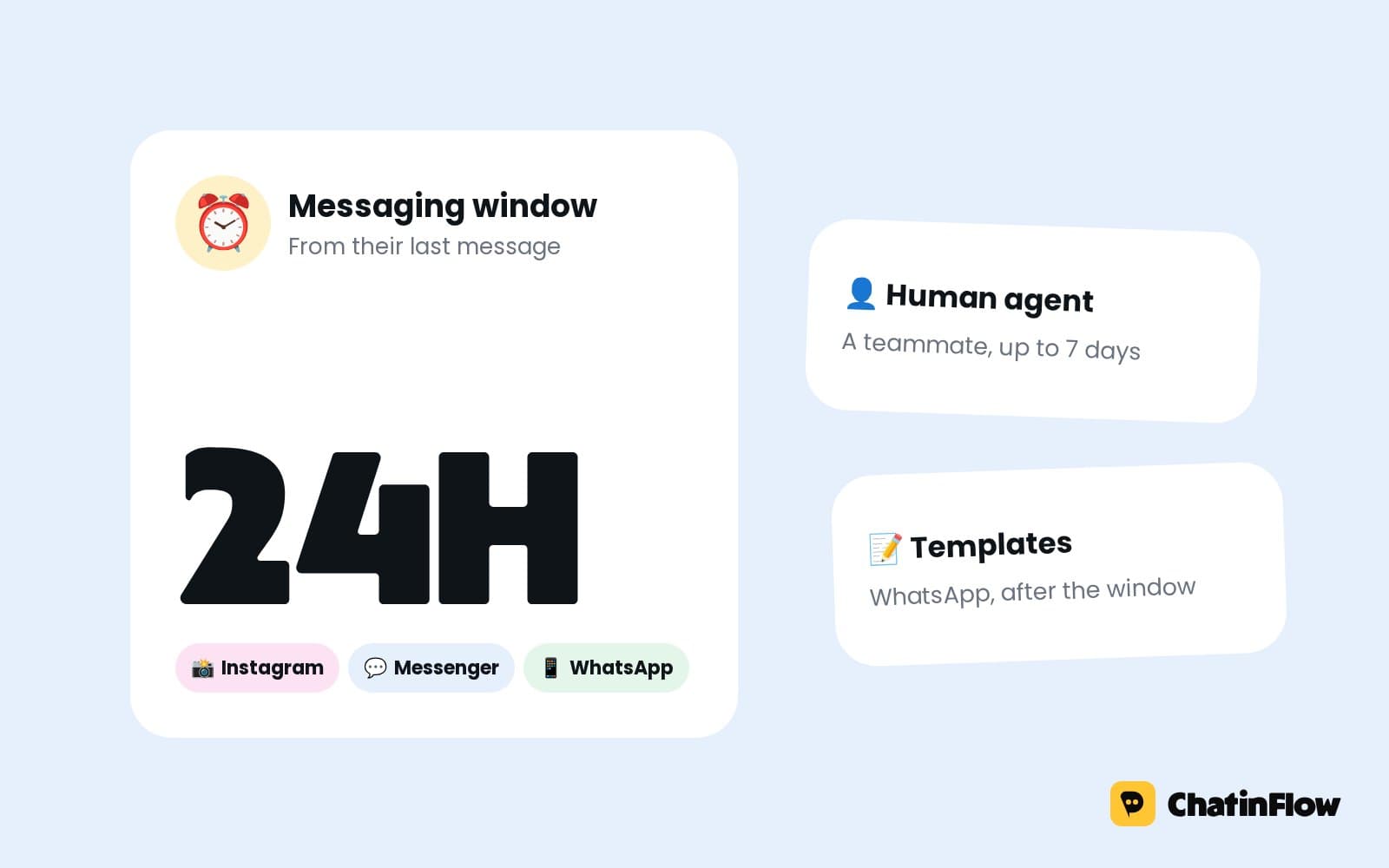
The channel rules matter. On Instagram and Messenger, a business can write freely for 24 hours after the patient's last message, so a reminder for a visit booked weeks ago is skipped there and the next channel you set is tried. On WhatsApp, a template Meta approved reaches the patient whatever the date. Email and SMS, when enabled for your workspace, have no window. The confirmation right after booking always goes out, so make it complete.
Check-up recall reminders with consent
Six-month check-ups keep a practice full, but only patients who agreed to hear from you should get a recall. Save the date of the last visit, or the date the next check-up is due, on the patient's record. A date rule sends the recall at the right time, with a button to book. Patients who never agreed are left out.
Ask for consent in the chat after a visit: "Would you like a reminder when your next check-up is due?" with Yes and No. A yes tags the patient for recalls.
Handle dental emergencies and clinical questions safely
A chipped tooth or a swollen cheek is not a question for an automated reply. You choose the words the flow listens for, such as pain, swelling, broken, bleeding or emergency. A matching message gets:
- Your phone number, to call now.
- Your same-day options, if you keep emergency slots.
- A person. The conversation is assigned to whoever is on the front desk, with an alert.
Questions about a treatment plan, a result or medication go to the team in the shared inbox. The flow does not give medical advice.
Canceled appointments: fill the chair
A patient who cancels with the link in their booking frees the time at once. It goes straight back into that dentist's diary, so the next patient who asks in the chat can take it while the front desk handles the phones.
Dental questions to answer automatically
- "Are you taking new patients?"
- "Do you accept my insurance?", with the plans you work with.
- "Do you offer payment plans?", your options.
- "Is there parking?"
- "Do you treat children?"
- "What are your opening hours?"
Each answer goes out word for word. If a question needs a person, it goes to the inbox.
Can AI answer patients' questions?
Only if you connect your own AI key, and you choose where it may answer. For a clinic, keep it to practical questions from your own written sources, such as opening hours, parking and what to bring, with clinical questions always going to a person. Most practices do well with written answers alone.
Instagram content that brings dental bookings
- Before and after, with consent, and "Comment SMILE for prices".
- Meet the team. Patients choose people they trust.
- What happens at a first visit, for nervous patients.
- Myth busting. "Does whitening hurt?" answered in thirty seconds.
- The new patient offer, if you have one, with "DM NEW".
Privacy: what to keep out of the chat
ChatinFlow is a messaging and booking tool, not a clinical record. It makes no HIPAA or other medical certification claim and does not sign business associate agreements. Ask for what booking needs and keep clinical notes in your practice software. Say so in the first reply: "Please don't send medical details here; we'll go through everything at your visit."
Measure what the messages bring in
- Consultations booked from chat, by treatment keyword.
- No-show rate, before and after the reminders and change links.
- Recall bookings, from patients who said yes to reminders.
- Response time, from the shared inbox.
When a consultation turns into a treatment, a conversion step can record its value on the patient, so the reports show which posts and keywords brought paying patients.
Is it right for your practice?
It suits dental practices that get price and booking questions on Instagram, clinics with several dentists or hygienists and their own diaries, and front desks that lose time to reminders and rescheduling calls. It is not for telehealth, test results or prescriptions sent over chat, US practices that need a HIPAA business associate agreement with every messaging tool, or clinics that want to message patients who never wrote to them.
A week-one plan for a dental clinic
- Day 1. Add your clinicians, their shifts and your five most booked visit types.
- Day 2. Write the price answers for your six most asked treatments.
- Day 3. Publish the booking flow with the new or returning question.
- Day 4. Set the emergency words, the phone number answer and the alert.
- Day 5. Set the reminders and the channels to try.
- Day 6. Add the recall consent question after visits.
- Day 7. Check the bookings from chat and the no-show rate.
Dental clinic message templates
Common mistakes dental clinics make with messages
- Refusing to give any price. A range with "confirmed at consultation" builds trust.
- One length for every visit. A new patient exam doesn't fit a hygiene slot.
- Automating clinical answers. Practical answers only.
- Recalls without consent. Ask first.
Dental clinic DM automation FAQ
Can the chat tell patients what a treatment costs?
It answers with the prices or ranges you write, for example "whitening from $350", and says the final price follows an examination.
Can new patients book their first visit in the chat?
Yes. The flow asks whether they are new or returning and what the visit is for, offers the free times of the right dentist or hygienist, and sends a link to change or cancel the booking.
What happens when a patient writes about pain or an emergency?
A message with the words you choose gets your phone number and same-day options, and the conversation is assigned to whoever is on duty with an alert.
Is ChatinFlow HIPAA compliant?
ChatinFlow makes no HIPAA or other medical certification claim and does not sign business associate agreements. Keep clinical notes in your practice software.
Can patients reschedule on their own?
Yes. Every booking comes with a link to change or cancel it, and reminders carry a button that offers the next free times with the same clinician.
Can AI answer patients' questions?
Only if you connect your own AI key, and you choose where it may answer. For a clinic, keep it to practical questions, with clinical questions always going to a person.
Sources
- Private Replies, Meta for Developers, on replying to a comment by DM within 7 days.
- Messenger Platform and IG Messaging API policy, Meta for Developers, on the 24-hour window.