The full guide
Online booking for physiotherapy and private clinics: book patients from Instagram and Messenger messages
Book first assessments and follow-ups with the right practitioner, answer referral and insurance questions, send reminders with directions and keep clinical questions with people.
A private practice fills its diary one message at a time. "Is there a slot this week?", "do I need a referral?", "how long is the first visit?", "do you take my insurance?". Each one is simple, each one interrupts a session, and a patient who waits a day for the answer books with the clinic that answered first. ChatinFlow answers the practical questions with the policies you write, books the right practitioner for the right length of visit, sends a reminder with directions and puts a canceled session straight back on offer. Questions about an injury, a result or a treatment plan go to your team. This guide shows physiotherapy, dermatology, nutrition, osteopathy and other private practices how to set up booking from messages, reduce no-shows, bring patients back for follow-ups and keep clinical questions with people.
How patients book a private clinic from a message
- A patient writes on Instagram, Messenger or your website chat asking for a first assessment, a follow-up session or a specific practitioner.
- The reply explains the visit: how long a first assessment takes, what happens in it and what to bring.
- The patient picks a practitioner or anyone free, with taps instead of typing.
- Only real free times are offered, for the right length of visit, and the session is booked.
- The confirmation goes out with the date, the time, the practitioner, the address and a link to change or cancel.
- A reminder goes out before the visit, with directions.
Set up your practice in Bookings
- Locations. Your clinic's address and opening hours. A second site is a second location.
- Practitioners. Each therapist or doctor with their shifts and days off.
- Rooms, if treatments need one, such as a treatment room with equipment.
- Services. First assessment, follow-up, sports massage, consultation, each with its length, its price and who can do it.
- Buffers. Time for notes between sessions, so the next patient doesn't wait.
- Time off. Holidays and training days.
First assessment vs follow-up: book the right length
A first assessment takes longer than a follow-up: history, examination, a plan. Make them two services, such as 60 minutes and 30 minutes. The chat offers only the times where each fits, so a new patient is never squeezed into a half-hour gap meant for a regular session.
Ask the patient first, "Is this your first visit with us?", and send them down the right path.
How to let patients choose their practitioner
Returning patients want the person who already knows their case. The booking step offers the free times of one service, from the practitioners that service needs. To let patients choose:
- A service per practitioner, such as "Follow-up with Dr. Lee", that needs only that practitioner.
- A button per practitioner at the start: "Who are you seeing?" with each name and "Anyone free".
- "Anyone free" points to a service every practitioner offers, for patients who want the earliest time.
When a practitioner is off, their times simply don't appear.
Answer referral and insurance questions automatically
The questions that clog a clinic's phone line have the same answers every day. Write them once:
- "Do I need a referral?"
- "Do you work with my insurance?", with the insurers you work with.
- "How much is a session?"
- "What should I bring?": comfortable clothes, previous scans, a list of medication.
- "Is there parking?"
- "Can I cancel?": your cancellation terms.
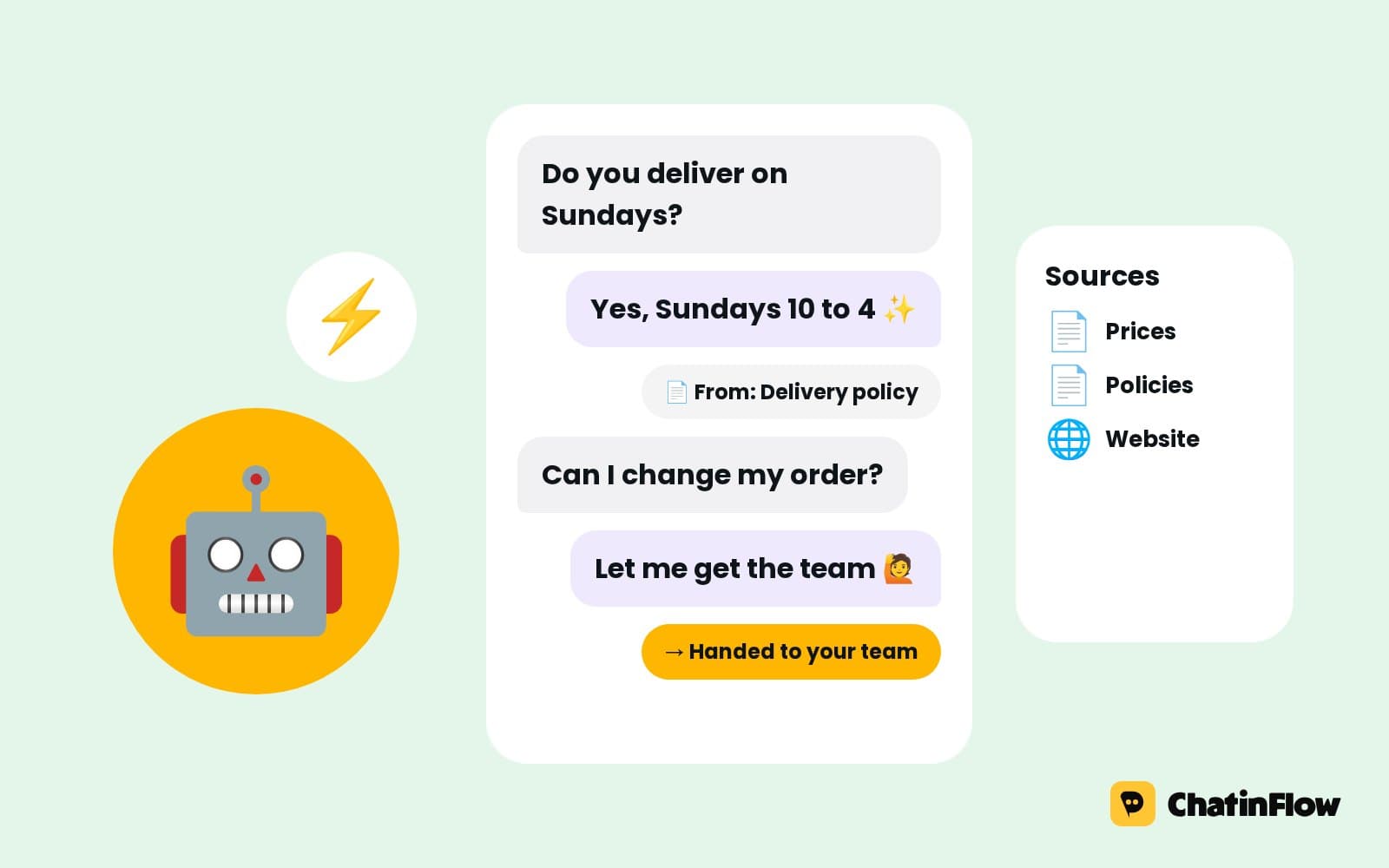
Each answer goes out word for word, every time. If a question needs a person, the conversation goes to your inbox instead.
Keep clinical questions with people
A question about an injury, a result or a treatment plan should never be answered by an automation. The flow keeps to practical answers: times, prices, policies, directions. Anything clinical is assigned to the right practitioner in the shared inbox, with an alert, while the bot keeps answering the booking questions.
Write the boundary into the first reply: "I can help with bookings and practical questions. For anything about your treatment, I'll pass you to your therapist."
Appointment reminders with directions
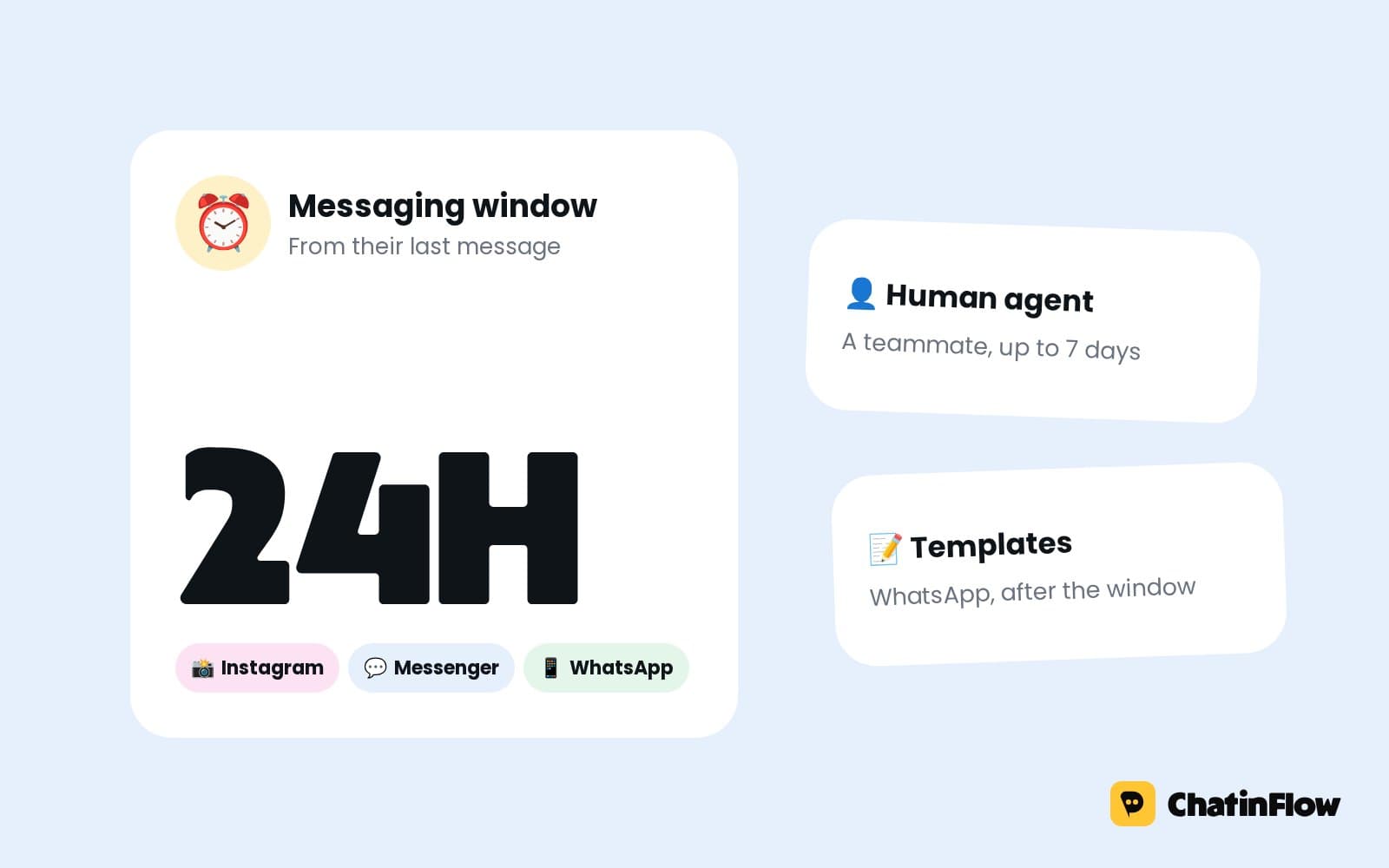
New patients get lost on the way to a clinic in a shared building more often than anyone admits. The reminder carries the address, the entrance and the parking note. On WhatsApp, a reminder can include a button that sends your clinic as a map pin; a reminder sent more than 24 hours after the patient's last message uses a template Meta approved.
On Instagram and Messenger, a business can write freely for 24 hours after the patient's last message. A reminder for a session booked yesterday lands; one for a session booked three weeks ago is skipped there, and the next channel you set is tried. The confirmation right after booking always goes out, so make it complete.
Reduce no-shows at a private practice
- Make moving easy. A change link in every confirmation turns a no-show into a reschedule.
- Remind close to the time, on a channel that can reach the patient.
- Mark no-shows. A no-show can start a follow-up with new times, and the booking reports show the rate.
- Take a deposit for long or expensive treatments, with a Buy button through your own Stripe or PayPal account.
Fill canceled sessions
A patient who can't make it cancels with the link in their booking, and the time goes straight back into the diary. The next patient who asks in the chat for an earlier slot is offered it and takes it with a tap. A practice with a waiting list for the busiest practitioner fills more sessions this way than by calling down a list.
Bring patients back for follow-up sessions
Treatment plans need follow-ups, and patients forget. Save when the next session is due on the patient's record. A flow can message them on that day with a button to pick a time. Outside WhatsApp's 24-hour window, the message goes as an approved template. A booking can also be repeated from the booking itself, so a weekly plan is in the diary before the patient leaves.
Practitioner calendars on their phones
Each practitioner can add a calendar link once to Google Calendar, Outlook or Apple Calendar and see their bookings there, updating on their own. The link works one way, so keep shifts and time off in Bookings.
What patients ask before booking: answers that convert
- Say how long the first visit is. Patients plan their day around it.
- Say what happens in it. "We'll talk about your history, assess your movement and agree a plan."
- Give the price. Uncertainty about cost is the most common reason people don't book.
- Offer two or three times. A long list makes people put the phone down.
Reviews after a good outcome
When a course of treatment is marked done, a flow can wait and send a short thank-you with your review link. Ask once, kindly, and only after a visit marked complete.
Dermatology and aesthetic clinics: consultations first
Aesthetic and dermatology clinics get price questions about treatments that need a consultation first. The flow can answer "how much is it?" honestly: the starting price, what changes it and why a consultation comes first. Then it books the consultation as its own service, with its own length and price. Before-and-after posts with "Comment CONSULT" bring the questions; the booking step turns them into consultations.
Keep the line clear: the chat books and informs, the practitioner advises.
Nutritionists and coaching-style practices
Nutrition, psychology-adjacent coaching and wellness practices often sell programs, not single sessions. The flow can explain the program, book a free discovery call and, after it, send a Buy button for the first block of sessions through your own Stripe or PayPal account. Follow-up sessions are then booked from the chat as the program goes on.
What to keep out of the chat
A message thread is not a medical record. Ask for what booking needs, such as the name, the visit type and a contact number, and keep symptoms, histories and results for the session itself or for the systems you already use for records. Tell patients so in the first reply: "Please don't send medical details here; we'll go through everything at your visit."
Is it right for your practice?
It suits physiotherapy, dermatology, nutrition and similar private practices, clinics with several practitioners who each keep their own diary, and practices where most bookings start as a message, not a call. It is not for hospitals and emergency services, telehealth consultations, test results or prescriptions over chat, or practices that need a HIPAA business associate agreement with every messaging tool.
A week-one plan for a clinic
- Day 1. Add your practitioners, their shifts and your first assessment and follow-up services.
- Day 2. Publish the booking flow with a first visit question and a button per practitioner.
- Day 3. Write the referral, insurance, price and "what to bring" answers.
- Day 4. Set the handover for clinical questions to the right practitioner.
- Day 5. Set the reminders, with directions, and the channels to try.
- Day 6. Turn on the no-show follow-up.
- Day 7. Check the bookings from chat and the no-show rate.
Common mistakes clinics make with booking messages
- One length for every visit. First assessments overrun and the day slips.
- Automating clinical answers. Practical answers only; treatment questions go to people.
- No change link. Patients who can't move a booking don't come.
- Reminders counted on Instagram for bookings weeks ahead. Set a channel that can reach them.
Private clinic booking FAQ
Can patients choose their practitioner?
Yes. Give each practitioner a service of their own and start the flow with a button per practitioner, or "Anyone free" for the earliest time.
Can patients book a first assessment in the chat?
Yes. A first assessment is its own service with a longer length, so the chat offers only the times where it fits and sends a link to change or cancel the booking.
How are insurance and referral questions answered?
With answers you write once, such as which insurers you work with or whether a referral is needed. If a question needs a person, the conversation goes to your inbox instead.
Can we remind patients to book their next session?
Yes. Save when the next session is due on the patient's record, and a flow messages them on that day with a button to pick a time.
Can several practitioners share one inbox?
Yes. Every conversation lands in the shared inbox, each chat has an owner, and clinical questions are assigned to the right practitioner with an alert. The automation steps aside in a chat as soon as a person replies.
Does it work at night and at weekends?
Yes. Booking questions, prices and policies are answered at any hour, and the free times offered are the real ones from Bookings. Questions that need a person wait in the inbox for the morning.
Sources
- Messenger Platform and IG Messaging API policy, Meta for Developers, on the 24-hour window.
- Template fundamentals, Meta for Developers, on WhatsApp templates for messages outside the window.