The full guide
How to sell out pottery, art and cooking workshops from Instagram: limited seats, paid in the DMs
Sell limited seats from one post, take payment in the chat, stop at capacity, keep latecomers for the next date and sell gift seats with a code.
A small creative class sells out in the comments. The pottery wheel class goes up, forty people ask "is there space?", and someone copies names into a notebook, chases payments for two days and still double-books seat eight. ChatinFlow takes those messages one by one, hands out seats in the order people reach the step, takes payment in the chat, stops at capacity, sends the reminder the day before and keeps everyone who missed out for the next date. This guide shows pottery, painting, cooking, floristry, candle and craft studios how to sell limited seats from one Instagram post, take payment before people arrive, sell gift seats around the holidays and fill every new date before it's posted.
How to sell workshop seats on Instagram
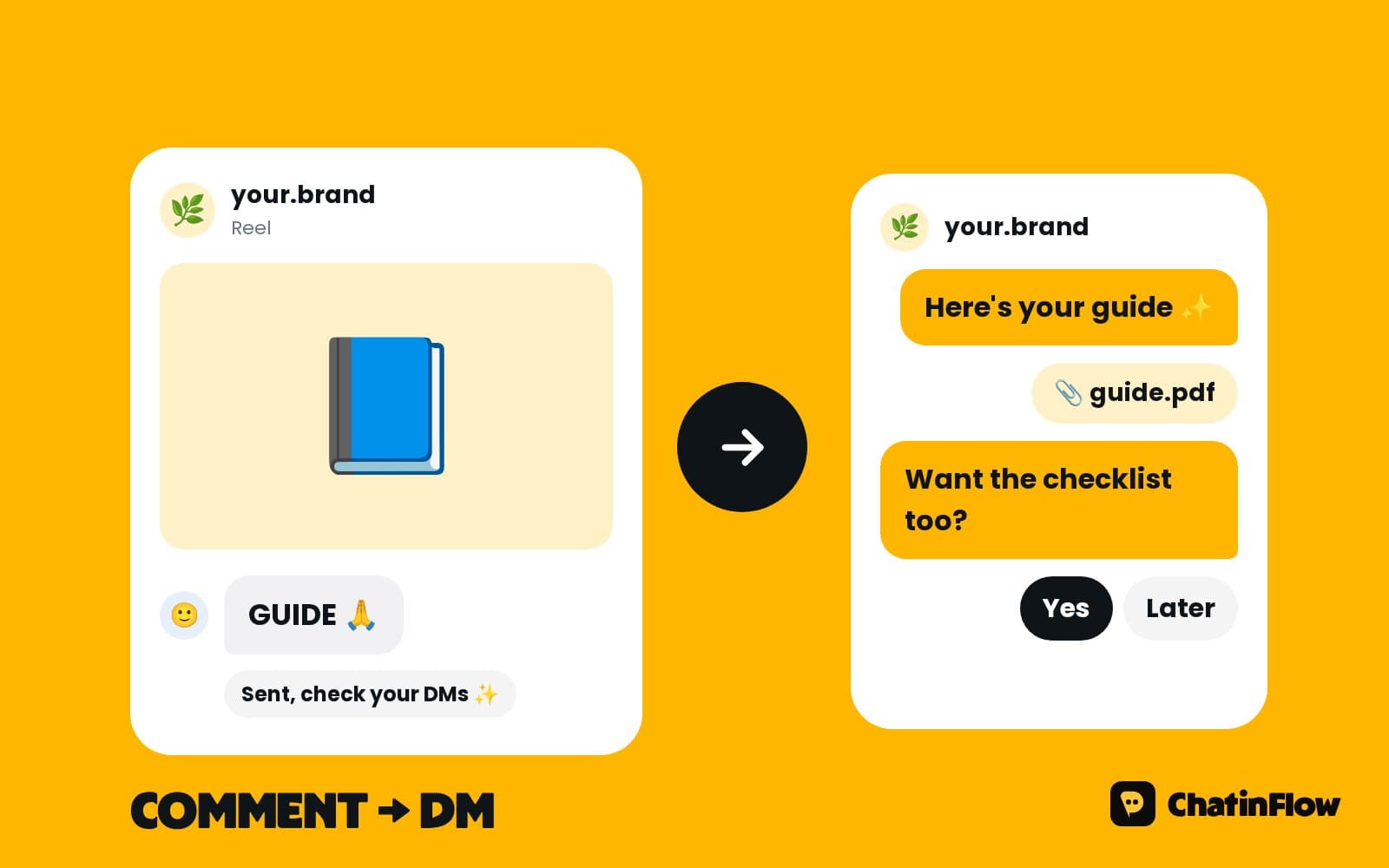
- Post the class with "Comment WHEEL to grab a seat". Each class can have its own word.
- Each comment gets a private reply that takes a seat and says how many are left.
- A Buy button with the class price opens checkout; the money goes to your own Stripe or PayPal account.
- The confirmation goes out with the date, the time and the address.
- The day before, a reminder with what to wear and bring.
- When the last seat goes, everyone after that hears it's full and can ask for first pick of the next date.
A short public reply under each comment, such as "Check your DMs!", keeps the post busy and tells the next person it's not too late, until it is.
How to stop overbooking a small class
Eight wheels means eight seats, not nine. A limited spots step hands out seats in the order people reach it and stops at the number you set. Someone who comes back keeps the seat they already have, so a person who comments twice doesn't take two seats. Messages can say the real numbers, such as "Only 3 seats left", straight from the step.
Your team hears when 90% of the seats are taken and again when the class is full.
Take payment for workshops in the chat
A seat held without payment is a seat that may be empty on the day. A Buy button with the class price opens Stripe or PayPal checkout in the chat. You're told when it's paid, and the money lands in your own account. Say your refund rule before the button: until when people can cancel, and whether they can move to another date.
If you'd rather keep a seat only for people who've paid, put the Buy button before the confirmation and send the "you're in" message after the payment comes through.
Sell several dates from one post
One post can sell several dates. Use a different keyword for each date, such as WHEEL-SAT and WHEEL-SUN, or ask which date they want first and send each answer to its own limited spots step. Each date keeps its own count, so Saturday can sell out while Sunday still has seats.
For regular weekly classes, the class can also be a service in Bookings with a number of places, and the chat offers the dates that still have room.
What happens when the class is full
Nobody who asked should be left without an answer. The full path does three things:
- Says it clearly. "This class is full."
- Offers the next date, if there is one, with its seats.
- Offers first pick. "Want to hear first when we open new dates?"
People who say yes are tagged for that class. Your next class has a waiting crowd before it's posted.
Fill new dates before you post them
Everyone who asked to hear first is tagged. When you open new dates, they get the message before the post, at a sensible hour in their own time zone. Know the channel rules:
- Instagram and Messenger. The message reaches people who wrote in the last 24 hours, so a tagged crowd from two months ago can't be messaged there out of the blue.
- WhatsApp. People who opted in can get the new dates with a template Meta approved.
- Telegram. Everyone who started your bot, at any time.
- Email, collected with consent in the chat, has no window.
For Instagram, a practical trick: post a story the day before, "New dates tomorrow, reply WHEEL to hear first", which opens the window for everyone who replies.
Gift seats: the easiest sales around the holidays
A class as a gift sells itself in December, before Mother's Day and for birthdays. The buyer pays with a Buy button and gets a one-time code from a list you upload. The person who receives it sends you the code and picks a date when it suits them. Each code is given once, and you hear when the list runs low.
Make the gift message easy to forward: "A pottery wheel class for two hours, for one person. Book any date with code GIFT-4821."
Workshop reminders: what to wear and bring
The day before class, a message goes out with the time, the address and what to wear, so nobody arrives in their best white shirt to a pottery class. Add what you provide and what to bring: aprons, tools, containers for leftovers at a cooking class. On WhatsApp, the address can go as a map pin.
A class booked weeks ago is outside Instagram's 24-hour window, so the reminder goes out on a channel that can reach the guest. Ask for a WhatsApp number or an email at booking for the reminder.
Private group sessions and parties
Hen parties, team building and birthday groups want a private session. The flow can ask the group size, the date and the occasion and hand the request to you with everything filled in, so you can quote private sessions in the same chat. A deposit for the session goes out with a Buy button once the date is agreed.
Kids' classes and holiday camps
Children's workshops during school holidays fill fast. Ask the child's age first, offer the right class and take a seat with a limited spots step. The confirmation goes to the parent with what the child needs to bring.
After the class: reviews and the next class
At the end of a good class, people want more. A flow can wait a few hours and send a thank-you with your review link and the next class in the series: "Loved throwing today? The glazing class is on the 20th." Those who loved the beginner class are the easiest seats to sell for the next one.
Instagram content that sells workshop seats
- The class in thirty seconds. Hands in clay, laughter, the finished pieces.
- "Only 3 seats left" stories, from the real count.
- The finished pieces from last week's guests, with permission.
- Gift seat posts in December, with "Comment GIFT".
- Meet the teacher.
Workshop message templates
Measure your classes
- Seats sold per post, from the limited spots step.
- Time to sell out, which tells you whether to add dates.
- People waiting for the next date, from the tag.
- Gift seats sold and redeemed.
A class that sells out in an hour with forty people waiting needs a second date, or a higher price.
Courses and series, not just one-off classes
Many studios run a six-week course alongside one-off classes. A course is easier to sell than six separate dates: one keyword, one seat count, one payment. Say the dates of every session in the confirmation, and set the reminder before each session on a channel that can reach the student, such as email collected in the chat or WhatsApp with an approved template.
Your studio calendar on your phone
If your classes are services in Bookings, add your calendar link once to Google Calendar, Outlook or Apple Calendar, and every class and private session from the chat appears there and keeps updating. Teachers who run their own classes can each have their own link.
Is it right for your studio?
It suits pottery, art, cooking, floristry and craft classes, studios with small classes and a fixed number of seats, and makers who sell gift seats around the holidays. It is not for large conferences that need ticket scanning and seat maps, online courses sold through a course platform only, or anyone who wants to message people who never wrote to them.
A week-one plan for a workshop studio
- Day 1. Build the seat flow with a limited spots step for your next class.
- Day 2. Add the Buy button and your refund rule.
- Day 3. Write the full path with the next date and first pick.
- Day 4. Write the reminder with what to wear and bring.
- Day 5. Upload a code list for gift seats.
- Day 6. Post the class with its keyword.
- Day 7. Count seats sold and people waiting.
Common mistakes workshop studios make
- A notebook of names. Use an automatic count.
- Seats held without payment. Take payment first.
- Leaving the full list on read. They're your next class.
- No "what to wear". White shirts and clay don't mix.
Workshop FAQ
Can it stop selling when the class is full?
Yes. A limited spots step hands out seats in order and stops at the number you set. Everyone after that hears the class is full and can ask to hear first about the next date.
Can one post sell several dates?
Yes. Use a different keyword for each date, or ask which date they want first and send each answer to its own limited spots step.
How do gift seats work?
The buyer pays with a Buy button and gets a one-time code from a list you upload. The person who receives it sends you the code and picks a date.
Can people book private group sessions?
The flow can ask the group size, date and occasion and hand the request to you with everything filled in, so you can quote private sessions in the same chat.
Can I see who has paid?
Yes. You're told when each seat is paid, and paid guests are tagged, so the class list is the list of people who paid.
Can guests move to another date?
Yes, within your refund rule. Your team can move a guest to another date from the same conversation, with every detail already in the chat.
Sources
- Private Replies, Meta for Developers, on replying to a comment by DM within 7 days.
- Messenger Platform and IG Messaging API policy, Meta for Developers, on the 24-hour window.