The shortest path from a reel to the sale of a digital product runs through the DMs: a viewer comments a keyword, gets a useful first message, answers a question or two, taps a buy button, pays, and receives the product in the same chat. No link in bio, no landing page to hunt for, no "DM me for the price".
This guide walks through that flow for templates, presets, ebooks, courses and coaching, with the details that decide whether people buy: where the price goes, how delivery works after payment, and how to run a launch without overselling.
Why DMs work for digital products
- The buyer can ask. Digital products raise questions: "Does this work on Canva free?", "Is it for beginners?", "Can I use it for clients?". In a DM the answer is one message away, and an unanswered question is the most common reason a sale doesn't happen.
- The offer arrives when interest is highest. Someone who just commented RECIPE on your reel wants the recipe now, not after three taps through your profile.
- It feels personal. A DM in your voice, with their name, converts better than a store page that looks like every other store page. You don't have to write each one by hand to keep that feel.
The flow, step by step
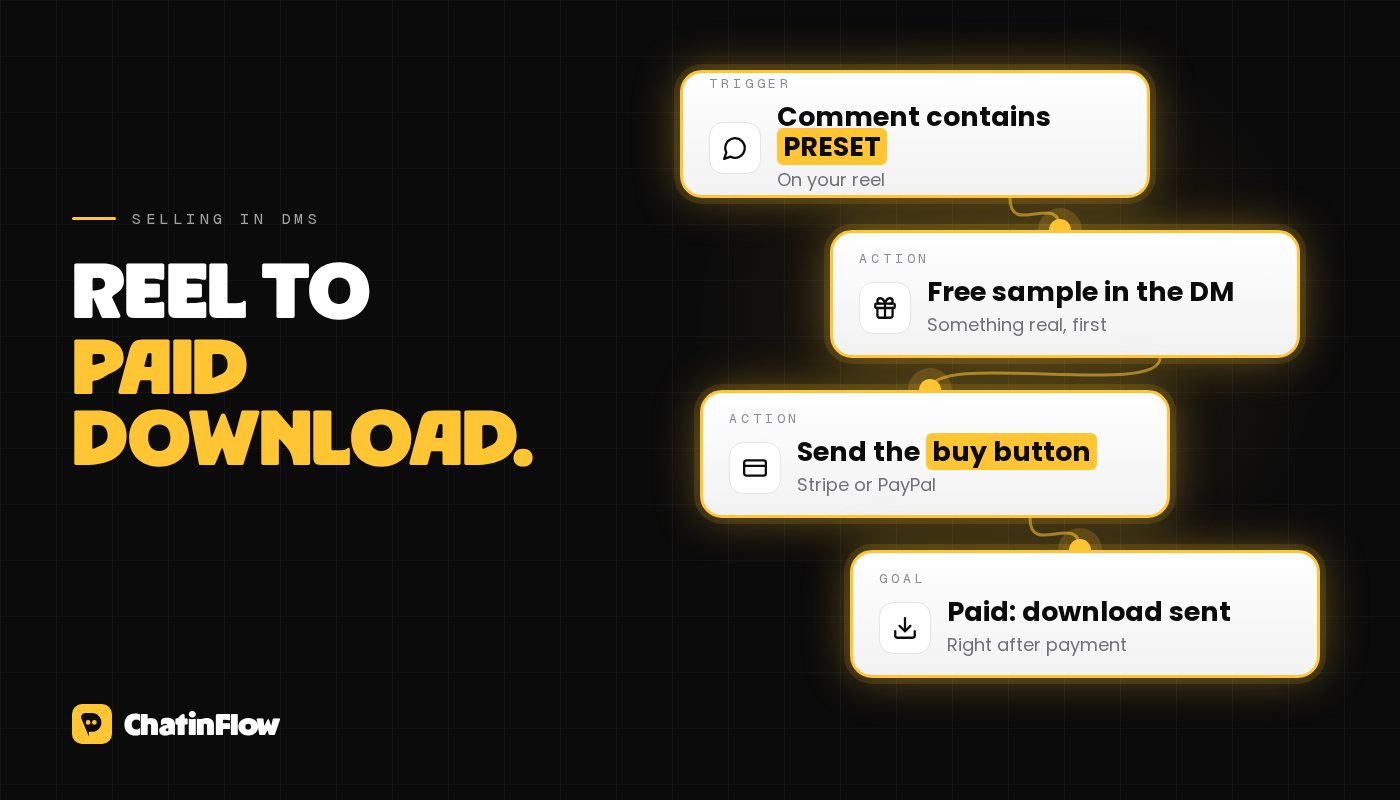
- The post. Show the result the product gives, and end with a keyword: "Comment PRESET and I'll send you a free one to try."
- The private reply. Deliver something free and useful right away: one preset, one page of the template, the first lesson. Then ask one question with tap-to-answer buttons: "Want the full pack? Yes / Tell me more".
- The answer. "Tell me more" gets a short description, three bullet points and the price. "Yes" goes straight to the buy button.
- The buy button. ChatinFlow's Buy button step sends a message with a button that opens checkout for your product, at your price, on Stripe or PayPal. The money goes to your own account; the customer can't change the price.
- Delivery. Once Stripe or PayPal confirms the payment, the step's Message after payment goes to the chat: the download link, the course login, or the booking link for a coaching call.
- After the sale. A Payment received automation can tag the buyer, record the sale with its value, and notify you.
Each step happens because the person did something: commented, tapped, paid. That keeps the flow inside Meta's rules for Instagram DMs, explained in Instagram DM automation rules in 2026.
Put the price in the DM
"DM me for the price" is the phrase buyers dislike most, for a reason: it feels like a trap, and it costs them a message to find out whether they can afford it. Say the price in the same message as the description. People who can't afford it leave without feeling tricked, and people who can are one tap from paying.
If you offer several versions, show them as buttons with the price on each, such as "Starter pack" and "Full pack" followed by their prices. One question, one tap, and they are at checkout.
Delivery that doesn't fail
Two points make delivery reliable:
- Pay first, deliver in the chat. The message after payment only goes out once the payment is confirmed. Nobody gets the file by clicking the button without paying.
- Mind the 24-hour window. On Instagram, your account can write to a person within 24 hours of their last message. Most people pay within minutes of tapping the button, so this is rarely a problem. For people who come back to an old checkout link days later, make sure the download link is also on your checkout confirmation page or in the receipt email, so they never depend on the DM alone.
Answering questions before they buy
Most questions are the same ten. Three ways to handle them, from simple to advanced:
- Buttons for the top three. "Is it for beginners?", "What do I need to use it?", "Can I get a refund?". Each button answers in one message and offers the buy button again.
- A keyword per question. People who type "refund" or "beginner" get the matching answer. Keep the matching exact enough that it doesn't fire on unrelated messages.
- AI on your own key. ChatinFlow's AI agent step answers from the sources you give it, such as your product page or a PDF, remembers the chat, and hands it to you when it doesn't know. It runs on your own OpenAI, Anthropic, Google or Azure key. Read its answers for the first days.
Whatever you use, make sure a human can step in. A buyer who asks something unusual and gets a canned reply is a buyer you lose.
Running a launch
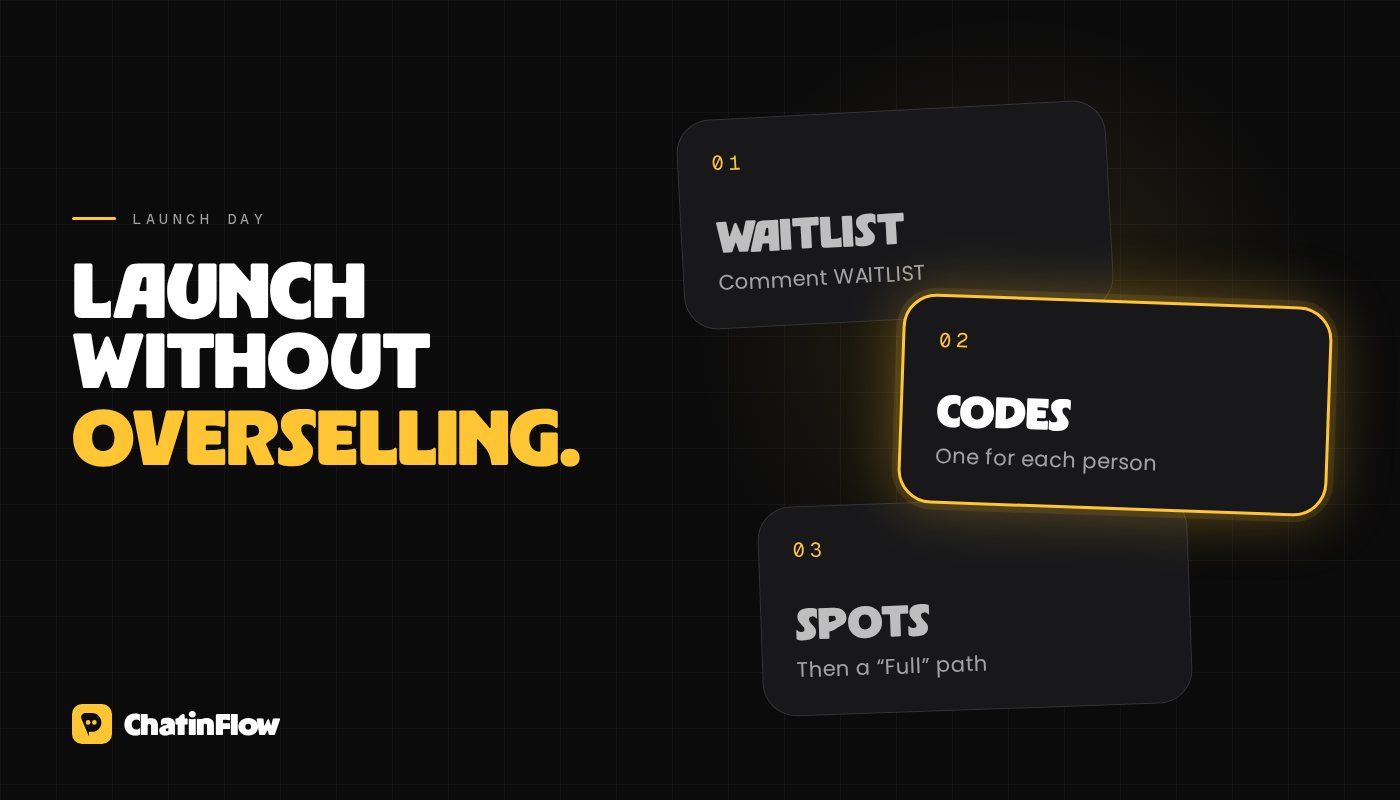
- Waitlist keyword before launch. A reel that teases the product ends with "Comment WAITLIST". Tag everyone who does, so you can count them, and collect their email in the same chat, so you can tell them when the doors open. An Instagram DM can't be sent days later unless they write again.
- Early-bird codes. On launch day, the Give a one-time code step hands each person their own discount code, once, from a list you upload. When the list runs out, the flow takes a "No codes left" path, and you are told when it runs low.
- Limited spots for live products. For a cohort or coaching slots, the Limited spots step lets the first people through and sends the rest down a "Full" path, where they can join a waitlist for the next round.
After the sale
- Tag buyers so they don't get sales messages for something they already own.
- Ask how it went once they have had time to use it, if they write back to you. A short question in a conversation they started is welcome; a cold message a week later isn't possible on Instagram anyway.
- Invite buyers to the next step: a community, a bigger product, a call. A Record a conversion step with the order value lets you see in reports which posts and keywords bring the most revenue.
What to track
For each post with a sales keyword:
- Keyword comments.
- Replies to the first DM.
- Payments, from the Payment received trigger.
- Revenue, from the conversions you record.
If many people reply but few pay, look at the price message and the questions people ask before leaving. If few people reply, the free first message isn't strong enough to start the conversation.
Where to start
Start with one product, one keyword and the flow above, then add the launch tools once the basic flow works. The comment-to-DM template is a ready starting point, and comment keyword ideas has keywords for selling, such as PRICE, DROP and CODE. For creators, the ChatinFlow for creators page shows the rest of the toolkit.
Sources
- Meta for Developers, Private Replies: one private reply per comment; further messages only after the person responds, within 24 hours. Checked October 2026.
By email
New flows, in your inbox.
The flows that work, new playbooks and what changed in ChatinFlow. No spam, and you can leave in one tap.
You may like

Questions and answers
Ask about this post. The ChatinFlow team answers here.
CA BY
Ask a questionAsk a question about this postSign in to askChloe A.
Can people pay without leaving the chat?
ChatinFlow team
The chat sends a Buy button that opens a Stripe or PayPal checkout at your price. The money goes to your account, and a thank-you lands in the chat once they have paid.
Ben Y.
How do I deliver the file after they pay?
ChatinFlow team
Put the download link in the thank-you message that goes out after payment, or let your shop email it if it gives each buyer their own link.