
The full guide
Instagram and WhatsApp automation for small business: answer every message
Prices, opening hours and bookings answered the moment people ask, reminders and review requests after the visit, and your team in the same inbox.
Most messages a local business gets are the same three questions: how much, when, and can I change it. They arrive while you are with a customer, on Instagram, WhatsApp, Messenger and the chat on your website, and every hour without a reply is a booking that goes to the shop down the road. ChatinFlow answers those questions in your own words, offers only the times that are really free, sends reminders so people show up, asks happy customers for a review and brings regulars back. This guide walks through the set-up for an appointment business, step by step, from the first price question to the regular who comes back.
The front desk a chatbot replaces
| Message | What happens automatically |
|---|---|
| "How much is a deep clean?" | Your services arrive as options; the price and how long it takes come back for the one they tap |
| "Can I book for Saturday morning?" | Real free times for Saturday, and the one they pick is booked |
| "Are you open today?" | Your hours, and outside them, when you are back |
| "Can I move my appointment?" | The link to move or cancel, the same link every time |
| "Running 10 minutes late!" | A friendly reply, and the message waits in the inbox for you |
| No message at all, after a missed visit | A no-show follow-up with new times |
Start from a small business template
Open Automations, Explore and search the gallery for "welcome". You get welcome flows for Instagram DMs, WhatsApp chats, Messenger, new Telegram bot users, Click-to-DM ads and m.me links.
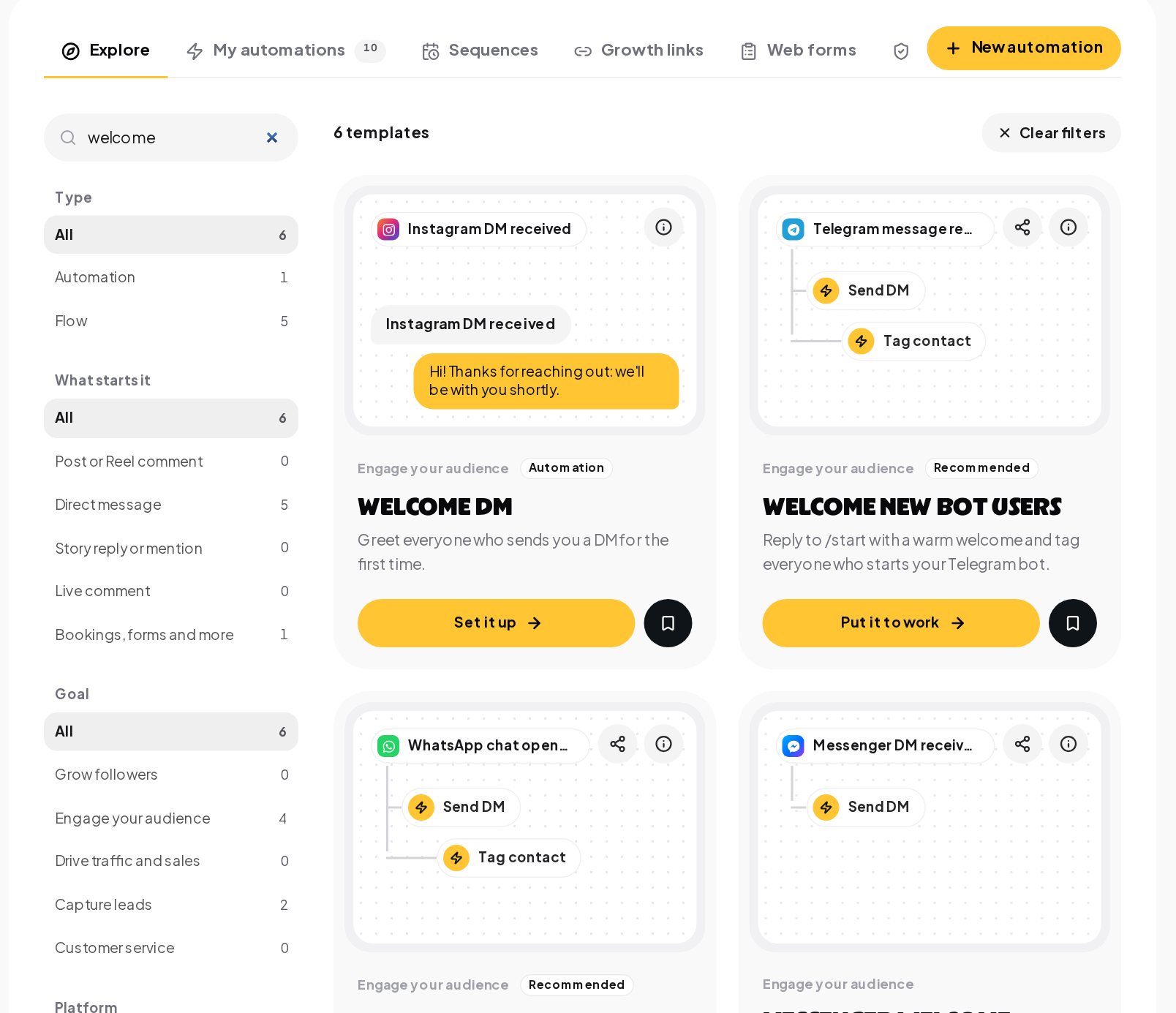
A welcome flow is the first thing every new customer sees, so start there: a short hello, three buttons such as Prices, Book a time and Ask us, and a tag that marks the contact as new.
Answer every message with a default reply
Not every message has a keyword. A DM automation set to Any message works as your default reply: it answers only what no other automation matched, so every customer hears back, even at 10 pm.
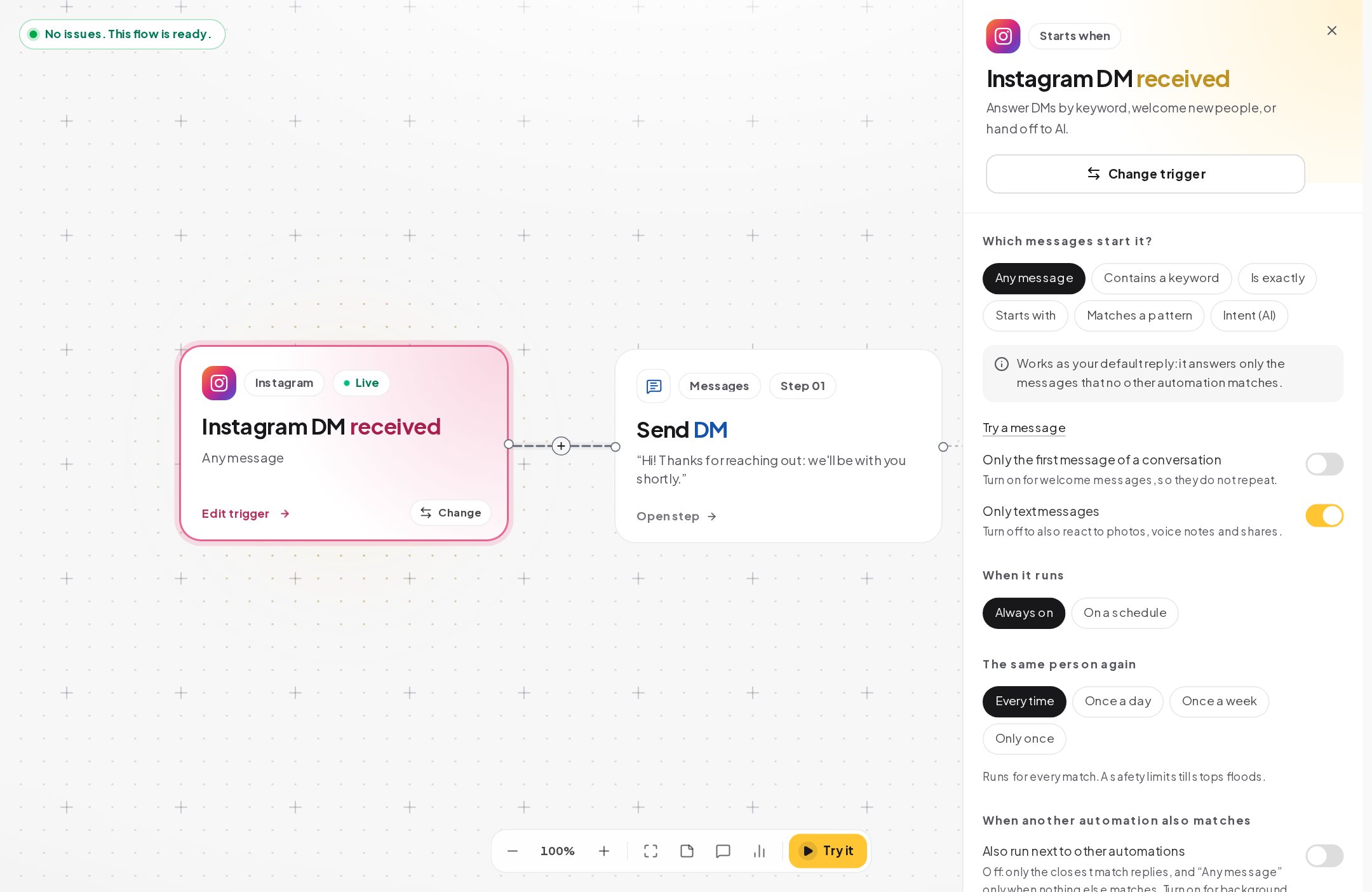
Then add keyword replies for the questions you get every day: PRICE, HOURS, PARKING. Catch typos forgives the misspellings, so "prcie" still gets the price list, and an exact match always wins over a corrected one.
Put your services and opening hours online
Open Bookings and set up what you offer: each service, how long it takes, who does it and when you are open. This is what makes the automation trustworthy, because only real free times are ever offered.
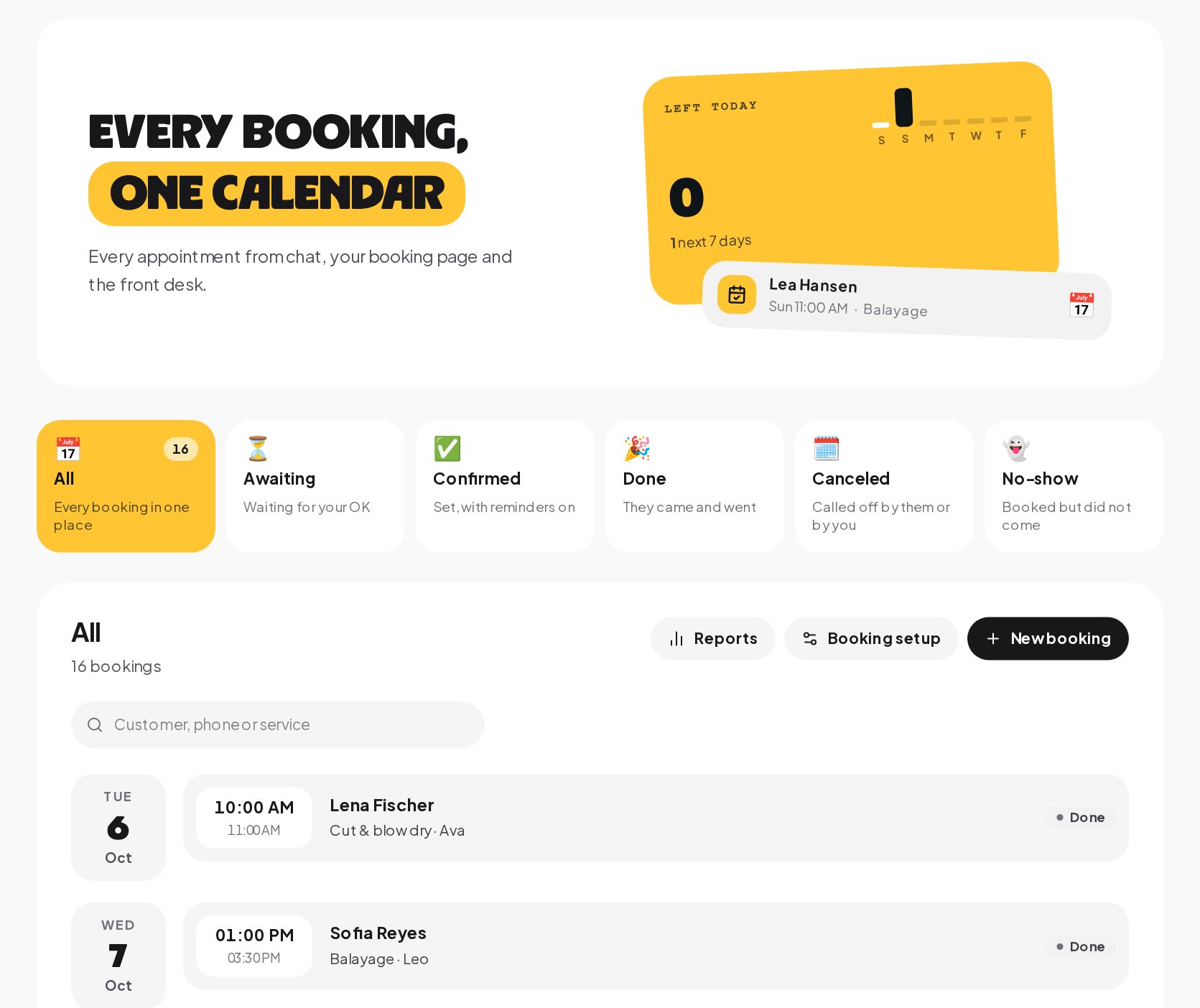
- Each person's diary. Customers book who they want and see only that person's free times.
- The right slot. A 90-minute color does not get squeezed into a 30-minute gap.
- Statuses. Awaiting your OK, confirmed, done, canceled and no-show, so the calendar always says what happened.
In a flow, the Offer times in the chat step shows free times as taps, and Book the time they picked books it.
Appointment reminders that reduce no-shows
A booking is only worth something if they come. Reminders go out at the times you set on each service, a day before or two hours before, with one link to move or cancel instead of missing it. Each reminder time starts a flow with the Booking reminder due trigger, such as the Booking reminders template, and without that flow no reminder is sent.
Reminders go out in a conversation the customer already has with you, on the first channel in your chain where they can still be reached. On Instagram and Messenger, a message can go out only within 24 hours of their last message, so a reminder for a booking made days ago is skipped there; on WhatsApp, an approved template can be used instead. ChatinFlow never opens a new conversation on a channel the customer has not used, so the confirmation in the booking flow, with the date, the time and the change link, is the message everyone who books in the chat gets.
No-shows. Mark the appointment as a no-show and a friendly message goes out with new times. They pick one in the chat, and the new time gets its own reminder.
Ask for Google reviews at the right moment
When the visit is marked done, a flow can wait as long as you choose, an hour later is a good default, and send a thank-you that asks how it went. Every customer gets a one-tap link to your Google, Yelp or Apple Maps page while the visit is still fresh, and a reply about a problem also reaches your team, so you can make it right. Send the link to everyone: asking only happy customers for reviews goes against Google's review policy. ChatinFlow does not see or count the reviews themselves.
Keep regular customers coming back
A regular who comes every few weeks can have the booking repeated from the booking itself, every week, every two weeks, every four weeks or every month, so the next visits are in the diary before they leave. When a customer cancels with the link in their reminder, the time is free again at once, and the booking flow offers it to the next person who asks.
On Starter and up, a broadcast to the people tagged with a service brings quiet weeks back to life: a free slot on Tuesday morning, sent to everyone who booked that service before and has not opted out.
Answer after hours and keep the request
An automation can run on a schedule, following weekly hours in your business time zone with holidays to skip, and the Business hours condition step checks whether you are open right now.
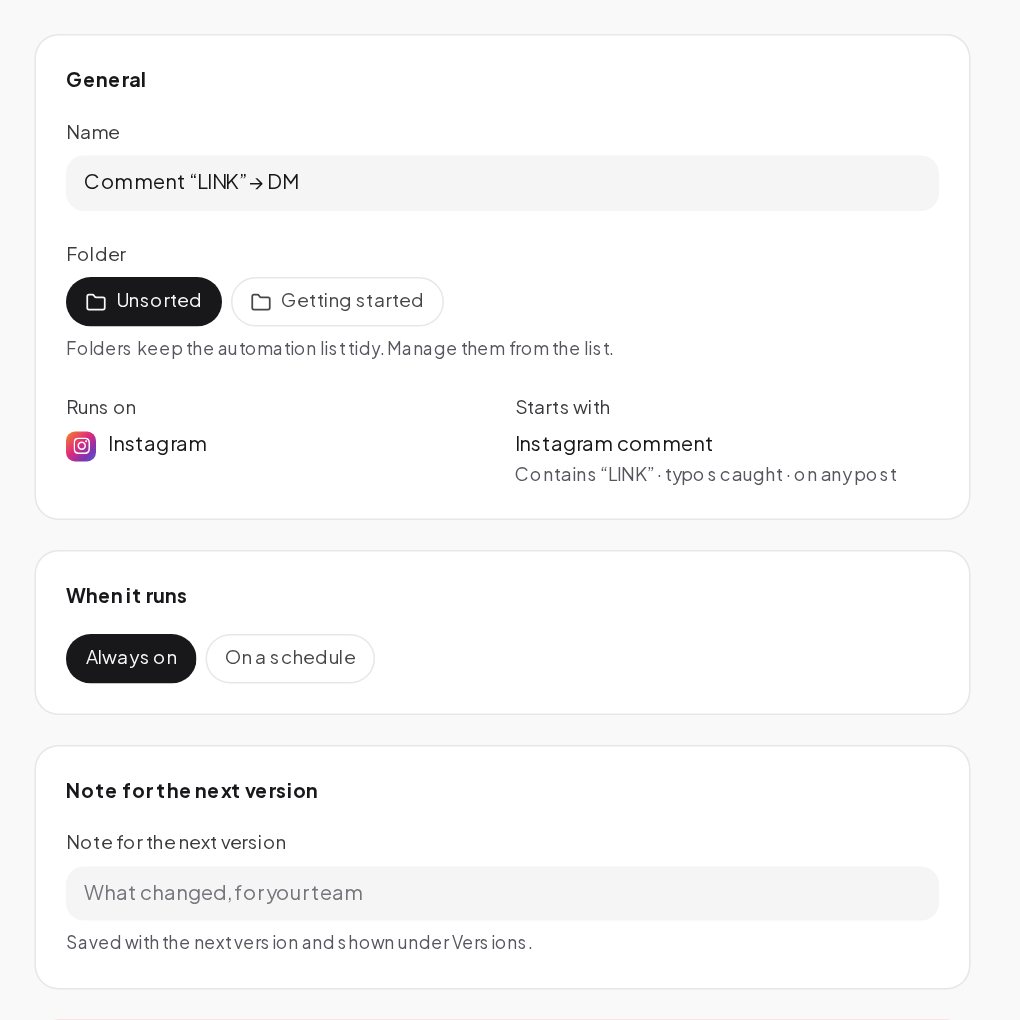
Outside your hours, the flow says when you are back and keeps the request in the inbox for the morning. During your hours, it can hand the chat to whoever is at the desk.
Test it as your customer
Before you publish, press Try it on the canvas and walk through the flow as a customer would. The panel lists findings, such as a step with nothing after it or a button that leads nowhere, so you fix them before a customer finds them.
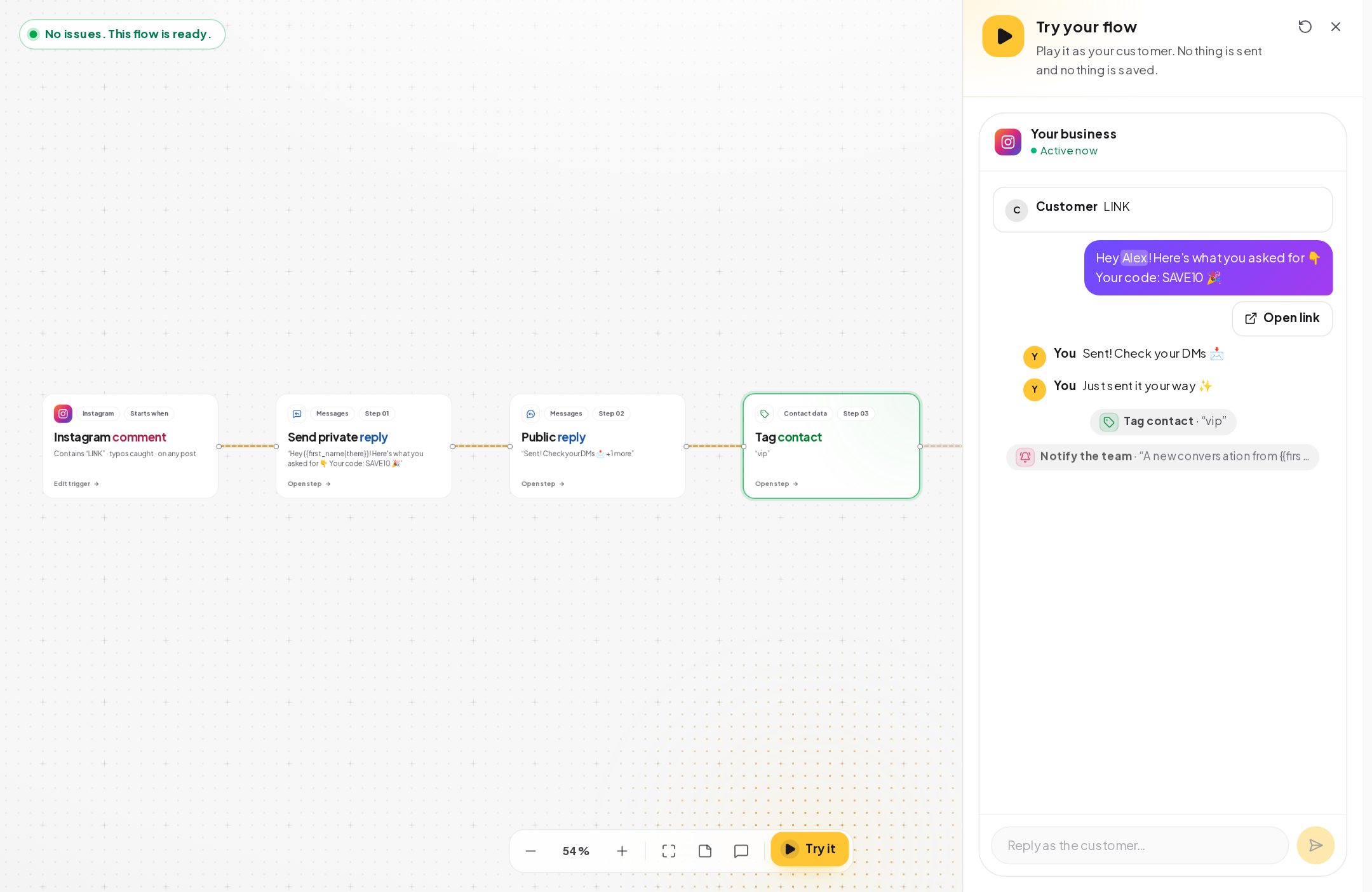
A day at the front desk with automations running
Here is what a normal Tuesday looks like for a two-person studio once the automations are live.
| Time | What happens |
|---|---|
| 07:10 | Someone writes PRICE on Instagram. The menu arrives with prices and lengths, and they book Thursday at 10:00. |
| 09:00 | Thursday's 09:30 customer moves the visit to Friday with the link in their reminder, and the reminders move with it. |
| 11:45 | A first-time visitor asks on the website chat whether there is parking. The keyword reply answers with the map link. |
| 13:00 | Yesterday's 15:00 visit is marked done. An hour later, the thank-you goes out with the review link. |
| 16:20 | A regular writes "running 10 minutes late". The default reply says thanks, and the message waits in the inbox. |
| 21:30 | A message on Instagram after closing. The flow says you open at 9:00 and keeps the request for the morning. |
Nobody at the studio answered a single one of these by hand, and every one of them is in the inbox if a person wants to step in.
Instagram, WhatsApp or Messenger: choosing your first channel
Start where your customers already write most, then add the rest. The free plan connects one channel other than WhatsApp, which is enough to prove the set-up.
- Instagram if your work is visual and people find you through posts and stories.
- WhatsApp for confirmations and reminders, with approved templates outside the 24-hour window.
- Messenger if your customers come from your Facebook Page or local groups.
- Website chat if people browse your prices before they book.
Each channel answers with the same flows and lands in the same inbox, so adding a second one later is a few minutes of work.
Small extras customers notice
- Codes and limited spots. One-time codes and limited places, closed the moment they run out.
- Chat on your website. The same answers in a chat window on your site, in the same inbox.
- Refer a friend. Regulars share their own link and get a reward as friends join.
- AI for the odd question. Questions about prices or parking answered from your info, on your own AI key, on a paid plan.
- You take over anytime. Jump into any chat from the inbox and the automated replies stay out of it.
How much does a small business chatbot cost?
The free plan covers a monthly conversation allowance on one channel, keyword auto-replies and bookings, which is enough to run the front desk above for a small studio. Broadcasts and AI replies start on the Starter plan. Paid plans have a fixed monthly price with a set number of conversations, and past that you pay per extra conversation; contacts are unlimited on every plan. If you use AI, the model's cost goes to your own provider account, and a daily cap on your key keeps it predictable. Current prices are on the pricing page.
Is it right for your small business?
ChatinFlow suits salons, studios, clinics, repair shops and other appointment businesses, owners who answer DMs between customers, and teams that lose bookings to slow replies or no-shows. It is not a point-of-sale, stock or payroll system; if you need those in one tool, look elsewhere. And it is not for messaging people who never wrote to you.
Small business chatbot glossary
- Keyword reply. An automation that answers when a message contains a word you choose, such as PRICE.
- Default reply. The answer for messages that no other automation matches.
- Confirmation. The message right after booking, with the date, the time and a link to change or cancel.
- No-show. A booking status for a customer who did not come, which can start a follow-up with new times.
Small business chatbot mistakes to avoid
- Bookings without real hours. Set services, lengths and opening hours first, or the times offered will be wrong.
- No default reply. A message with no keyword should still get a friendly answer.
- Counting on reminders outside the window. On Instagram and Messenger they are skipped after 24 hours; make the confirmation complete.
- Asking only happy customers. Google's review policy does not allow it. Send the link to everyone and answer every problem in the chat.
- Never marking visits done. Reviews and no-show follow-ups start from the status.
Small business DM automation: FAQ
Can customers choose a specific person?
Yes. Each person has their own diary, and customers see only that person's free times for the service they picked.
What happens when I mark a visit as a no-show?
A friendly follow-up goes out with new times to pick from, and a rebooked time gets its own reminder.
Can it answer when we are closed?
Yes. The flow checks your opening hours, says when you are back and keeps the request in the inbox for the morning.
Can customers move their own booking?
Yes. Every confirmation and reminder carries a link to change or cancel, and when the booking moves, its reminders move with it.
Sources
- Messenger Platform and IG Messaging API policy, Meta for Developers, on the 24-hour window.
- Template fundamentals, Meta for Developers, on WhatsApp templates for reminders.