The full guide
Instagram hashtags in 2026: the five-tag limit and how to pick the right five
In December 2025 Instagram cut the number of hashtags you can add to a post, a reel or a carousel from 30 to 5. Most hashtag advice online still assumes 30, which is why so many sets you copy from a generator no longer fit. Five tags change the job.
In December 2025 Instagram cut the number of hashtags you can add to a post, a reel or a carousel from 30 to 5. Most hashtag advice online still assumes 30, which is why so many sets you copy from a generator no longer fit. Five tags change the job. You are no longer trying to cover every possible search; you are choosing the handful of words that best describe the post, so Instagram knows where to file it and the right people can find it. This guide explains the new limit, what hashtags still do, how to choose five that work, and how to build a set from a sentence about your post in under a minute.
The new limit at a glance
| Platform | Most tags per post | What the generator gives |
|---|---|---|
| Instagram posts, reels and carousels | 5, since December 2025 | 5 |
| TikTok | No fixed cap; tags share the caption length | 10 |
| No fixed cap | 8 |
Instagram announced the change through its creators account in December 2025, and it rolled out gradually. The reasoning Instagram gave was that a few specific tags help more than a long list of generic ones. On TikTok and Facebook there is no hard number, so the generator stops where extra tags start to look like padding.
If you have old captions saved with 20 or 30 tags, trim them before you reuse them. The Caption Formatter counts hashtags as you paste and flags a caption that goes over.
What hashtags still do in 2026
Hashtags used to be a reach engine. You could follow a hashtag, browse its top posts and get discovered by people scrolling it. That world faded well before the five-tag cap. Instagram removed the option to follow hashtags in December 2024, and its recommendations now lean on what people watch, save and send to friends far more than on tags.
What hashtags still do is describe. A tag is a label that tells Instagram and its search what the post is about. When someone searches "sourdough starter", posts labeled with closely related tags and words in the caption are candidates to show up. That means a tag earns its place by being accurate, not by being popular.
Three practical consequences follow:
- Relevance beats size. A tag with a billion posts says almost nothing about your post. A tag that names the exact topic says a lot.
- The caption matters as much as the tags. Instagram search reads the words in your caption too. Write the topic out in plain words in the first line, then use tags to confirm it.
- Tags will not save a weak post. If the first seconds of a reel do not hold attention, five perfect tags change little. Hashtags help a good post get filed in the right place.
Broad, medium and niche tags
Not all tags carry the same weight. It helps to think of them in three tiers.
| Tier | What it looks like | What it does |
|---|---|---|
| Broad | One general word, such as #yoga or #coffee | Tells Instagram the big category |
| Medium | Two words joined, such as #yogaforbeginners | Narrows the topic to a clear subject |
| Niche | A specific phrase, such as #morningyogaroutine | Matches the exact thing the post shows |
With 30 tags you could afford ten of each. With five you cannot, so the mix tilts toward specific tags. A good default for a five-tag Instagram set is one broad tag for the category, two or three tags that name the subject, and one or two niche tags that match the exact post.
The generator uses the length and makeup of a tag as its guide to the tier: a short single word reads as broad, a joined pair as medium and a longer phrase as niche. It is a rule of thumb, not a measurement of how many posts use each tag, and it is shown so you can see why a set looks the way it does.
How the generator weighs the tiers by format
Different formats reach people in different ways, so the target mix shifts with the format you pick. These shares apply to the slots left after the tags built from your own words.
| Format | Broad | Medium | Niche |
|---|---|---|---|
| Reel | 30% | 40% | 30% |
| Photo | 20% | 35% | 45% |
| Carousel | 15% | 40% | 45% |
| Story | 35% | 40% | 25% |
On Instagram, with five slots, the shares are a direction rather than an exact split. On TikTok, with ten slots, you will see the mix more clearly.
Your own words come first
The most useful tags for a post are usually hiding in the sentence you would use to describe it. If you write "morning yoga routine for beginners", the tags that matter are about morning yoga, yoga routines and beginners, not a list of the most popular fitness tags of the week.
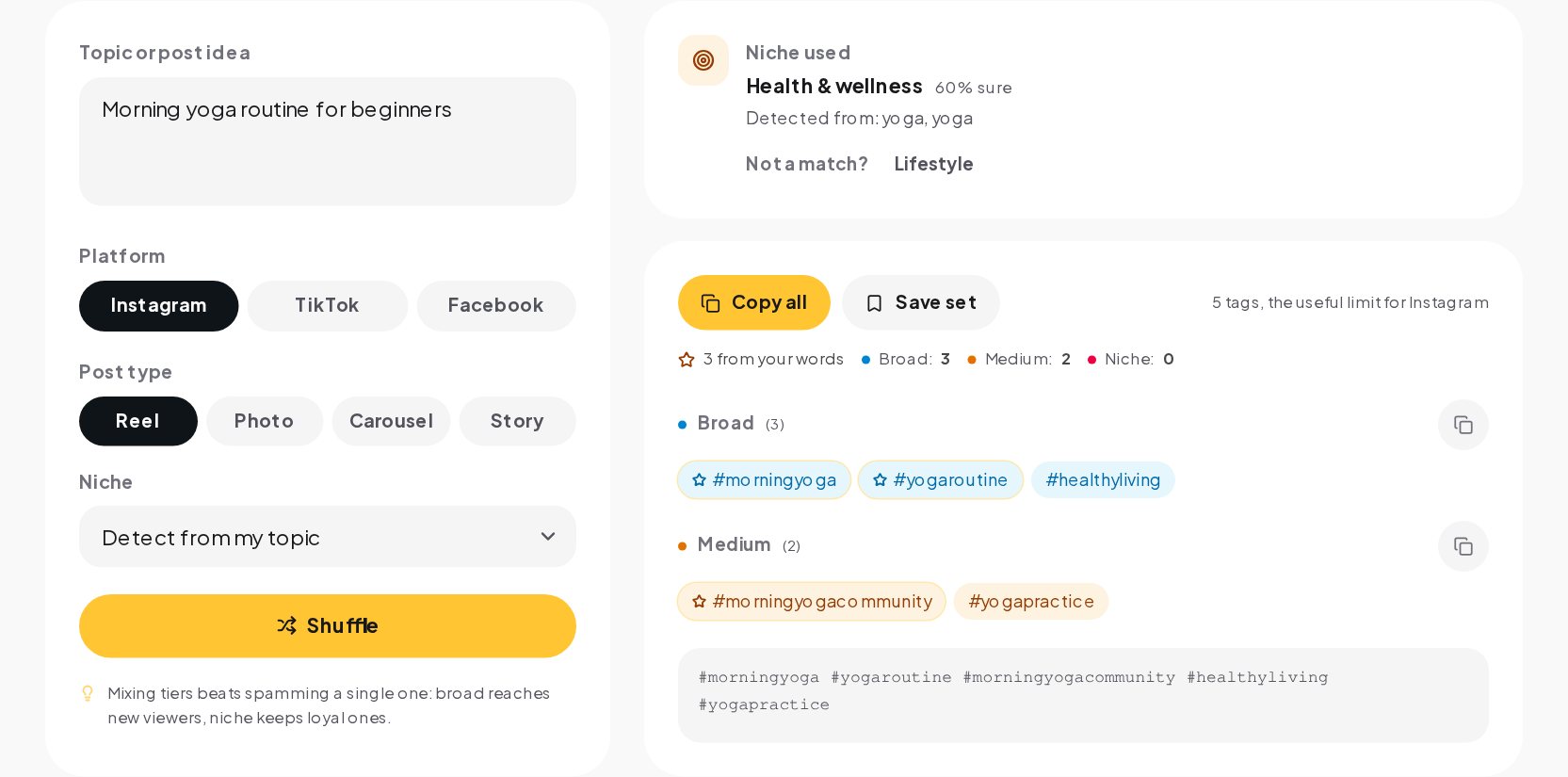
That is how the generator starts. It reads your sentence, finds the subject (usually the first two words that belong together, so "our new summer dress" gives #summerdress rather than #newsummer) and builds tags from it before anything else. On Instagram up to three of the five slots go to tags built from your words, and those always survive the cap. Each tag in the result is labeled with where it came from:
- Built from your topic: tags made from the words you typed.
- Niche classics: hand-picked tags from the library for the niche the tool detected, kept only when they match your topic.
- Reach fillers: general tags such as the ones every niche uses, capped at two per set so they never take over.
A set can come out shorter than the cap. That is on purpose. A tag that has nothing to do with your post is worse than an empty slot, so the generator leaves the slot empty rather than padding it with an unrelated tag.
Niche detection, and when to override it
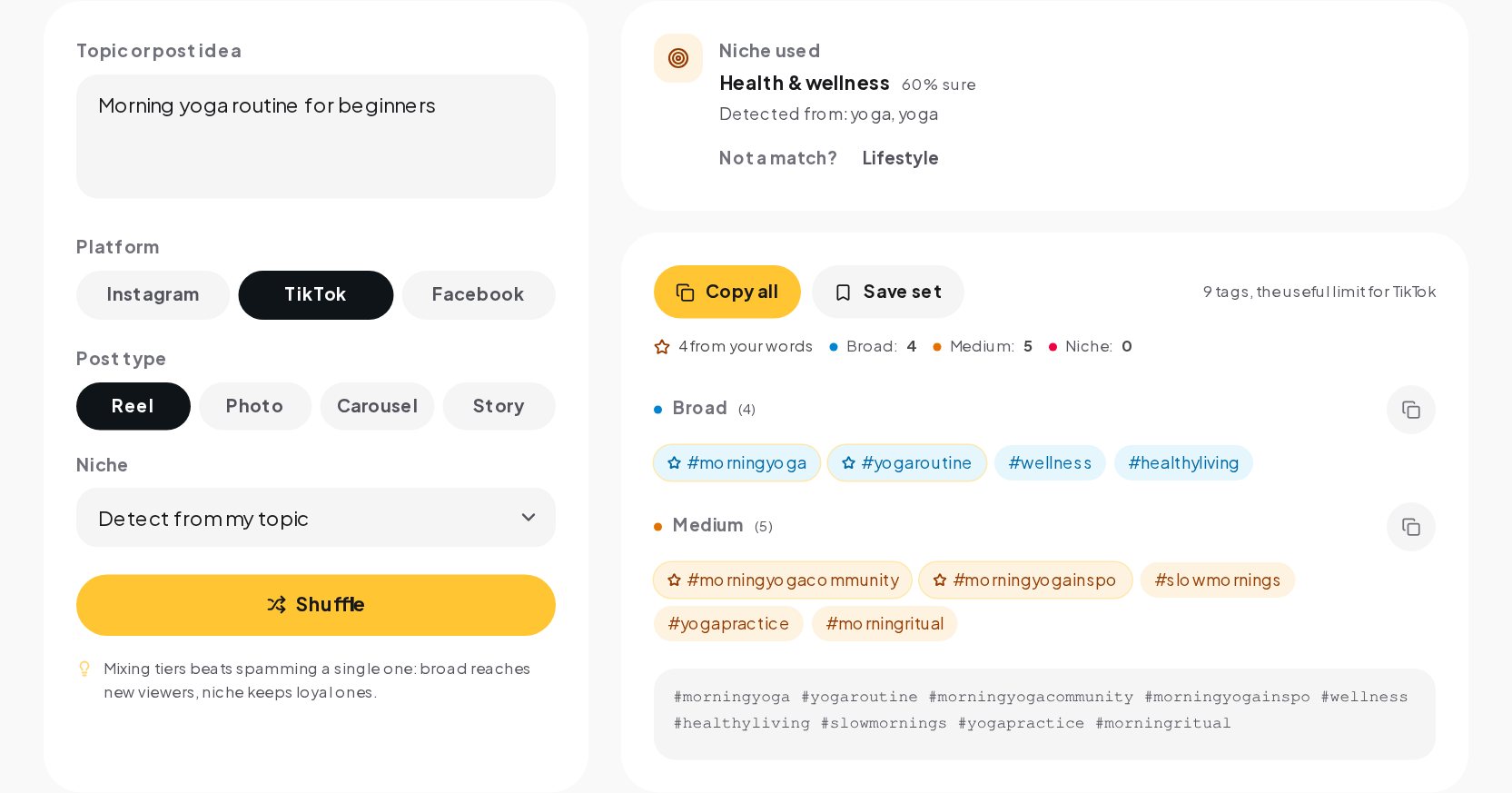
The generator recognizes 22 niches, from fashion, beauty and fitness to real estate, pets, gaming and events. It reads the words in your topic, picks the niche they point to and shows you the words it matched and how sure it is. If your topic is "barbershop fade tutorial", it will show the niche it chose and the terms that led there.
Detection is a starting point. Override it when:
- Your topic uses a word that belongs to two worlds, such as "pitch" for a sales pitch or a football pitch.
- You post for a niche that is narrower than the list, such as a vegan bakery, and want the food niche rather than lifestyle.
- Nothing matched. The tool tells you so and mixes your own words with a few general tags. Picking a niche sharpens the set at once.
How to choose your five
When the cap is five, every tag should earn its slot. Run each candidate through four questions:
- Does it describe this post, not your account in general? A tag for your city belongs on a post about a local event, not on every post you publish.
- Would someone search for it? #morningyoga is a phrase people type. #yogavibesonlyforever is not.
- Is it redundant? #yoga and #yogalife say the same thing. Keep one and use the slot for something new.
- Does it match the words in the caption? If the caption says "beginner flow", a tag about advanced inversions sends a mixed signal.
A worked example. For a reel showing a ten-minute morning yoga flow for beginners, a strong five might be #yoga for the category, #morningyoga and #yogaforbeginners for the subject, #beginneryoga as a close variant only if you have no better option, and a niche tag that names the exact format, such as #morningyogaroutine. Then write "10 minute morning yoga for beginners" in the first line of the caption, so search sees the same words twice.
TikTok and Facebook
TikTok does not set a hashtag limit; tags simply count toward the caption length. In practice a few relevant tags are enough for TikTok to understand the video, and long lists read as spam, so the generator gives ten. Use fewer when the caption already names the topic clearly.
Facebook makes hashtags clickable but uses them far less for discovery. The generator caps a Facebook set at eight, and in most cases two or three tags are plenty. A Facebook post with a wall of tags looks like it was copied from Instagram, because it usually was.
Whatever the platform, the same principle holds. Tags confirm what the post is about. They do not replace a clear caption.
Mistakes that cost you reach
- Reusing one fixed set on every post. Instagram reads the set as part of the post. The same five tags on a recipe, a behind the scenes clip and a product launch describe none of them well.
- Chasing the biggest tags. Huge generic tags put you in a pile of millions of posts where nobody looks. A specific tag puts you where interested people search.
- Tags that do not match the content. Using a trending tag that has nothing to do with the post can push it in front of the wrong audience, who scroll past, which tells Instagram the post is not interesting.
- Hiding tags in a comment to get around the cap. The limit applies to the post. Put your five tags in the caption, where they belong.
- Forgetting the caption. Words in the caption are read by search. A caption that names the topic is often worth more than a perfect set of tags.
Building a set in a minute
- Open the Hashtag Generator and describe the post in one sentence, the way you would tell a friend.
- Pick the platform and the format: reel, photo, carousel or story.
- Check the niche it detected. Override it if the topic belongs somewhere else.
- Read the set. Each tag shows its tier and where it came from. Remove any that do not fit.
- Press Shuffle for a fresh mix built from the same inputs, save the sets you like and copy the one you choose.
When a post starts to work
A well described post brings comments and questions: what is the routine, where is the link, how much is the class. Those are conversations, and they decide whether the attention turns into anything. With Instagram automation in ChatinFlow, a comment with a keyword gets a DM reply at once, with the link or the details people asked for. Hashtags help people find the post. A fast reply is what keeps them.
Quick answers
How many hashtags can I use on Instagram in 2026?
Up to five on a post, a reel or a carousel. Instagram reduced the limit from 30 in December 2025.
Do hashtags still help reach?
They help Instagram understand and file your post, which helps search. They are not a reach engine on their own, and Instagram has said a few specific tags work better than many generic ones.
Should hashtags go in the caption or the first comment?
In the caption. The five-tag limit applies to the post, so a comment is not a way to add more.
Where can I learn more about writing the caption itself?
The Caption Formatter shows the part of the caption people see before the more button, and the Post Advisor checks the hook, the call to action and the tags together.
Sources
- Instagram puts a limit on hashtag usage, BetaNews, 19 December 2025.
- Instagram now limits you to five hashtags per post, Digital Trends.
- IG User Media reference, Meta for Developers; its caption limits still show 30 hashtags, the figure from before December 2025.