Encryption
Traffic is encrypted on every connection, and the credentials you connect are sealed before they reach the database.
- TLS 1.2 or 1.3 only, with HSTS
- AES-256-GCM for channel tokens and secrets
- A separate data key for each workspace
AES-256-GCM
Channel tokens and secrets, sealed per workspace
TLS 1.2+
Every connection, with HSTS
EU
Data hosted in Finland
ChatinFlow does not hold a SOC 2 report or an ISO 27001 certificate. The safeguards below run in the product today, and [email protected] answers your security questionnaire.
Always on
Channel tokens and integration secrets are sealed with AES-256-GCM under a key for each workspace.
Every plan
Authenticator-app codes for every account, and one click signs out every other session.
In your dashboard
Export a workspace or a single contact, erase a contact, or schedule account deletion.
Payment provider only
Paddle and Stripe collect every card number. It never reaches our servers.
Traffic is encrypted on every connection, and the credentials you connect are sealed before they reach the database.
Built-in workspace roles and your own custom roles, two-step sign-in on every account, and a list of the sessions signed in to it.
An audit log of workspace changes and security events, with a CSV export for your reviews.
A flow that can message a large share of your contacts does not go live on one person's click, and neither does a broadcast to a large audience. A second teammate approves it first; if you are the only one who can, you approve it with a fresh two-factor code.
Your own sending is watched so your channels stay healthy. When volume or STOP replies climb, sending slows or pauses before a platform blocks your account, and you see the reason.
GDPR requests are handled from the dashboard, without a support ticket.
Cloudflare sits in front of chatinflow.com and filters traffic before it reaches our servers.
The database and uploaded files are backed up every night, the latest backup is restored in a test every month, and an automated check tests the service every five minutes.
Every workspace is hosted in the EU, in a Hetzner data center in Finland. There is no choice of region: the same servers hold every workspace, and Cloudflare carries traffic to them.
Finland · EU
The dashboard, the API and the automation workers run on our servers in a Hetzner data center.
Finland · EU
Contacts, conversations and uploaded files are stored on the same servers, closed to the internet.
Finland · EU
A nightly copy of the database and uploaded files, kept on those servers.
| Subprocessor | Purpose | Region |
|---|---|---|
| Hetzner Online | Hosting: servers, database, file storage and backups | Finland · EU |
| Cloudflare | CDN, TLS and DDoS protection for chatinflow.com | Global |
| Paddle | Payments, invoicing and sales tax | UK |
| Stripe | Payment processing | US |
Channels you connect (Instagram, Messenger and WhatsApp through Meta, Telegram, X, Twilio, Postmark) and AI providers you add your own key for (OpenAI, Anthropic, Google Gemini, Azure OpenAI) receive data because you connect them, under their own terms, so they are not on this list.
Found a security issue? Email [email protected] with the steps to reproduce it, and give us the chance to fix it before you share it publicly.
Privacy, terms, DPA, SCCs, and our public Trust Center: request signed copies for procurement.
Procurement questions, security questionnaires, or a DPA request: we are here to help.
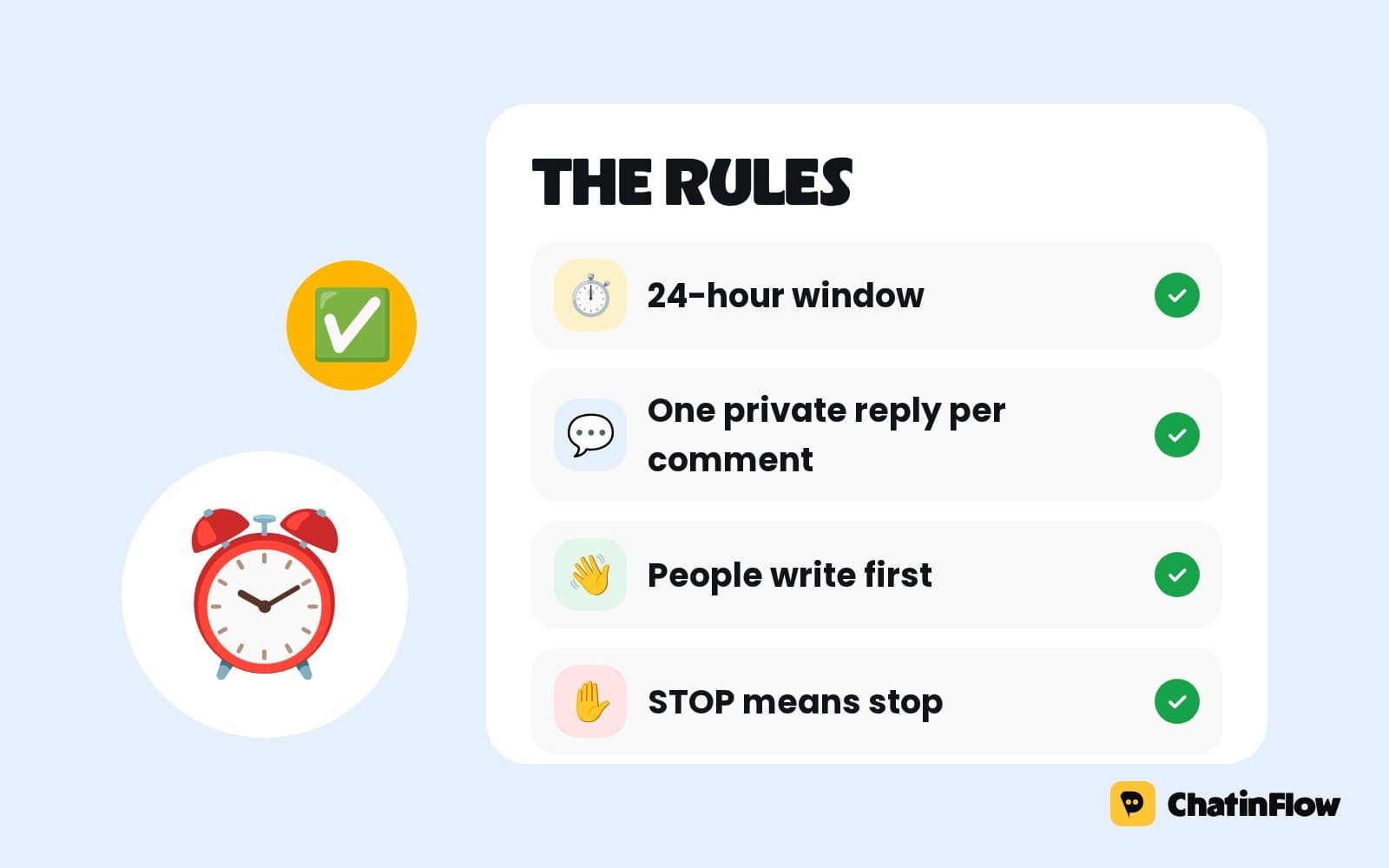 Policy6 min read
Automated Instagram DMs are allowed on three conditions. The rules that matter in practice: the official API, who you can message, the 24-hour window, the human agent exception, rate limits and opt-outs.
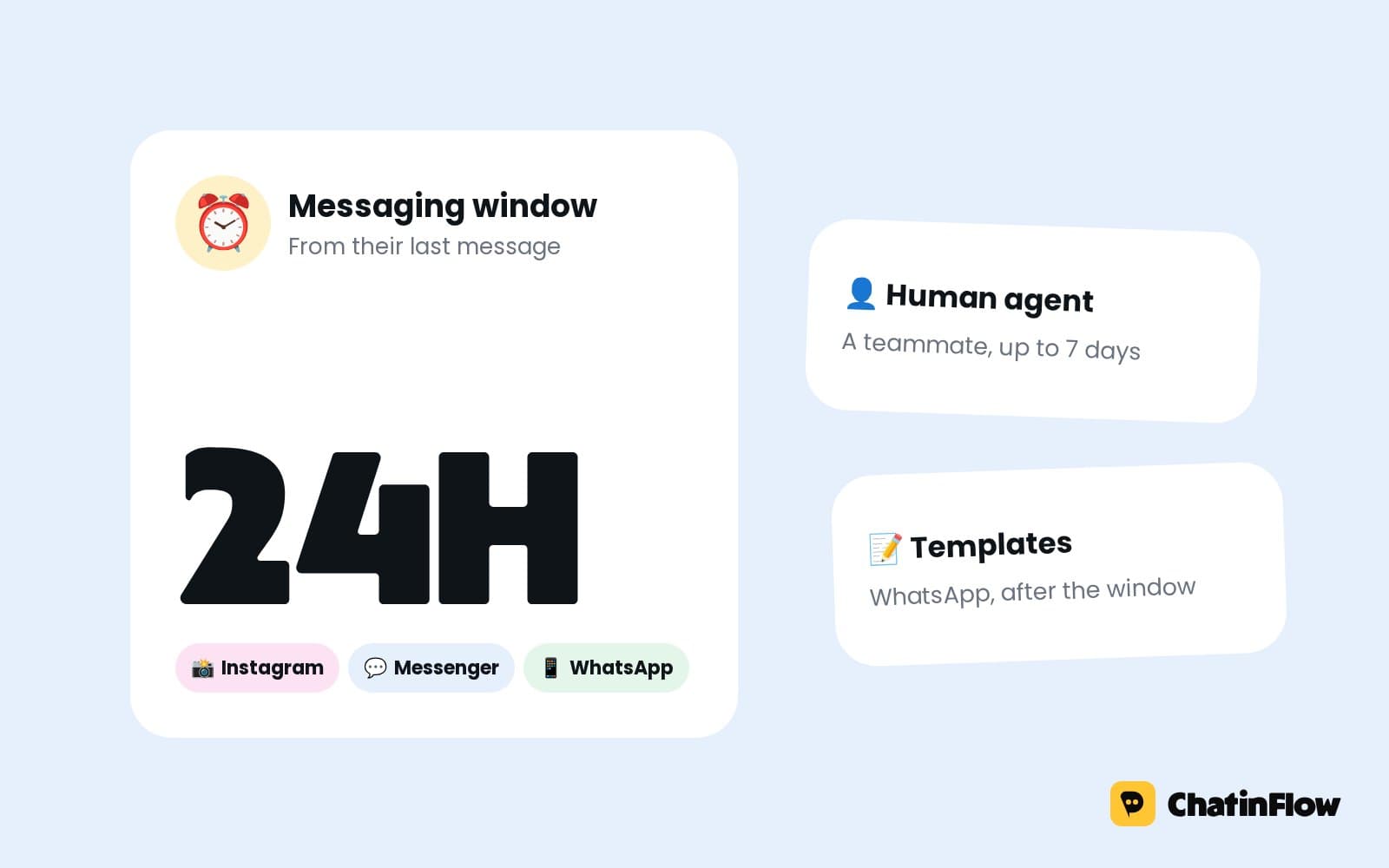 Policy6 min read
A business can message a person freely for 24 hours after their last message. What opens the window, what each app allows after it, and the 2026 changes to Messenger tags.
 Technical5 min read
Create a token, copy your workspace's MCP server address and paste both into Claude Code, Cursor or VS Code. Which token to pick, the setup for each client and what to do when a call fails.
The full guide
Where your data lives, how secrets are sealed, sign-in and roles, approvals for big sends, the audit trail, backups and your data rights, with the gaps listed just as plainly.
A DM automation tool holds some of the most sensitive data a small business has: every conversation with every customer, the tokens that let software post as your brand, and the keys to your AI and payment accounts. Before you connect anything, you should know where that data lives, who can see it, how it is protected and what you can do when something goes wrong. This guide explains ChatinFlow's security in plain terms: the infrastructure, how secrets are sealed, sign-in and sessions, roles and approvals, the audit trail, backups, and your data rights. It also lists, just as plainly, what ChatinFlow does not have yet, so you can judge it against your own requirements.
ChatinFlow runs on its own servers in a Hetzner data center in Finland, inside the European Economic Area. The dashboard, the API and the automation workers run there, and contacts, conversations and uploaded files are stored on the same servers, closed to the internet: the database and cache accept no connections from outside.
Cloudflare sits in front of chatinflow.com. It filters traffic before it reaches the servers, absorbs attacks and serves the site's static files from a nearby location. Every connection between your browser, the platforms and ChatinFlow is encrypted with TLS 1.2 or 1.3, and HSTS tells browsers never to fall back to an unencrypted connection.
| Layer | What protects it |
|---|---|
| Network edge | Cloudflare in front of chatinflow.com, filtering traffic and absorbing attacks |
| Connections | TLS 1.2 or 1.3 only, with HSTS |
| Database and cache | Closed to the internet, reachable only from the servers themselves |
| Secrets | AES-256-GCM, with a separate data key for each workspace |
| Backups | A nightly copy of the database and uploaded files |
| Monitoring | An automated health check every five minutes |
The most valuable things in a ChatinFlow workspace are not messages but keys: the token that lets ChatinFlow answer as your Instagram account, the secret of a webhook, your OpenAI or Stripe key. A leaked token is worse than a leaked conversation, because someone could send as you.
ChatinFlow seals them with envelope encryption before they reach the database. Each workspace has its own data key; each secret is encrypted with AES-256-GCM under that key. After you save a key, the dashboard only ever shows a masked preview. If you rotate a key at the provider, update it in ChatinFlow and the old one is replaced.
Payments work the same way from the other side: card details never reach ChatinFlow at all. Subscription payments are handled by Paddle and Stripe, and Buy button payments in your flows go through your own Stripe or PayPal account, straight to you.
Open Settings, Security. Three things live here.
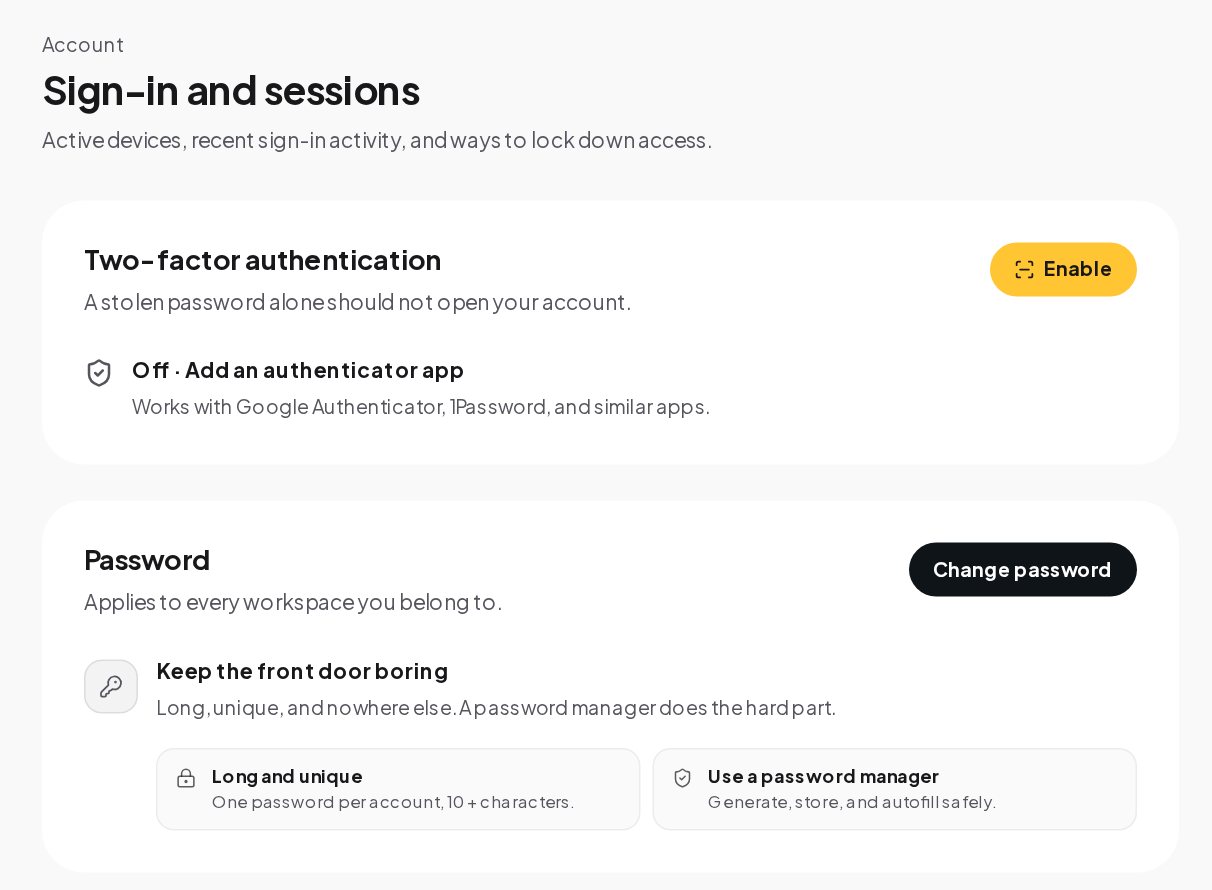
Sign-in with an outside identity is guarded too. A social login or single sign-on is never attached to an existing account with the same email that has not been verified, which closes a common account takeover trick.
Open Team to invite teammates and choose their roles. The Roles tab shows what each built-in role can do, capability by capability.
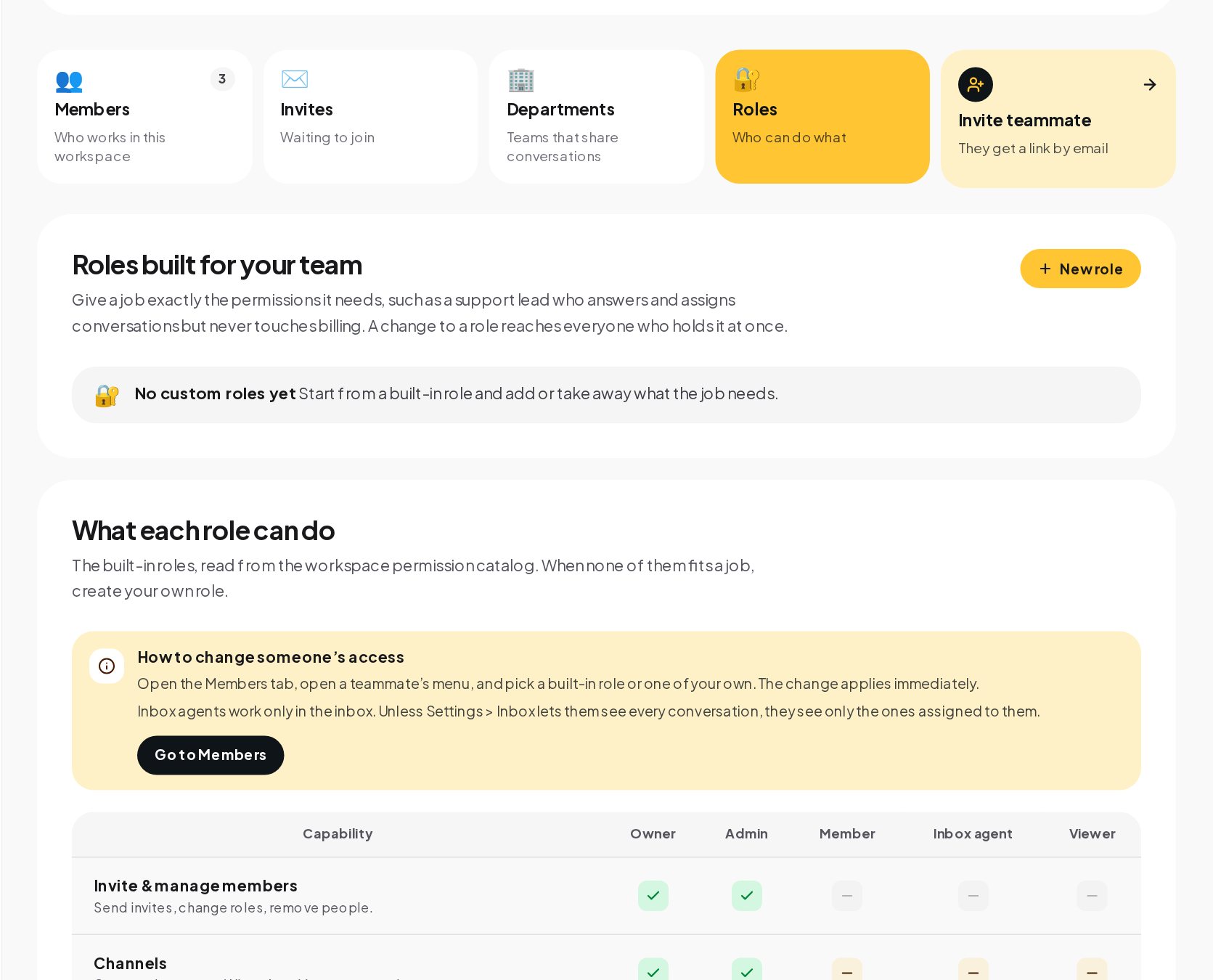
When none of them fits a job, create a custom role: start from a built-in role and add or take away what the job needs, such as a support lead who answers and assigns conversations but never touches billing. A change to a role reaches everyone who holds it at once.
A flow or a broadcast that can message a large share of your contacts does not go live on one person's click. When a flow with a sending step is published in a workspace with 1,000 contacts or more, or a broadcast's audience reaches 1,000, another teammate who can publish approves it first. If you are the only one who can publish, you approve your own request with a fresh two-factor code. The approval covers what was reviewed, so changing the content asks again.
This is the control that prevents the worst automation accident: a test message sent to everyone.
Every change in the workspace is written down. Open the Workbench to see who changed what, when and from which actor.
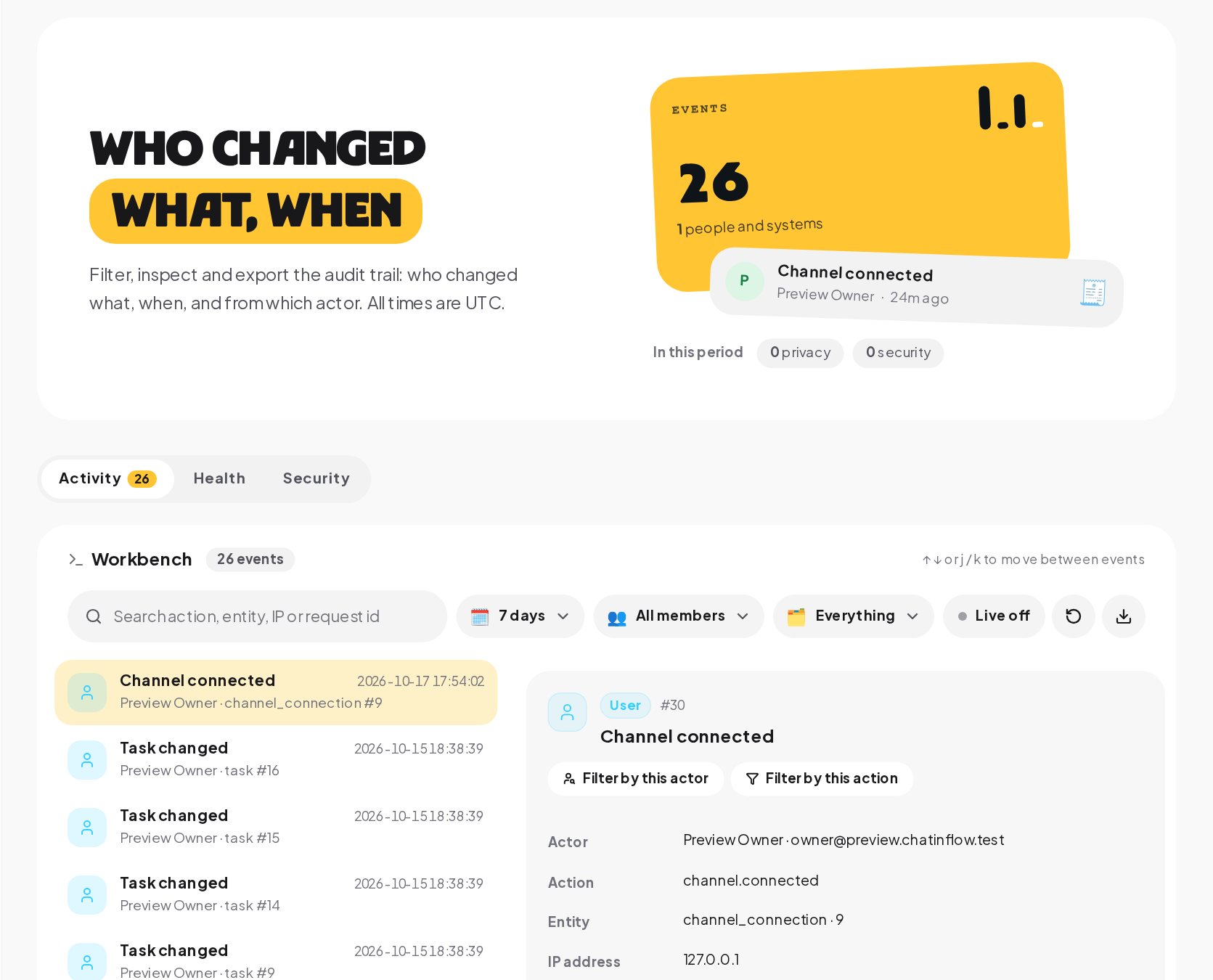
All times are in UTC, so events from different time zones line up.
The database and uploaded files are backed up every night. On top of that, workspaces on eligible plans can keep their own copies of their set-up under Settings, Backups.
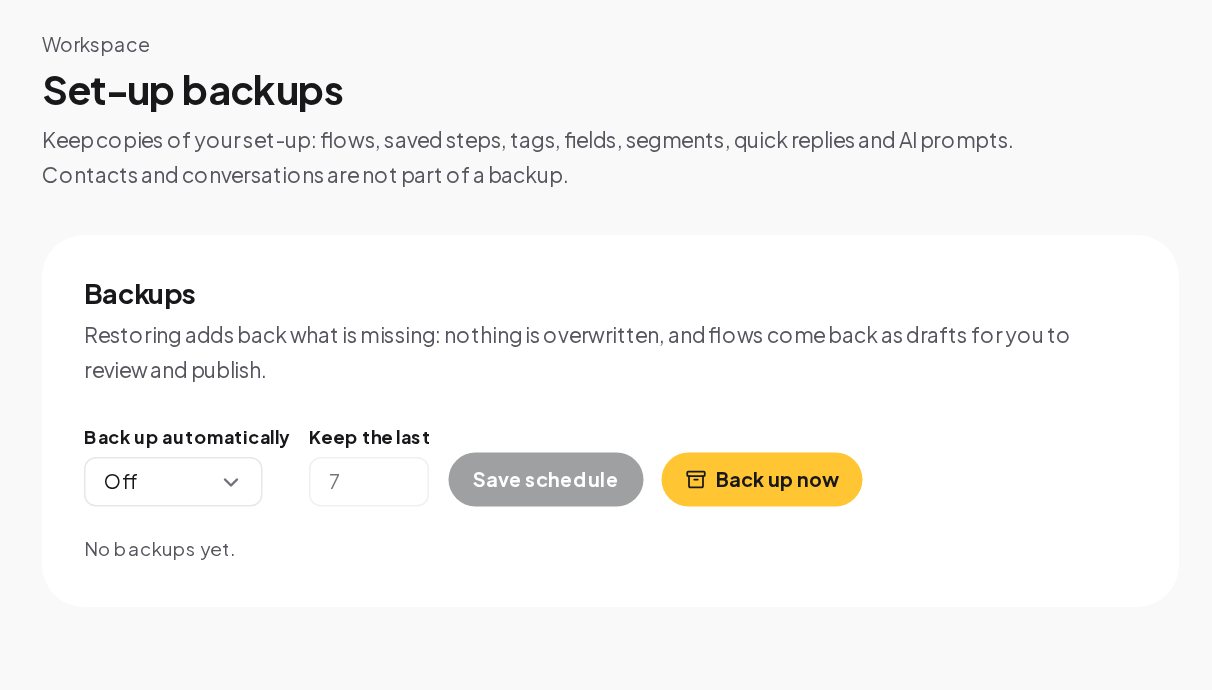
A set-up backup holds your flows, saved steps, tags, custom fields, segments, quick replies and AI prompts. Contacts and conversations are not part of it. Restoring adds back what is missing without overwriting anything, and flows come back as drafts for you to review and publish. Keep the last several backups on a schedule, or press Back up now before a big change.
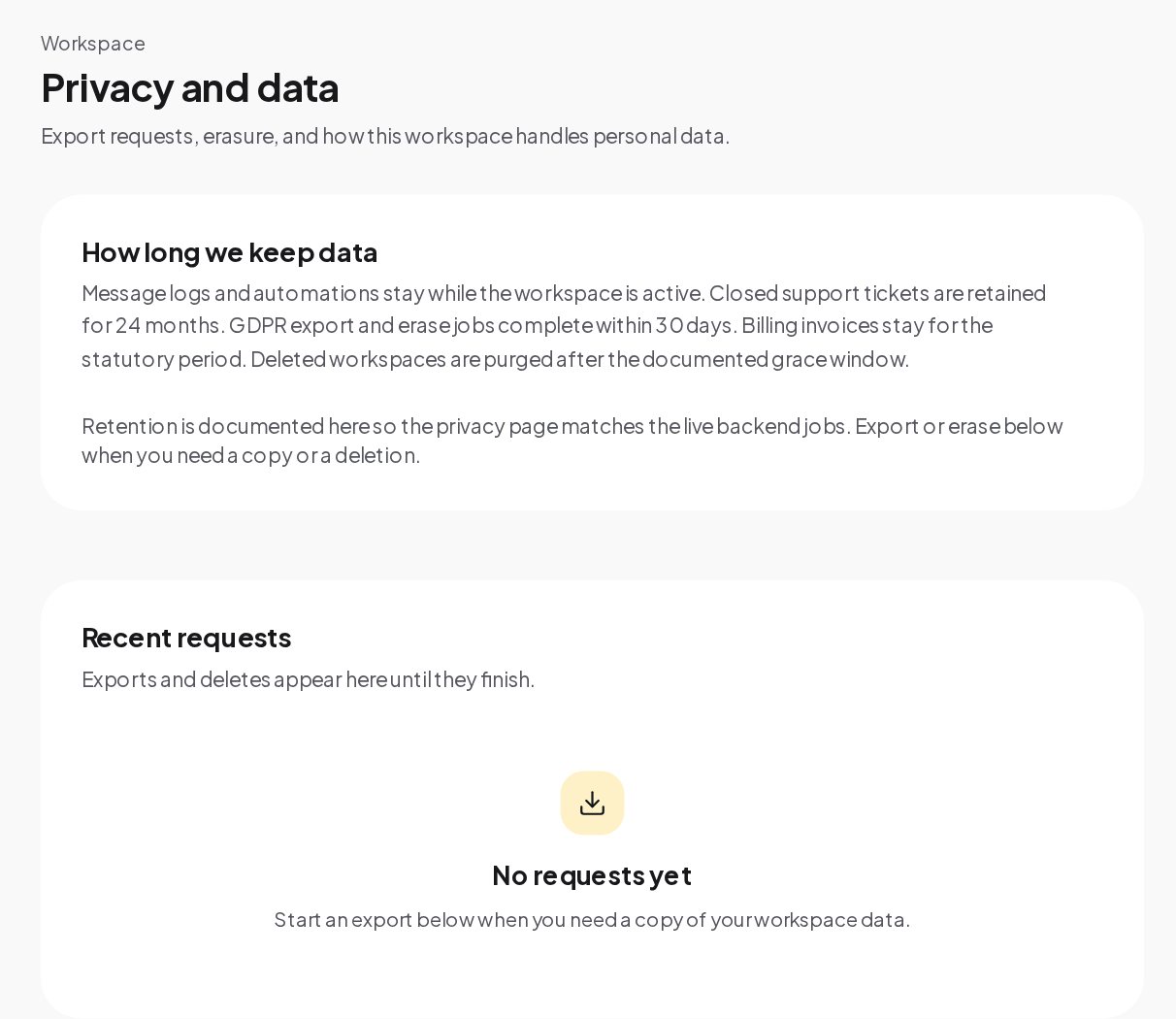
Customers have rights over their data, and so do you. Settings, Privacy handles the requests without a support ticket.
Business and up add two controls for teams with an IT department.
Single sign-on through OpenID Connect. Connect your identity provider, such as Okta, Microsoft Entra ID or Google Workspace, and verify your email domain with a DNS TXT record. With single sign-on required, members can no longer sign in with a password or a social login; the owner keeps a way in.
An IP allowlist. The owner can limit where members reach the workspace from: the dashboard, API keys, the realtime connection and notifications. Paths your customers use, such as the website chat and booking pages, are not affected.
AI replies and the inbox helpers run on keys you connect, from OpenAI, Anthropic, Google Gemini or Azure OpenAI. Without a key, no conversation text is sent to an AI provider, and ChatinFlow does not train any model on your workspace. When those features run, the text goes to the provider you picked, under your account and that provider's terms. Incoming voice messages are transcribed automatically on ChatinFlow's own servers in Finland, in a process with no network access, so that audio never leaves them. Only when a teammate presses Transcribe on one message while that service is unavailable is the message sent to OpenAI, on the workspace's own key and only if one is connected.
The companies that process data for ChatinFlow itself are Hetzner, for hosting, Cloudflare, for the network edge, and Paddle and Stripe, for payments. Channels and tools you connect, such as Meta's apps, Telegram or your CRM, receive data because you connected them.
Honest gaps help you decide.
Found a problem? Email [email protected] with the steps to reproduce it and its impact, and give ChatinFlow the chance to fix it before you share it publicly. The scope is chatinflow.com and its API.
Yes. Two-step sign-in with an authenticator app works on every plan, as does signing out every other session.
Only if you allow it. By default an inbox agent sees the conversations assigned to them; Settings, Inbox can let them see every one.
No. A set-up backup holds flows, saved steps, tags, fields, segments, quick replies and AI prompts. The database itself, contacts and conversations included, is backed up every night.
In the Workbench audit trail. Filter by the member or by the kind of event, and open the event for its details.