The full guide
KakaoTalk chatbot for business: connect Kakao i Open Builder and answer every message
Make a KakaoTalk chatbot with Kakao i Open Builder: the bot id, the skill address, the callback, menus, bookings, AI replies and the handover to your team.
In South Korea, customers don't email a clinic or fill in a contact form; they open KakaoTalk and write to the business's channel. A KakaoTalk Channel that answers within seconds, offers a menu and books the consultation in the chat wins the customer who is comparing three clinics on the same evening. Kakao gives every channel a chatbot through Kakao i Open Builder, and Open Builder can hand each message to a skill server that decides the answer. This guide shows how to make a KakaoTalk chatbot for your business with Open Builder and ChatinFlow, step by step: the bot id, the skill address, the fallback block, the Callback API, the welcome menu, bookings, AI replies and the handover to your team, plus the rules Kakao sets on how many messages a chatbot can send.
What is a KakaoTalk chatbot?
A KakaoTalk chatbot is the automatic side of a KakaoTalk Channel, Kakao's account for businesses. When someone adds your channel and writes to it, the chatbot can answer before a person does: with a greeting, a menu, an answer to a common question or the next step of a booking.
Kakao builds chatbots in Kakao i Open Builder. A chatbot there is made of blocks, and a block can answer with fixed text or ask a skill, an outside server, what to say. ChatinFlow is that skill. Instead of building every answer as a block in Open Builder, you build flows in ChatinFlow, where the same flows also answer Instagram, WhatsApp, Messenger and LINE.
What you need before you start
- A KakaoTalk Channel for your business, created in Kakao Business.
- A chatbot for the channel in Kakao i Open Builder.
- A ChatinFlow workspace. KakaoTalk can be the one channel on the free plan.
- Only for extra messages: the REST API key of a Kakao Developers app, for the Event API.
How to make a KakaoTalk chatbot with Open Builder, step by step
1. Create your chatbot in Kakao i Open Builder
In Kakao i Open Builder, create a chatbot and link it to your KakaoTalk Channel. Copy the bot id shown for the chatbot: ChatinFlow needs it to know which bot is calling.
2. Connect the bot id in ChatinFlow
Open Settings, Channels, KakaoTalk in ChatinFlow and paste the bot id. The page then shows your skill address, the address Open Builder will call for every message.
3. Add the skill address as a skill in Open Builder
Back in Open Builder, add a new skill and paste the skill address. Keep the address private to your team: it is how Kakao reaches your flows.
4. Set the fallback block to answer with skill data
The fallback block runs for every message no other block caught. Set it to call your new skill and to answer with skill data, so the answer comes from ChatinFlow rather than a fixed block.
5. Turn on the Callback API and deploy
Turn on the Callback API for the chatbot, so an answer that takes a little longer, such as an AI reply, still reaches the customer. Then deploy the bot. Until it is deployed, customers keep seeing your old answers.
6. Build the welcome flow
Start from a template in Automations: a menu for bookings, prices and opening hours, or a code for a first visit. Each tap on a button is a new customer message, and the flow answers it with the next step.
How KakaoTalk auto replies work: one answer per message
Kakao i Open Builder works like a conversation in turns. Each customer message gets one answer, and Kakao delivers it through its callback, inside about a minute of the message. That rule shapes how a good KakaoTalk flow is built:
- Put everything for that turn in one answer. The text, the buttons and the quick replies go together.
- Let taps carry the conversation. A button tap is the next customer message, so the next answer is free too.
- Ask one question at a time. "Which day suits you?" with the days as quick replies, then the times, then a confirmation.
When a flow has more than one message in a row, the first one is the answer and the rest need the Event API.
Buttons, quick replies and cards on KakaoTalk
An answer can carry:
| Element | Limit | Good for |
|---|---|---|
| Buttons on a text card | Up to 3 | The main choices: Book, Prices, Talk to us |
| Quick replies | Up to 10 | Days, times, sizes, yes or no |
| Saved answers | Any field | A name, a phone number, a treatment |
Quick replies disappear once tapped, which keeps the chat clean. Buttons stay on the card, so use them for choices people come back to.
Booking appointments on KakaoTalk
KakaoTalk is where Korean customers book consultations, classes and appointments. A booking flow answers in turns:
- The service. "Skin consultation, laser or a first visit?" as quick replies.
- The day. The next days with free times, from your real calendar in Bookings.
- The time. The free times on that day.
- The confirmation. The booking lands in your calendar with the client's details, and the answer confirms it with the time.
Because each step is the answer to a tap, the whole booking stays inside Kakao's one-answer rule.
AI chatbot for KakaoTalk
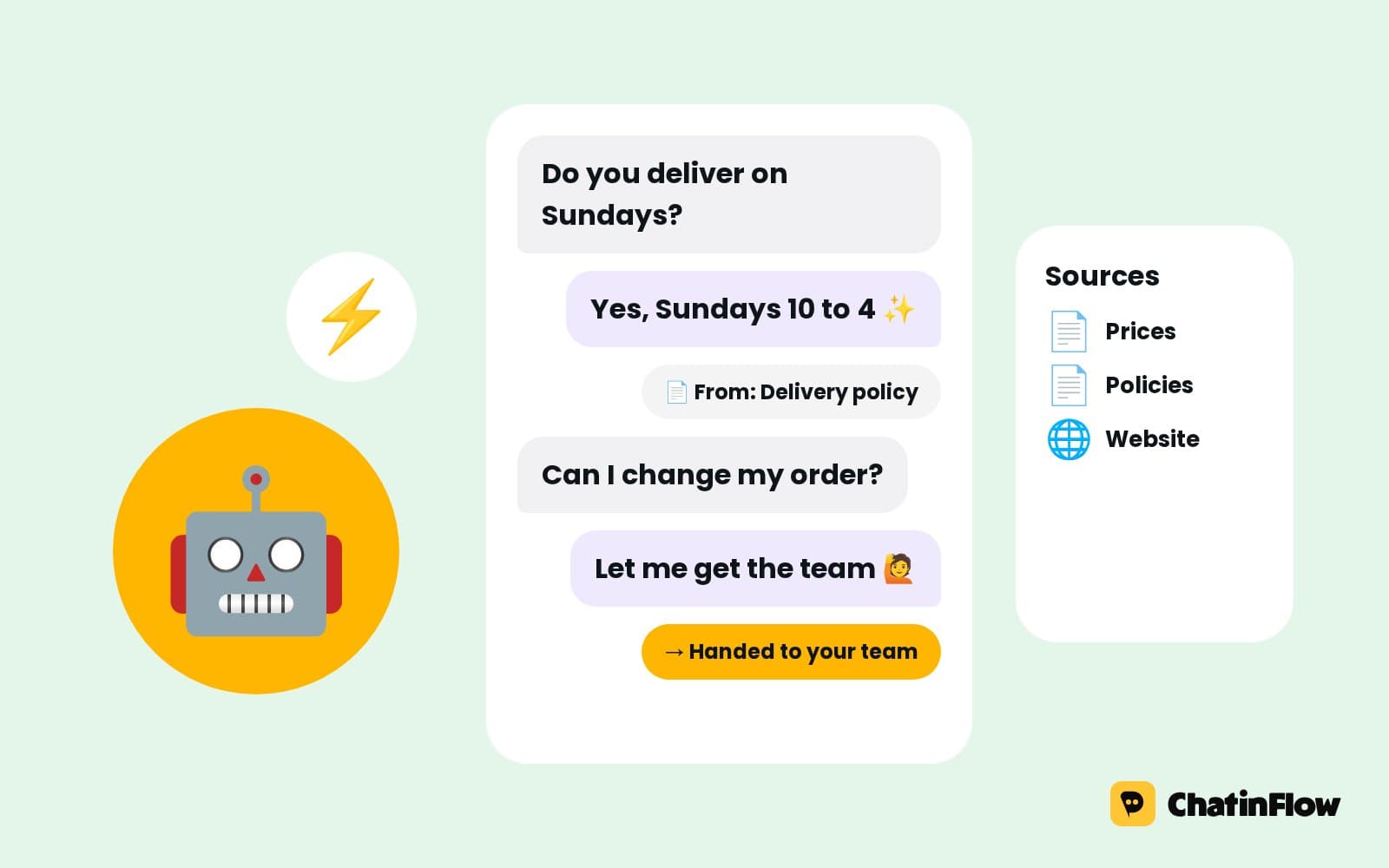
On a paid plan, an AI reply can answer the open questions a menu cannot: "Is the laser painful?", "Can I come after work?". It uses your own OpenAI, Anthropic, Google or Azure key and the sources you add, such as your price list and treatment pages, and it goes out as the answer to the customer's message. Keep the menu for the questions you hear every day and let AI take the rest.
Hand a KakaoTalk chat to a person
Some questions need your staff. A flow can ask whether the customer wants to talk to someone, assign the chat to a teammate or the next free agent and alert the team. KakaoTalk chats appear in the shared inbox next to Instagram, WhatsApp and every other channel, and the automation stays quiet while a teammate writes.
Kakao's free answer only works within about a minute of the customer's message, so a teammate's later reply needs the Event API, like any extra message. For a busy desk, that is worth setting up early.
Sending more than one message: the Kakao Event API
For more than one message per customer message, or a teammate's reply after the first minute, add the REST API key of a Kakao Developers app and an event block in Open Builder. Kakao bills those messages under its own terms and delivers them only to people who added your channel. ChatinFlow sends through the Event API only when you have set it up.
Can you send KakaoTalk broadcasts?
Not through ChatinFlow. The KakaoTalk integration answers people who write to your chatbot and runs the flows they start. Messages a business starts on KakaoTalk go through Kakao's own paid products, so campaigns to everyone who added your channel are left out. Use KakaoTalk for answers and bookings, and reach people with campaigns on the channels that allow them.
KakaoTalk chatbot ideas for your business
- Clinics and beauty. Treatment menu, consultation booking, aftercare questions answered by AI from your own pages.
- Academies and tutors. Class times, a trial lesson booking, the price list and a handover to the head teacher.
- Studios and gyms. Class schedule, a first-visit code, membership questions.
- Restaurants and cafés. Opening hours, reservations for a party size, the menu link.
- Shops. Store hours, stock questions handed to staff, a code for the first purchase.
KakaoTalk chatbot message templates you can copy
Each one does one job, ends with the next tap and stays inside one answer.
How to measure your KakaoTalk chatbot
Every automation has an Activity tab with each run: how it ended and where it stopped. In Analytics, the Channels tab puts KakaoTalk next to your other channels, so you can see how many conversations it starts and how many end in a booking. Watch three numbers:
- Answered without a person. The share of chats the flow finished on its own.
- Bookings from KakaoTalk. Consultations and appointments booked in the chat.
- Handovers. How often customers asked for your staff, and on which question, so the menu can answer it next time.
KakaoTalk vs LINE vs WhatsApp for business
| KakaoTalk | LINE | ||
|---|---|---|---|
| Where it leads | South Korea | Japan, Taiwan, Thailand | Most of the world |
| How you connect | Open Builder chatbot and a skill | Messaging API channel | WhatsApp Business API number |
| Answers | One per customer message, free | Reply token free, later messages from your LINE quota | Free inside the 24-hour window |
| Broadcasts in ChatinFlow | No | No | Yes, with approved templates |
If your customers are in Korea, KakaoTalk is the channel they already open. ChatinFlow puts it in the same inbox as the rest, so one team answers everything.
Common mistakes with KakaoTalk chatbots
- Forgetting to deploy. Changes in Open Builder only reach customers after the bot is deployed.
- A fallback block with fixed text. The answer must come from skill data, or ChatinFlow never sees the message.
- Callback API off. Answers that take a moment, like AI replies, need the callback.
- Three messages in a row. Only the first is free. Put the content in one answer with quick replies.
- Long menus. Ten quick replies is the limit, and fewer reads better.
KakaoTalk chatbot FAQ
How do I make a KakaoTalk chatbot without coding?
Create the chatbot in Kakao i Open Builder, connect its bot id to ChatinFlow, add the skill address and deploy. The answers are built as flows in ChatinFlow, with buttons and quick replies, without code.
Can a KakaoTalk chatbot send messages first?
Only through Kakao's paid products, such as the Event API for people who added your channel. ChatinFlow answers customers who write first, and sends extra messages through the Event API when you set it up.
Can my team reply to KakaoTalk chats?
Yes, from the shared inbox. A reply within about a minute of the customer's message is the free answer; a later one needs the Event API.
Can the chatbot answer in English and Korean?
Yes. Flows answer with the words you write, and AI replies follow the language of the customer's message.
Is a KakaoTalk chatbot free?
ChatinFlow's free plan can connect KakaoTalk as its one channel, with one answer per customer message. Messages sent through Kakao's Event API are billed by Kakao under its own terms.
Sources
- Kakao Business chatbot guide, Kakao, on chatbots, blocks and skills in Kakao i Open Builder.
- AI chatbot callback guide, Kakao, on answers sent through the callback.