The full guide
Driving school booking system in the chat: book lessons, pickups and reminders while instructors drive
Book lessons by car type with travel buffers, save the pickup point, remind learners with the lesson focus, refill canceled lessons and sell lesson blocks in the chat.
A driving school's problem is simple: the instructors are on the road all day and can't answer the phone, and learners message between classes or late at night. "Do you have lessons this week?", "manual or automatic?", "can I move Thursday?", "where do we meet?". Every unanswered message is a learner who books with another school. ChatinFlow books lessons with the right instructor and car type, collects the pickup point, reminds learners the day before with what the lesson is about, and puts canceled lessons straight back on offer for learners who want an earlier time before their test. This guide shows driving schools and independent instructors how to set up lesson booking from Instagram, Messenger and your website chat, how to plan pickups and travel time, how to sell lesson blocks and how to fill cancellations.
How learners book driving lessons from a message
- A learner messages on Instagram, Messenger or your website chat, often between classes or late in the evening.
- The flow asks manual or automatic, and how much driving they've done, as taps.
- It offers the lesson types: a first lesson, a regular lesson, a two-hour lesson, a mock test.
- The learner picks a time from the free times of instructors with that car type.
- It asks the pickup point: home, school, work or a station, saved on the contact.
- The confirmation goes out with the date, the time, the instructor, the pickup point and a link to change or cancel.
Set up instructors, cars and lesson types in Bookings
- Instructors. Each with their shifts and days off.
- Cars. A manual car and an automatic car are resources, so a lesson needs the right one.
- Lesson types. One hour, ninety minutes, two hours, a mock test, each with its length, its price and what it needs.
- Buffers. Travel time before and after each lesson.
- Time off. Holidays and the instructor's test days.
Manual or automatic: match learners to the right car
A learner who wants an automatic license should never be offered the manual car. Ask first, save the answer on the contact and send the learner down the path for that car type. Each path offers only the lesson types that need that car, so the times shown are the times when an instructor and the right car are both free.
Plan pickups and travel time between lessons
Instructors lose paid hours driving between pickups. Two things help:
- Buffers on every lesson type. A buffer before and after gives the instructor time to get across town, so the chat never books two pickups twenty minutes apart.
- The pickup point on the contact. The learner names the pickup point when they book, such as the school gate on Elm Street or the station's north entrance, and it's saved on their contact for the instructor to see.
If you cover a set area, ask the area as the first question and send learners outside it a kind no and the nearest option.
Driving lesson reminders that cut no-shows
The reminder the day before tells the learner what the lesson is about and what to bring: "Tomorrow at 9:00, roundabouts and lane changes. Bring your provisional license and glasses if you wear them." Learners arrive ready, and the few who can't make it move the lesson instead of leaving the instructor waiting outside.
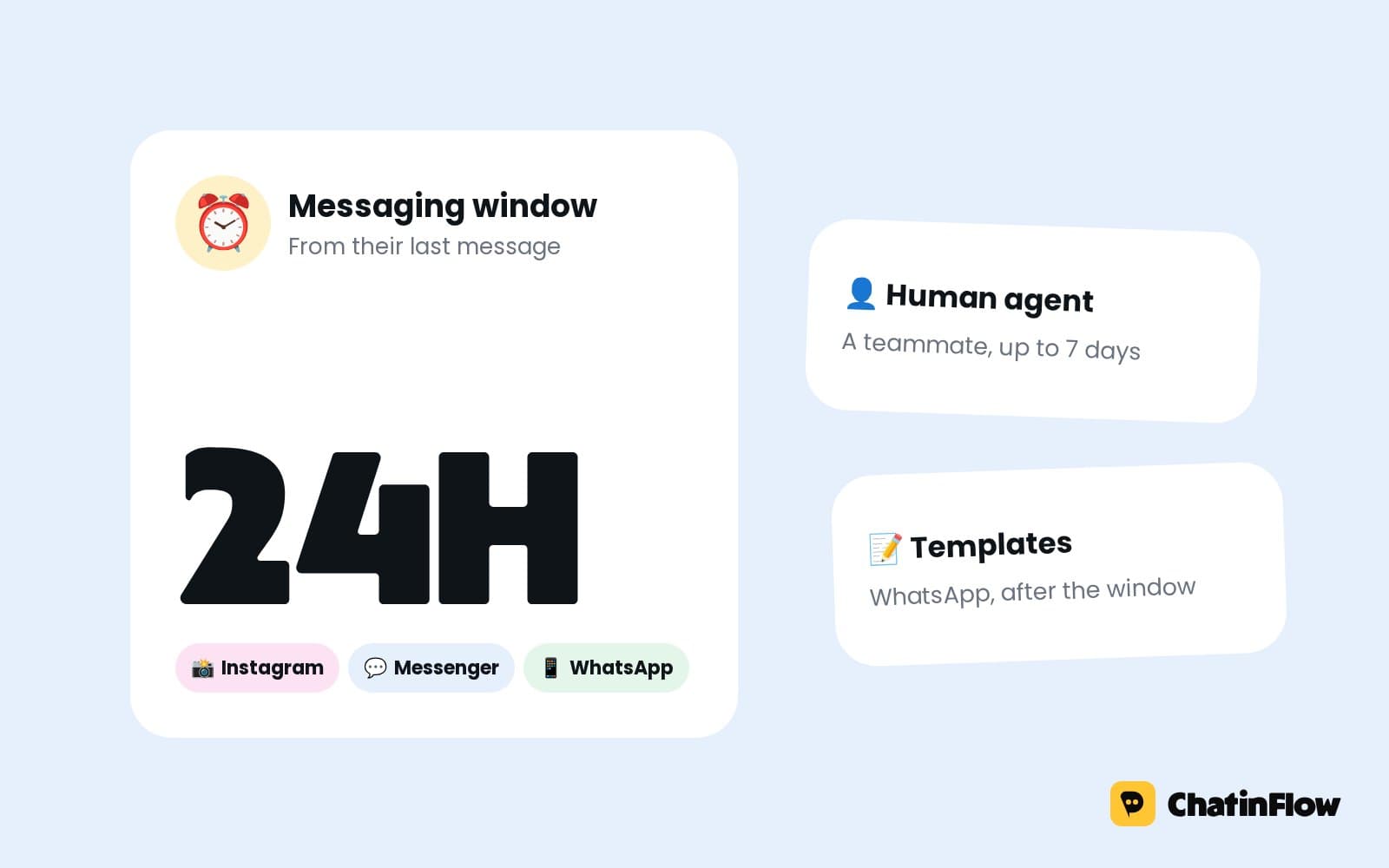
On Instagram and Messenger, a business can write freely for 24 hours after the learner's last message, so a reminder lands when the learner has written recently. For learners who booked weeks ahead, WhatsApp can carry the reminder with a template Meta approved, and email or SMS, when enabled for your workspace, have no window. The confirmation always goes out right after booking.
Fill canceled driving lessons before the test
Learners close to their test want every lesson they can get. A learner who can't make it cancels with the link in their booking, and the lesson goes straight back into the instructor's calendar. The next learner who asks for an earlier lesson is offered it and books it with one tap. Instructors lose fewer paid hours to last-minute changes.
Post in your story when a slot opens, "Lesson free tomorrow at 2 pm, DM LESSON", and the free time fills from the replies.
Sell lesson blocks and intensive courses in the chat
Blocks of lessons are how driving schools plan their weeks. Sell a block of ten lessons or an intensive course with a Buy button through your own Stripe or PayPal account, and get told the moment it's paid. The learner is tagged as a block buyer, so the team knows to book their lessons.
Say what's included before the button: the number of lessons, their length, how long the block is valid and the cancellation rule.
Driving test dates and lessons before the test
Official tests are booked through your country's own system, not in the chat. The flow can ask the test date, save it on the contact and suggest lessons before it: "Your test is on the 14th. Most learners take a mock test the week before. Want to book one?". A date rule can send a message a set number of days before the test date, on a channel that can reach the learner.
Answer the questions every driving school gets
Write each answer once:
- "How much is a lesson?"
- "Do you do intensive courses?"
- "Do you pick up from school?"
- "How many lessons will I need?", your honest answer.
- "Can I use your car for the test?"
- "What do I need for the first lesson?"
Each answer goes out word for word, at any hour, while the instructors drive.
Parents booking for teenage learners
Many first lessons are booked by parents. The flow can ask "Are you booking for yourself or someone else?" and save the learner's name separately. The confirmation goes to the parent, and the instructor sees who to expect. Lesson blocks are often bought by parents too, with the Buy button.
Instagram content that brings learners
- Test passes, with permission: "Another pass! Comment LESSON to book yours".
- Tips in thirty seconds. Parallel parking, mirror checks, roundabouts.
- The car tour. The dual controls, for nervous learners.
- Meet the instructors. Learners choose people they feel safe with.
- Intensive course dates, with "DM INTENSIVE".
Theory test help and first-lesson nerves
Many learners write before their first lesson because they're nervous. A short sequence after the booking, a message a day for three days, can send what to expect, the cockpit drill and one tip, on a channel that allows it, such as Telegram for learners who started your bot. Learners who arrive calm learn faster, and they tell their friends.
Theory test questions are another reason learners write. Answer the common ones once: where to book it, what to revise, how long it takes. Then point them back to their next lesson.
Measure lessons, cancellations and passes
- Lessons booked from the chat, per week and per instructor.
- Canceled lessons refilled, and how fast.
- Instructor occupancy, from the booking reports: booked time against the hours each instructor could work.
- Blocks sold, from the Buy button payments.
A tag for learners who passed lets you ask for a review the same day and count how many passes came from learners who first wrote in the chat.
Refer a friend for driving schools
Learners talk about their instructor to their friends. A refer-a-friend link gives each learner a personal link to share, and the team sees which friends came through it. A reward, such as a free half-hour lesson, can go out when the friend books.
Is it right for your driving school?
It suits driving schools and independent instructors, schools that pick learners up from home or school, and teams with several instructors and car types. It is not for schools that must book everything through a government test system, fleet training companies with no direct learners, or anyone sending messages to people who never wrote to them.
A week-one plan for a driving school
- Day 1. Add your instructors, cars and lesson types with buffers.
- Day 2. Build the booking flow: car type, lesson type, time and pickup point.
- Day 3. Write the answers to the six questions learners ask most.
- Day 4. Set the reminder with the lesson focus and the channels to try.
- Day 5. Add the Buy button for lesson blocks.
- Day 6. Post a test pass with "Comment LESSON".
- Day 7. Count lessons booked from the chat and canceled lessons refilled.
Driving school message templates
Common mistakes driving schools make with bookings
- No buffers. Back-to-back pickups across town make every lesson late.
- One car for everyone. Ask manual or automatic first.
- Pickup points in a chat thread. Save them on the contact.
- Canceled lessons left empty. Learners near their test would take them.
Driving school booking FAQ
Can each instructor have their own schedule?
Yes. Instructors are resources in Bookings with their own shifts and days off, and lesson types can need a specific car, so the chat only offers the times that work.
Does it book driving tests?
No. Official tests are booked through your country's own system. The chat can ask the test date, save it and suggest lessons before it.
What happens when a learner cancels?
The lesson goes straight back into the calendar, and the next learner who asks for a time is offered it and takes it with a tap.
Can learners pay for lessons in the chat?
Yes. A Buy button for a single lesson or a block opens Stripe or PayPal checkout, and the money goes straight to your account.
Can learners share where to be picked up?
Yes. The flow asks the pickup point when they book and saves it on their contact, so the instructor sees exactly where to stop.
Can parents book for their children?
Yes. The flow asks who the lessons are for and saves the learner's name, while the confirmation goes to the parent who booked.
Can instructors see their lessons on their phone?
Yes. Each instructor can add a calendar link once to Google Calendar, Outlook or Apple Calendar, and their lessons appear there and keep updating.
Sources
- Messenger Platform and IG Messaging API policy, Meta for Developers, on the 24-hour window.
- Template fundamentals, Meta for Developers, on WhatsApp templates for messages outside the window.