The full guide
Barbershop booking through Instagram DMs: fill the chairs, cut no-shows and stop answering "any time today?"
Book cuts from Instagram DMs with a button per barber, remind clients before the chair is ready, offer every no-show a new time and ask for the review after the cut.
A barbershop's phone never stops: "got anything today?", "how much for a skin fade?", "can I move my 4 to 6?", all while you're mid-cut with clippers in one hand. Every message is a booked chair or an empty one. ChatinFlow answers in the chat the client already opened, on Instagram, Messenger or your website chat. It sends the price and the length of the cut, offers the times that are really free, books the chair, sends the confirmation with a link to move it, reminds the client before the visit and offers a new time to anyone who misses theirs. This guide walks a barbershop owner through the whole set-up: barbers, shifts and services, the booking flow, reminders, no-shows, regulars, reviews and the numbers that show whether it works.
How barbershop booking by DM works
| What happens in the shop | What ChatinFlow does |
|---|---|
| "Anything today?" in a DM | Offers today's free times for the cut, as taps |
| "How much for a fade?" under a reel | Sends the price, the length and a Book button by private reply |
| A client wants to move their time | The change link in the confirmation moves it |
| A client doesn't show | Mark the no-show, and a follow-up offers new times |
| Someone cancels | The slot is free at once for the next client who asks |
| A great cut walks out | The visit marked done sends your review link |
Set up your barbershop in Bookings
Open Bookings and fill in the essentials once:
- Your shop. The address and opening hours. A second shop is a second location.
- Your barbers. Each with their shifts and days off, so nobody is offered a slot on someone's day off.
- Your services. Skin fade, scissor cut, beard trim, cut and beard, kids' cut, each with its length, price and reminders.
- Buffers. A few minutes of cleanup after each cut, so the next client never sits down on hair.
- Time off. Holidays, so the chat never offers a closed day.
A cut and beard that takes 45 minutes and a beard trim that takes 15 are offered only where they fit.
How to let clients pick their barber when booking
Regulars want their barber, not any barber. The booking step offers the free times of one service, from the staff that service needs. So the simple way to let clients choose:
- One service per barber, such as "Skin fade with Leo" and "Skin fade with Sam", each needing that barber.
- A button per barber at the start of the flow: "Who would you like?" with Leo, Sam and "First free".
- "First free" points to a service any barber can do, for clients who just want the earliest chair.
Each barber's button then offers only that barber's free times. When a barber is off, their times simply don't appear.
Answer "how much?" and "anything today?" in seconds
Most bookings start with one of two questions. Set up two automations:
- A keyword reply for words like price, how much, fade and beard, which sends your price list with a Book button.
- A default reply for everything nothing else caught, which offers the menu: Book a cut, Prices, Where are we, Talk to a barber.
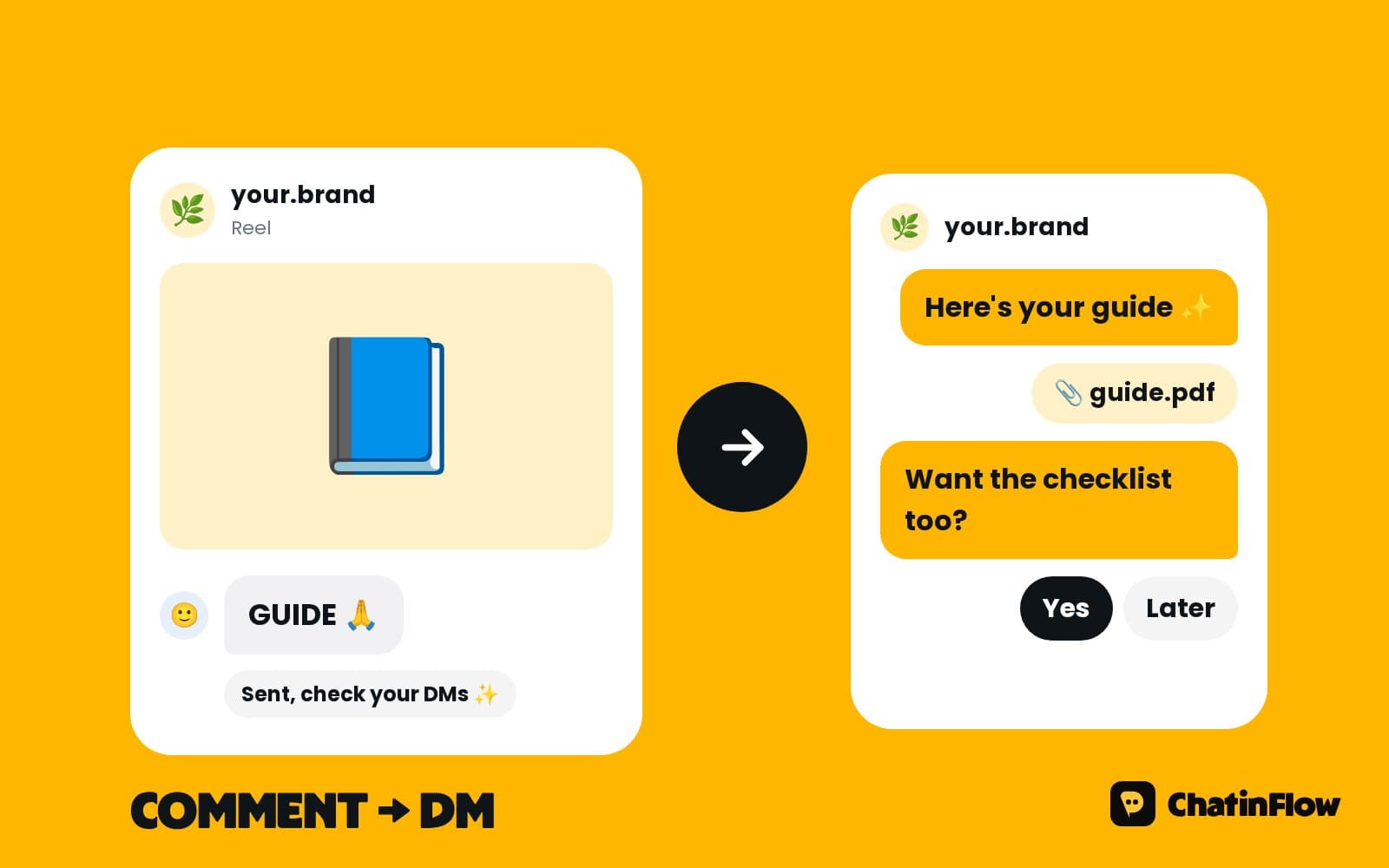
For comments under your reels, a comment automation sends the price and the Book button by private reply, and a short public reply under the comment, so the next reader sees that commenting gets an answer.
Online booking inside Instagram: the booking flow
When the client taps Book, the flow asks which cut with buttons, then offers the nearest free times for that service as taps, up to ten, looking up to a few days ahead. The client taps one, the booking is written and the confirmation goes out in the same chat, with the service, the date, the time and a link to change or cancel.
If two clients tap the same time at once, the second one is not left with an error: the flow continues and offers the new free times. Bookings from the chat land on the same calendar as the ones you add by hand at the desk.
Barbershop appointment reminders that reach clients
Reminder times are set on each service, such as the night before and two hours before. Each one starts a reminder flow, and the reminders move with the booking when it moves.
The rule to know: on Instagram and Messenger, a business can write freely for 24 hours after the client's last message. A client who booked yesterday for today is easy to remind; one who booked two weeks ago is outside the window there, and the reminder is skipped on that channel. You set the order of channels to try, and WhatsApp can reach the client with an approved template whatever the date. The confirmation right after booking always goes out, so make it complete: the time, the barber, the address and the change link.
How to reduce no-shows at a barbershop
No-shows cost a barbershop the most expensive thing it has: chair time. What works:
- A change link in every confirmation. A client who can move their cut in two taps moves it instead of not coming.
- A reminder close to the time, on a channel that can reach them.
- A deposit for long services, such as a cut and color, with a Buy button through your own Stripe or PayPal account.
- A new time, not a lecture. Mark the no-show, and the client gets a message with the barber's next free times. Most people want to come back; they just need it to be easier than ignoring you.
The booking reports show the no-show rate, so you can see whether the changes work.
Fill canceled slots the same day
A client who can't make it cancels with the link in their booking, and the slot goes straight back into the day. The next client who asks in the DMs for that afternoon is offered it and books it with a tap. Post a story at lunchtime, "Two chairs free this afternoon, DM CUT", and the free slots fill from the replies.
Regulars, repeat bookings and the next cut
Regulars who come every three or four weeks are the base of a barbershop. A booking can be repeated from the booking itself, so a regular's next visits are in the diary before they leave the chair. After a visit marked done, a flow can wait and send "Time for a fresh cut?" with the next free times, inside each channel's rules.
Get more Google reviews for your barbershop
When a visit is marked complete, the client gets a short thank-you with your review link, while the fresh cut is still the thing they're showing everyone. Keep it short and personal: "Thanks for coming in today! If you're happy with the cut, a quick review helps us a lot."
Send it the same day. A review request three days later gets a fraction of the answers.
Walk-ins and booked clients side by side
Many shops take both. The chat answers walk-in questions with your rules, for example which days you take them and how busy Saturdays get. Walk-ins themselves stay at the door; the chat only books what is really free, so a client who booked never waits behind one who walked in.
Barber calendars on their own phones
Each barber can get a calendar link. Add it once to Google Calendar, Outlook or Apple Calendar and their bookings show up there and keep updating. The link works one way, so keep shifts and time off in Bookings.
Instagram post ideas that fill a barber's book
- The fresh fade reel. A thirty-second cut with "Comment CUT for this week's free times".
- Before and after. The overgrown look and the clean result, with the price in the caption.
- The barber intro. One post per barber with "Comment LEO to book with Leo", so regulars find their person.
- The quiet-hour offer. "Two chairs free Tuesday morning, DM CUT" in a story when the book has gaps.
- Kids' cuts on Saturday. A post for parents with the kids' cut price and length.
Each word can start its own flow: LEO goes straight to Leo's service, CUT to the first free chair.
Prices, hours and "where are you?" without picking up the phone
The three questions after "anything today?" are the price list, the opening hours and the address. Put them in ready-made questions on Instagram, so clients tap instead of type, and write each answer once. The address answer can carry a map link and a note about parking. Clients get the answer at midnight, and you never stop a cut to type it.
Barbershop booking reports to check every week
- No-show rate. Is it falling since the change links and reminders?
- Occupancy per barber. Booked time against the hours each barber could work.
- Bookings from chat. How many chairs the DMs filled.
- Quiet hours. Tuesday mornings with gaps are a story offer waiting to happen.
A week-one plan for a barbershop
- Day 1. Add your barbers, their shifts and your five most booked services.
- Day 2. Publish the booking flow, with a button per barber, and the confirmation.
- Day 3. Add the price keyword reply, the default reply and the reel comment automation.
- Day 4. Set the reminder times and the channels to try.
- Day 5. Turn on the no-show follow-up and the review request.
- Day 7. Check the bookings from chat and the no-show rate.
Barbershop DM templates you can copy
Is it right for your barbershop?
It suits barbershops that take bookings by DM or phone today, shops with several barbers and their own regulars, and owners who lose chairs to no-shows and late cancellations. It is not for walk-in-only shops that never book ahead, shops locked into a booking app they want to keep for every client, or anyone who wants to message clients who never wrote to them.
Barbershop booking FAQ
Can clients pick their barber?
Yes. Give each barber a service of their own and start the flow with a button per barber. Each button offers only that barber's free times, from their shifts and days off in Bookings.
What if a client wants to move their appointment?
Every booking comes with a link to change or cancel it, and a freed slot goes straight back into the calendar for the next client who asks.
Does it handle walk-ins?
It answers walk-in questions with your rules. Walk-ins themselves stay at the door; the chat only books what is really free.
Can it send reminders on WhatsApp?
Yes, at the times you set before the visit. A reminder sent more than 24 hours after the client's last message uses a template Meta approved, which you submit from ChatinFlow.
Can I take a deposit?
Yes. A Buy button takes a fixed amount through your own Stripe or PayPal account, and the money goes straight to you.
Sources
- Messenger Platform and IG Messaging API policy, Meta for Developers, on the 24-hour window.
- Template fundamentals, Meta for Developers, on WhatsApp templates for messages outside the window.